ControlCenter3
63
3
File type 3
You can choose from the following list of file types when saving to a folder.
Windows Bitmap (*.bmp)
JPEG (*.jpg)
TIFF (*.tif)
TIFF Multi-Page (*.tif)
Portable Network Graphics (*.png)
PDF (*.pdf)
Secure PDF (*.pdf)
XML Paper Specification (*.xps)
Note
• The XML Paper Specification is available for Windows Vista
®
or when using applications which support
XML Paper Specification files.
• If you set the file type to TIFF or TIFF Multi-Page, you can choose “Uncompressed” or “Compressed”.
Image (example: Microsoft
®
Paint) 3
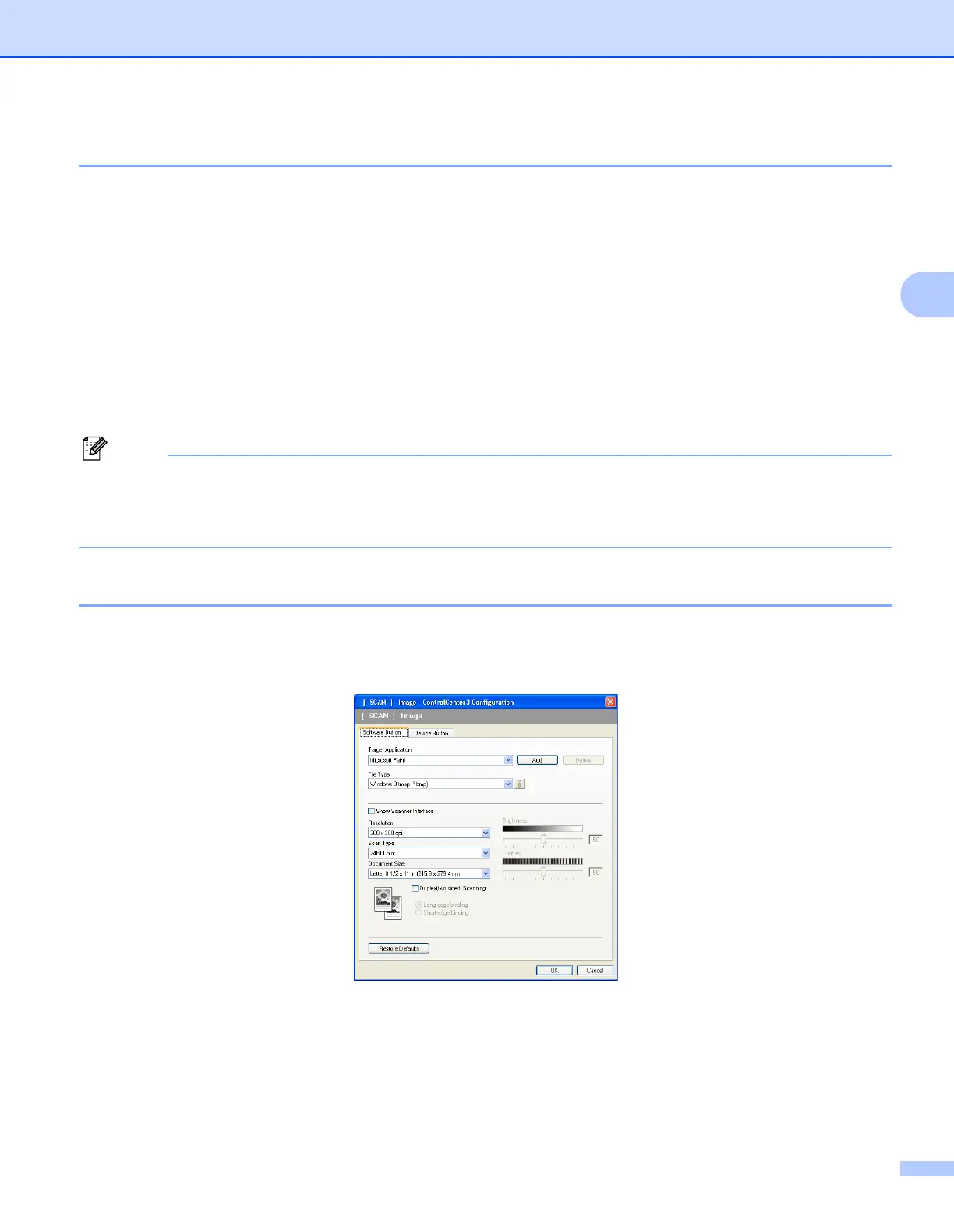
The Scan to Image feature lets you scan an image directly into your graphics application for image editing.
To change the default settings, right-click the Image button, click ControlCenter Configuration and click the
Software Button tab.
If you want to scan and then crop a portion of a page after pre-scanning the document, check the
Show Scanner Interface box.
If you want to scan a duplex document, check Duplex(two-sided) Scanning and choose
Long-edge binding or Short-edge binding. (Not available for the DCP-8080DN and MFC-8480DN)
Change the other settings, if needed.


 To Next Page
 Loading...