58
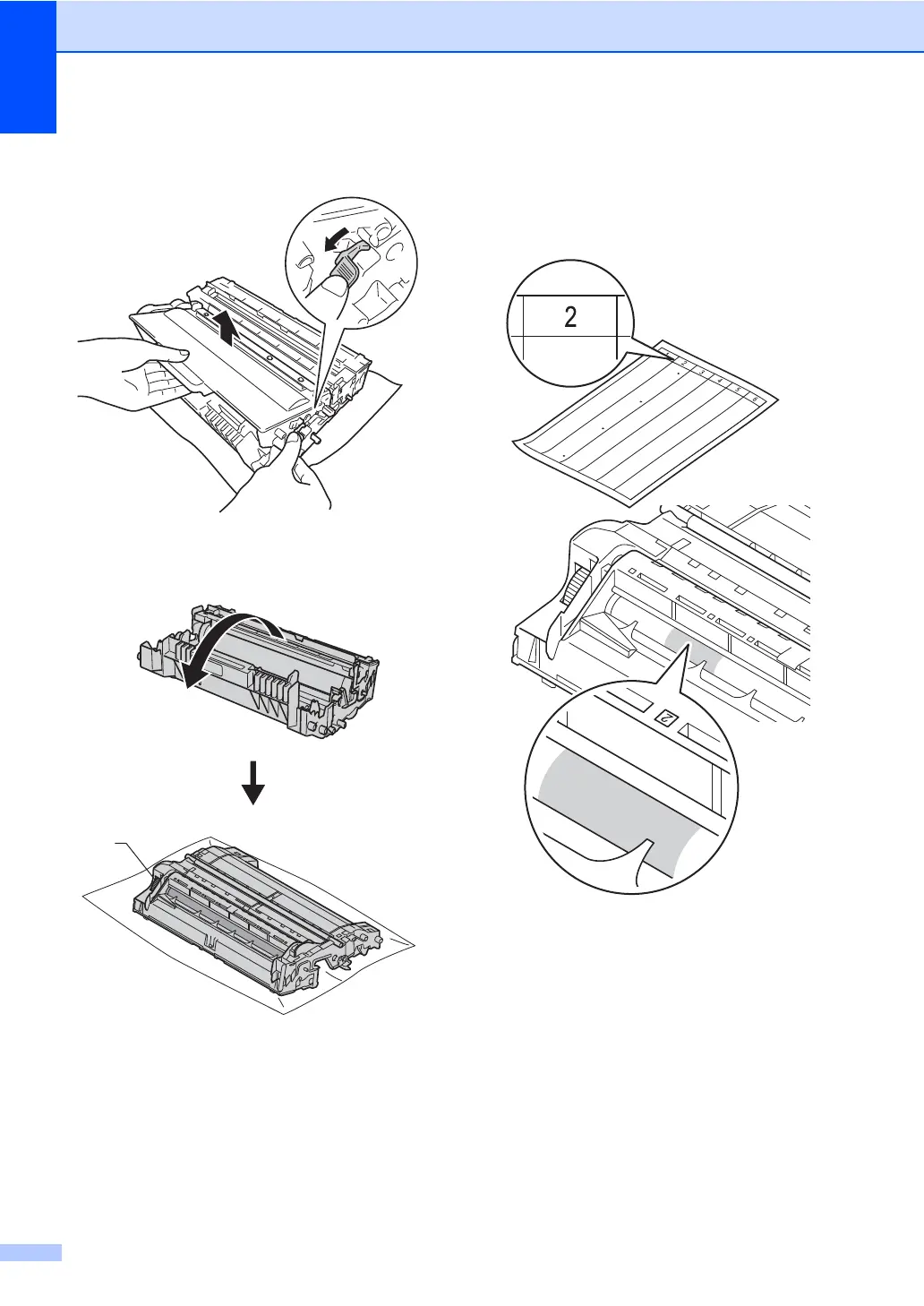
f Push down the green lock lever and take
the toner cartridge out of the drum unit.
g Turn the drum unit as shown in the
illustration. Make sure that the drum unit
gear (1) is on the left hand side.
h Use the numbered markers next to the
drum roller to find the mark. For
example, a dot in column 2 on the check
sheet would mean that there is a mark in
the "2" region of the drum.
1


 To Next Page
 Loading...