INSTALLING THE UPGRADE KIT CW
14
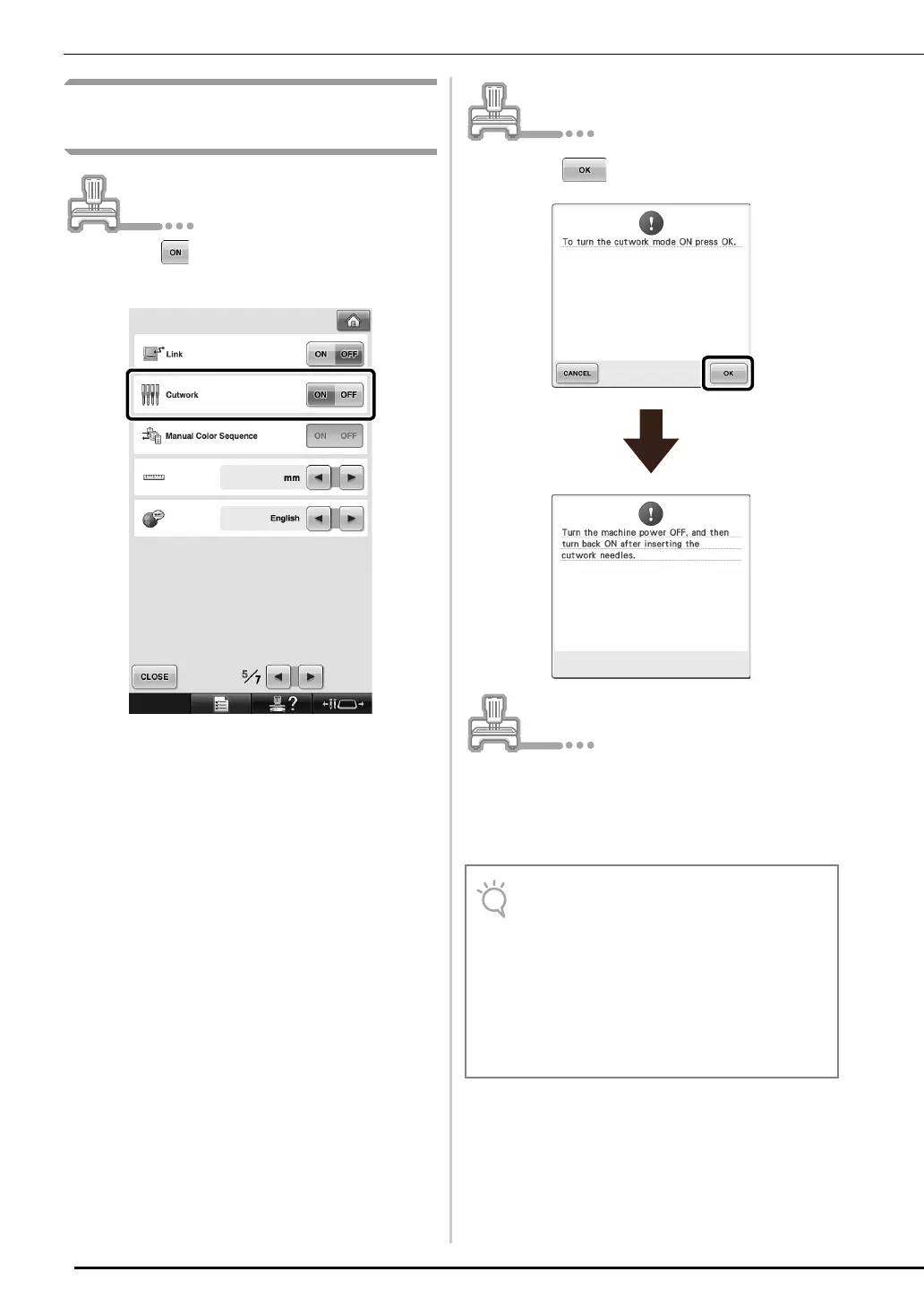
[Step 4] Switching to Cutwork
Mode
a
Touch beside “Cutwork” on the
settings screen.
→ A message appears.
b
Touch .
c
Turn off the machine, insert the cutwork
needles, then turn the machine back on.
For details on changing the needles, see “Replacing
the Cutwork Needles” on page 16.
• For details of the upgraded functions, refer
to the Upgrade KIT CW Operation Manual
and PE-DESIGN NEXT + CW Instruction
Manual downloaded by using the
Certification Key Issuing Wizard.
• For copy of PE-DESIGN NEXT Instruction
Manual, see “PE-DESIGN NEXT Instruction
Manual (PDF version) (For customers using
PE-DESIGN versions 5, 6, 7 and 8)” on
page 4.



 To Next Page