31
F
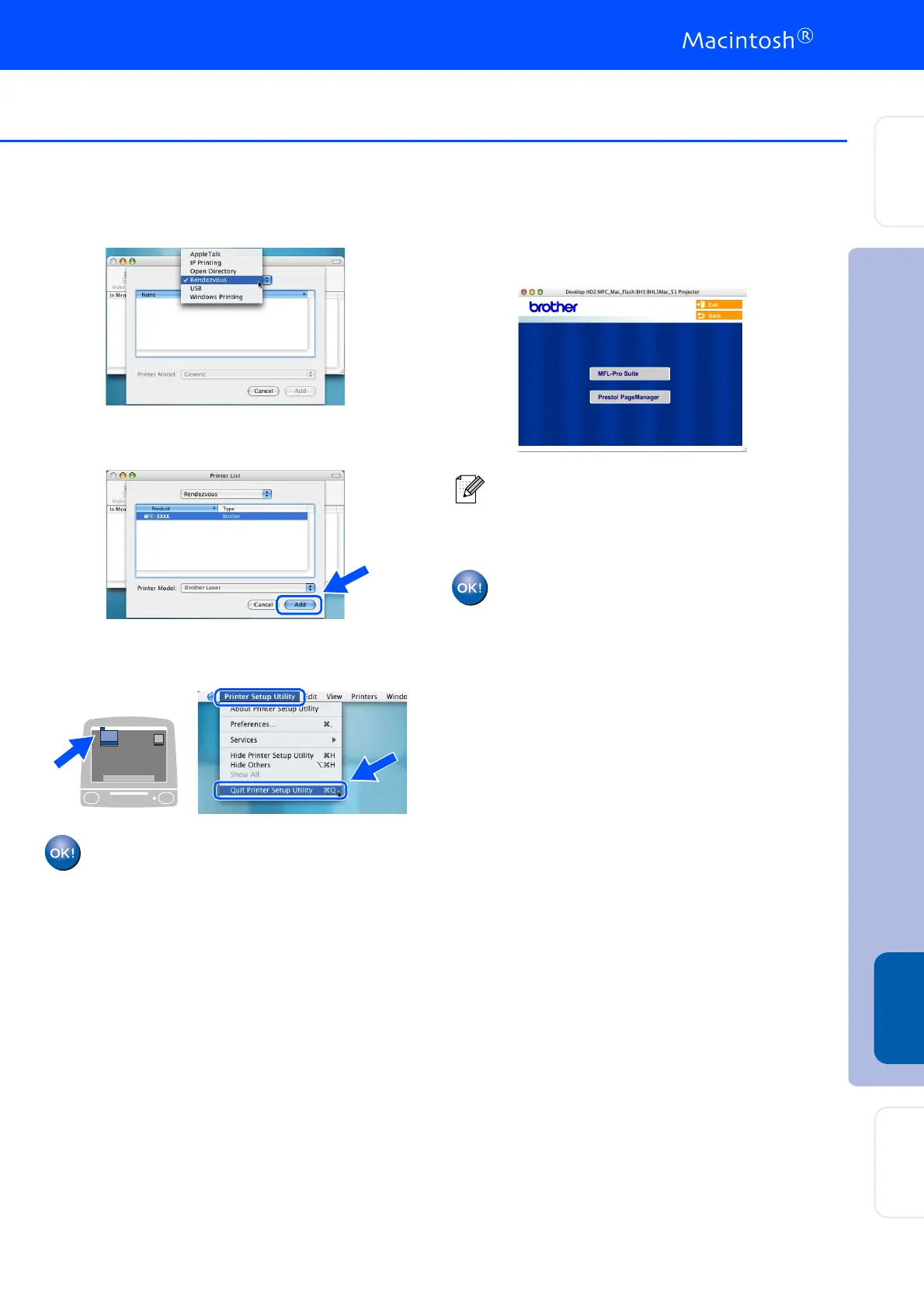
Make the selection shown below.
G
Select Brother MFC-XXXX (XXXX is your
model name) and then click the Add button.
H
Select Quit Printer Setup Utility from the
Printer Setup Utility menu.
The MFL-Pro Suite, Printer driver,
Scanner driver and ControlCenter2.0
have been installed.
I
To install Presto!
®
PageManager
®
, click the
Presto! PageManager icon and follow the
on-screen instructions.
Presto!
®
PageManager
®
has been
installed and the installation is now
complete.
When Presto!
®
PageManager
®
is installed
OCR capability is added to the Brother
ControlCenter2.0. You can also easily scan,
share and organise photos and documents
using Presto!
®
PageManager
®
.
Installing the Drivers & Software
Setting Up
the Machine
Macintosh
®
Network
For
Network Users



 To Next Page
 Loading...