30
8
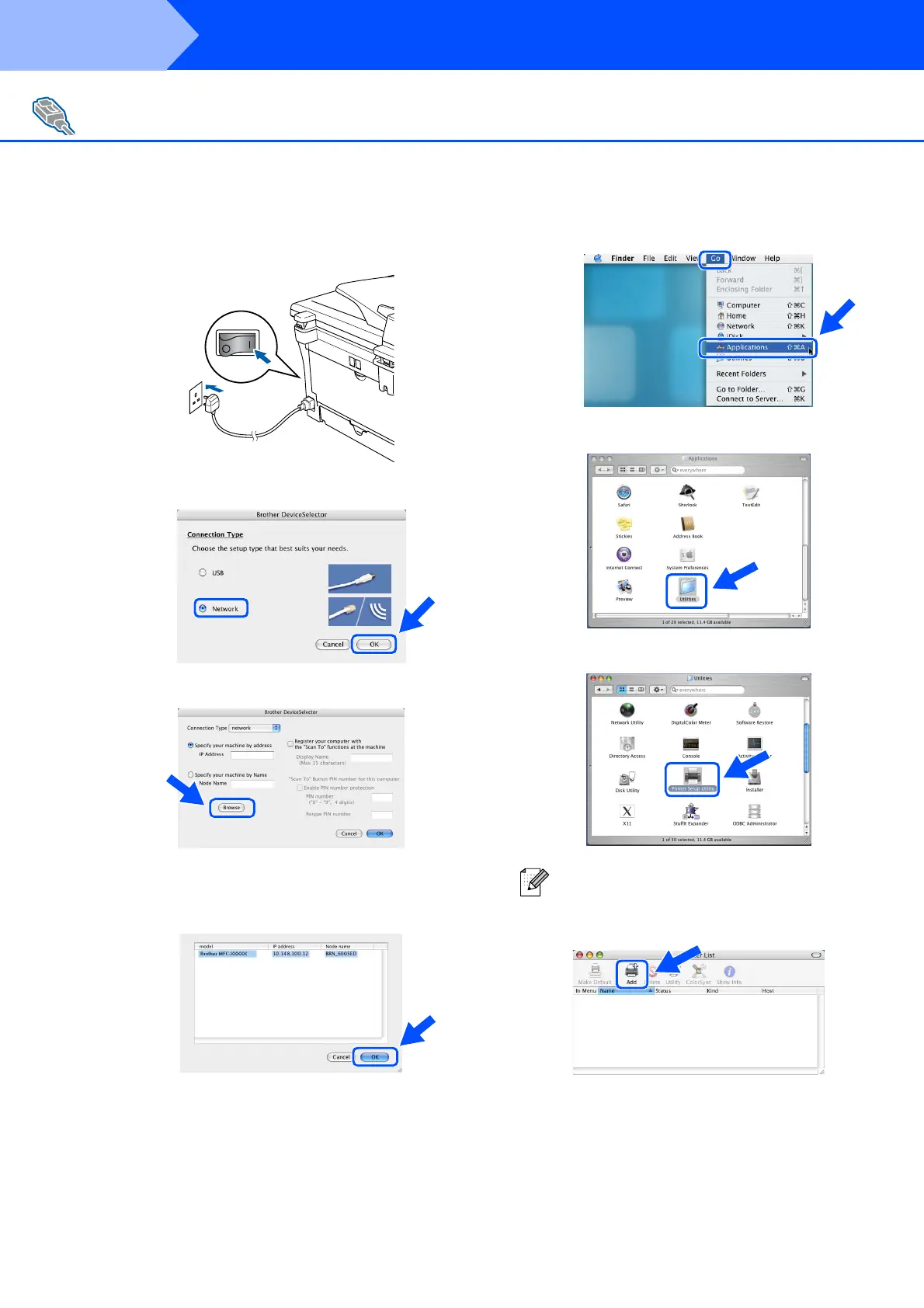
Plug in the power cord and turn on the
machine.
9
Select Network and then click OK.
0
Click Browse.
A
Select your model name, and then click OK.
Click OK again to close the
DeviceSelector.
B
Select Applications from the Go menu.
C
Open the Utilities folder.
D
Open the Print Setup Utility icon.
E
Click Add.
For Network Interface Cable Users
(MFC-7820N and Optional NC-2200w only)
For Mac OS
®
10.2.x users, open Print Center
icon.
Step 2
Installing the Drivers & Software



 To Next Page
 Loading...