78
f If paper is loaded in the paper tray,
remove it.
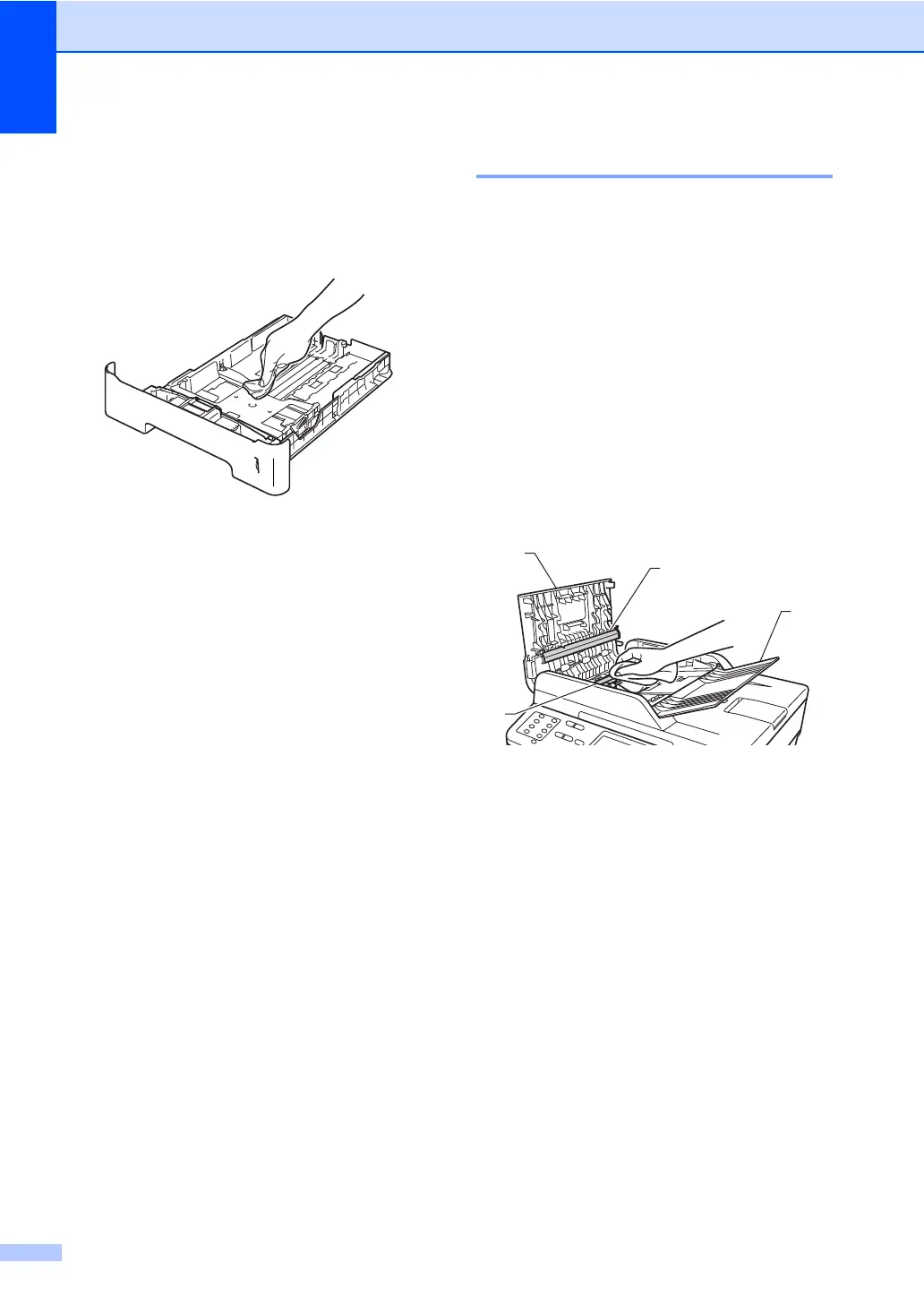
g Wipe the inside and the outside of the
paper tray with a dry, lint-free cloth to
remove dust.
h Re-load the paper and put the paper tray
firmly back in the machine.
i Plug the machine’s power cord back into
the electrical socket first, connect all
cables, and then plug in the telephone
line cord.
j Turn on the machine.
Cleaning the scanner glass A
a Turn off the machine.
b Unplug the telephone line cord first,
disconnect all cables, and then unplug
the power cord from the electrical
socket.
c (MFC-8520DN) Unfold the ADF
document support (1) and then open the
ADF cover (2).
Clean the white bar (3) and the scanner
glass strip (4) underneath it with a soft
lint-free cloth moistened with water.
Close the ADF cover (2) and fold the
ADF document support (1).
1
2
4
3


 To Next Page
 Loading...












