EasyManua.ls Logo

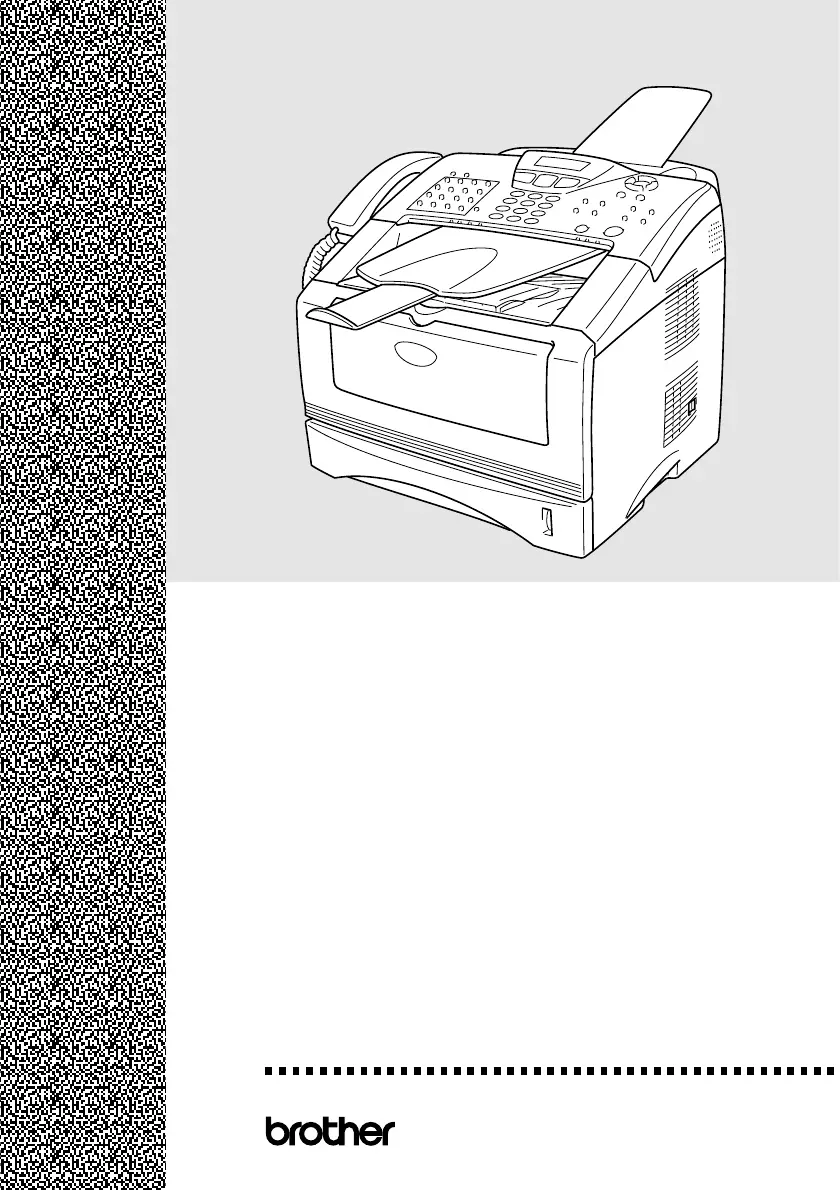
Brother MFC-8220 - User Manual

Brother MFC-8220
213 pages
Print Icon
To Next Page IconTo Next Page
Loading...
USER’S GUIDE
®
MFC-
8220
Version B

Table of Contents

Other manuals for Brother MFC-8220

Questions and Answers

  • R
    Ralph ParkSep 23, 2025
    Why can't I change the Receive Mode on my Brother All in One Printer?
    • M
      morganphillipsSep 23, 2025
      If your Brother All in One Printer is set to BT Call Sign On, you can't change the Receive Mode from Manual. Set BT Call Sign to Off.
  • J
    Jerry BaileyAug 25, 2025
    How to fix 'Toner Empty' error on Brother MFC-8220 All in One Printer?
    • C
      Clinton CraigAug 25, 2025
      If your Brother All in One Printer shows 'Toner Empty', reinstall the toner cartridge or replace it with a new one because the toner cartridge is either not installed or the toner is used up and printing is not possible.
  • D
    David FloresAug 25, 2025
    How to clear 'Change Drum Soon' message on Brother All in One Printer?
    • D
      Danielle GuerraAug 26, 2025
      If your Brother All in One Printer displays 'Change Drum Soon', it means the drum unit is near the end of its life. Use the drum unit until you have a print quality problem, then replace it. If the message persists after replacement, open the front cover and press Clear/Back, then press 1 to reset the counter.
  • B
    Brian RileyAug 27, 2025
    What to do if my Brother MFC-8220 says 'Check Paper Check Paper #1 Check Paper #2'?
    • A
      Andrew HallAug 27, 2025
      If your Brother All in One Printer displays 'Check Paper Check Paper #1 Check Paper #2', refill the paper in the paper tray, or remove the paper and load it again. It means that the printer is out of paper, the paper is not properly loaded, or the paper is jammed.
  • T
    Tara BakerSep 23, 2025
    What to do if my Brother All in One Printer says 'Fuser Open'?
    • J
      Jesus SchmittSep 23, 2025
      If your Brother All in One Printer displays 'Fuser Open', the jam clear cover (fuser cover) is open. Close the jam clear cover (fuser cover).
  • M
    Madison JohnsonSep 13, 2025
    What to do if my Brother MFC-8220 says 'Error Scanning Turn off and on the machine, then try again'?
    • J
      jonescarolSep 13, 2025
      If your Brother All in One Printer displays 'Error Scanning Turn off and on the machine, then try again.', it means the MFC cannot scan the original document correctly. Remove the original document from the ADF. Turn the power off and on, and then try again.
  • W
    woodsrichardSep 12, 2025
    What does 'Comm.Error' mean on my Brother MFC-8220?
    • C
      Christian RichardsonSep 12, 2025
      If your Brother All in One Printer shows a 'Comm.Error', it indicates a communication error due to poor phone line quality. Try the call again. If the problem persists, contact your telephone company to check your phone line.
  • A
    Anthony MichaelSep 12, 2025
    What to do if my Brother MFC-8220 All in One Printer says 'Cover Open Pls Close Cover'?
    • G
      Gabriel DavisSep 12, 2025
      If your Brother All in One Printer displays 'Cover Open Pls Close Cover', it means the front cover isn't completely closed. Ensure the front cover for the drum unit is securely closed.
  • A
    Alan DickersonSep 4, 2025
    Why does my Brother MFC-8220 All in One Printer say 'Cooling Down Wait for a while'?
    • A
      Arthur SanchezSep 4, 2025
      If your Brother All in One Printer displays 'Cooling Down Wait for a while', wait for a while for the MFC to cool. This message indicates that the temperature of the drum unit or toner cartridge is too hot.
  • L
    ldeleonSep 2, 2025
    What to do if Brother MFC-8220 says 'Pls Open Cover'?
    • P
      Paul PattersonSep 2, 2025
      If your Brother All in One Printer displays 'Pls Open Cover', open the front cover and pull out the drum unit. Remove any jammed paper or other items, reinsert the drum unit, and close the front cover. If the error persists, open and close the front cover again. If the printer still doesn't reset, contact your Brother dealer for service.

Brother MFC-8220 Specifications

General IconGeneral
Typeall in one
Tray Capacity250
Automatic Document Feeder Capacity30 sheets
Paper Sizeletter, legal, a4, b5, a5, b6, a6, exe
Paper Handlingup to 250 sheets
Mono Print Speed21 pages per minute
Print Resolution Monoup to 2400 x 600
Maximum Number of Pages Per Monthup to 20, 000
Scanner Typesheetfed
Scan Resolutionup to 300 x 600
Copier Resolution Monoup to 600
Fax Functionyes
Cartridgesn/a
Number Of Cartridges2
Internal Memoryyes
Networknot applicable
Connectivityparallel, usb 2.0
OS Compatibilitypc: windows 95, 98, 98se, me, nt workstation 4.0, 2000 professional or xp, mac: os 8.6 to 9.2, os x 10.1, 10.2.1 to 10.3 or later, available usb 2.0 or parallel port
Mobile Devices Connectionno
Weight and Dimensions IconWeight and Dimensions
Height13.2 inches
Width17 inches
Net Weight25.6 pounds

Related product manuals