EasyManua.ls Logo

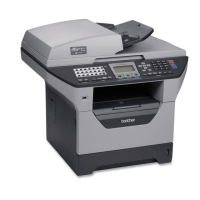
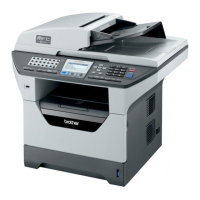
Brother MFC-8680DN - User Manual

Brother MFC-8680DN
248 pages
Print Icon
To Next Page IconTo Next Page
Loading...
NETWORK
USER’S GUIDE
Multi-Protocol On-board Ethernet Multi-function Print Server and
Wireless (IEEE 802.11b/g) Ethernet Multi-function Print Server
Please read this manual thoroughly before using this machine on
your network. You can view this manual in HTML format from the
CD-ROM at any time, please keep the CD-ROM in a convenient
place for quick and easy reference at all times. You can also
download the manual in PDF format from the Brother Solutions
Center. (http://solutions.brother.com/)
The Brother Solutions Center (http://solutions.brother.com/) is
your one stop resource for all your printing needs. Download the
latest drivers and utilities for your machine, read FAQs and
troubleshooting tips or learn about special printing solutions.
Version B
USA

Table of Contents

Other manuals for Brother MFC-8680DN

Questions and Answers

  • W
    Wayne BanksJul 26, 2025
    Why is the network scanning feature not working on my Brother All in One Printer in Windows?
    • P
      Patricia BarnesJul 26, 2025
      If you're having trouble with the network scanning feature on your Brother All in One Printer in Windows, it might be due to your PC's Firewall settings blocking the necessary network connection. To resolve this, you should disable the Firewall.
  • J
    Jasmine Jones DVMJul 31, 2025
    What to do if my computer cannot find my Brother All in One Printer?
    • C
      Crystal GarnerAug 1, 2025
      If your computer can't find the Brother All in One Printer or print server, it's possible that your computer's Firewall setting is blocking the necessary network connection. To fix this, disable the Firewall on your computer and reinstall the drivers.
  • A
    Andrew ParsonsAug 6, 2025
    Why is my print job not printing on my Brother All in One Printer?
    • W
      William JohnsonAug 6, 2025
      A mismatched or duplicate IP address can cause print jobs to fail. Verify that the IP address is correctly loaded into the print server and ensure that no other devices on the network are using the same IP address.
  • M
    Michael RoseAug 12, 2025
    Why is the wireless network connection sometimes disabled on my Brother All in One Printer?
    • A
      Andrew SullivanAug 12, 2025
      The wireless network connection status can be affected by the environment where the Brother printer and other wireless devices are located.
  • M
    medinamichaelAug 18, 2025
    Why is the Brother All in One Printer server not found during network setup?
    • D
      Daniel ArcherAug 19, 2025
      For a network with an Ethernet cable connection, make sure you have completed the IP address setting of the Brother print server according to Chapter 2 of this User’s Guide before installing the network print software or printer driver. For a wireless network, make sure you have completed the IP address setting and wireless network settings of the Brother print server according to Chapter 3 of this User’s Guide before installing the network print software or printer driver.

Summary

Configuring your machine for a network

IP Addressing and Network Settings

Explains IP addresses, subnet masks, and gateway configuration.

Setting Up Network Connectivity

Guides on setting IP addresses using BRAdmin Light utility.

Configuring your machine for a wireless network (For MFC-8890 DW)

Control Panel Network Setup

TCP;IP Settings Configuration

Configure IP Address, Subnet Mask, Gateway, Node Name, WINS, DNS, APIPA, IPv6.

Restoring Factory Defaults

Steps to reset all network settings to factory default.

Windows Network Printing (TCP;IP Peer-to-Peer)

Configuring Standard TCP;IP Port

Guides on installing and configuring printer drivers for network printing.

Internet Printing for Windows

IPP Printing Setup

Instructions for setting up Internet Printing Protocol (IPP) on Windows.

Macintosh Network Printing (BR-Script 3 Driver)

Selecting the BR-Script 3 Driver

Steps for selecting the BR-Script 3 driver for Mac OS X 10.3.9+ and 10.5.x.

Web Based Management Configuration

Configuring Machine Settings via Web Browser

Step-by-step guide to configure settings like passwords and secure locks.

Security Features and Protocols

Security Terms and Protocols Overview

Defines security terms and lists supported protocols like SSL/TLS and SNMPv3.

Secure Management Practices

Guides on securing the printer using HTTPS and Web Based Management.

Certificate Management

Steps for creating, installing, importing, and exporting certificates.

Troubleshooting Network Issues

General and Connection Problems

Resolves common issues like CD-ROM errors, connection failures, and factory resets.

Software Installation and Printing Issues

Troubleshoots software installation errors and print job failures.

Brother MFC-8680DN Specifications

General IconGeneral
BrandBrother
ModelMFC-8680DN
CategoryAll in One Printer
LanguageEnglish

Related product manuals