3-54
Confidential
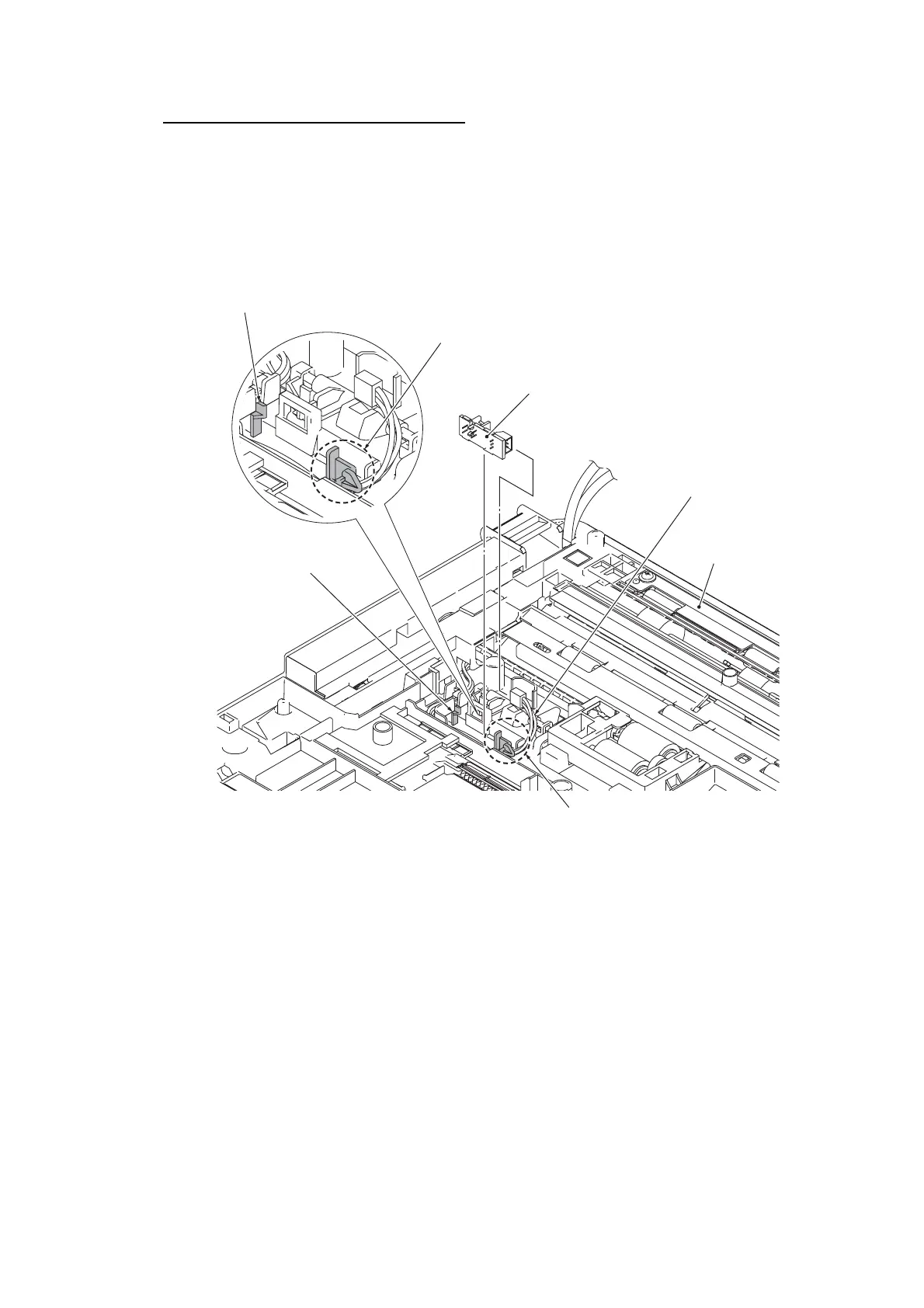
Document detection sensor PCB ASSY
(12)Turn the ADF unit upside down.
(13)Push the lock arm towards you, remove the rear end of the Document detection
sensor PCB from the lock arm, and take out the Document detection sensor PCB
ASSY. Disconnect the Document detection sensor harness from the Document
detection sensor PCB.
Assembling Note
• Press down the Document detection actuator and install the Document detection sensor
PCB.
Document detection
sensor PCB ASSY
Document detection
sensor harness
Lock arm
Cable guide
Lock arm
ADF unit
Cable guide


 To Next Page
 Loading...