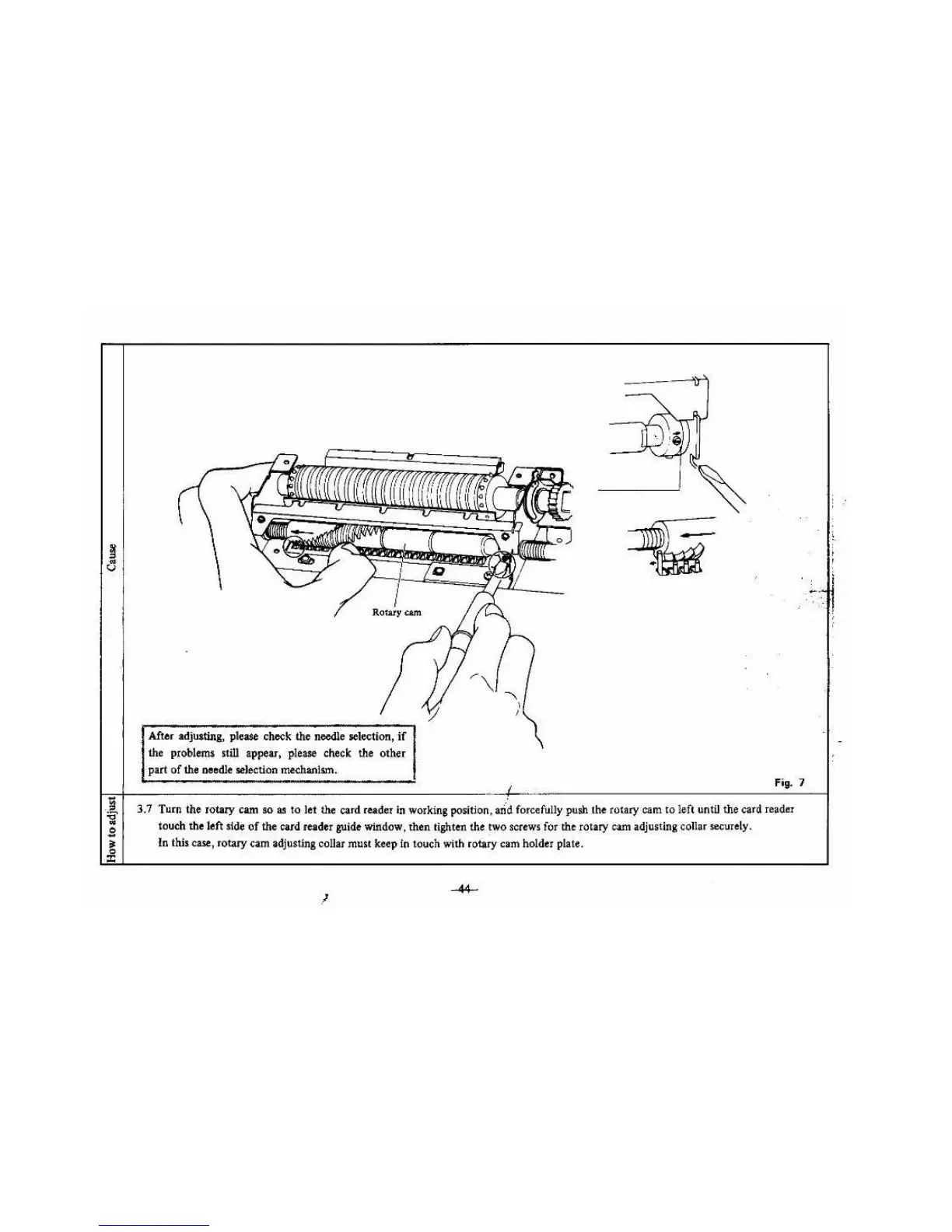
After adj.,.ting, please check the needle selection,
if
the problems still appear, please check the
oth
er
part
of
the needle selection mechanlt.m.
Fig. 7
3.7 Turn the rotary cam
so
as
to
l
et
the card reader
in
working position,
and
forcefully push the rota
ry
cam to left until the card reader
touch the left side
of
the card reader guide window, then lighten the two screws for the rotary cam adjusting collar securely.
In this case, rotary
ca
m adjusting collar must keep in touch with rotary cam
ho
lder plate.
!
. ~ ..
: ..





 To Next Page