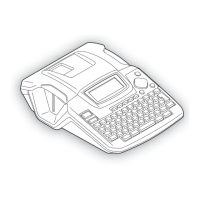
Thank you for purchasing the P-touch 2420PC!
With your new Brother label printer, you can print personalised labels for any purpose. Simply insert a
label cassette into the PT-2420PC, design your label with the enclosed P-touch label-designing software,
and then print it out. Your customised label prints out in seconds. Label tape cassettes are available in
various sizes and colours—ideal for colour-coded labelling or any other special labelling needs.
Two label-designing applications are available on the enclosed CD-ROM. The easy-to-use P-touch Quick
Editor software allows text to be entered and formatted quickly so that simple labels can be printed
instantly. The more advanced P-touch Editor Ver. 3.1 application not only automates complex layout
functions, but it also includes a variety of pre-formatted templates for immediate use.
Declaration of Conformity
We, Brother Industries Ltd.
15-1, Naeshiro-cho, Mizuho-ku,
Nagoya 467-8561, Japan
declare that this product conforms with the following normative documents:
Safety: EN 60950 (AC adapter)
EMC: EN 55022 1998 Class B
EN 55024 1998
EN 61000-3-2 1995
EN 61000-3-3 1995
following the provisions of the Electromagnetic Compatibility Directive 89/336/EEC (as amended
by 91/263/EEC and 91/31/EEC).
This system also follows the provisions of the Low Voltage Directive 73/23/EEC.
Issued by: Brother Industries Ltd.
The enclosed interface cables should be used in order to ensure compliance with the limits for
EMC.



 To Next Page
 Loading...