132
UTILITY STITCHES — — — — — — — — — — — — — — — — — — — — — — — — — — — — — — — — — — — — — — — — — — —
e
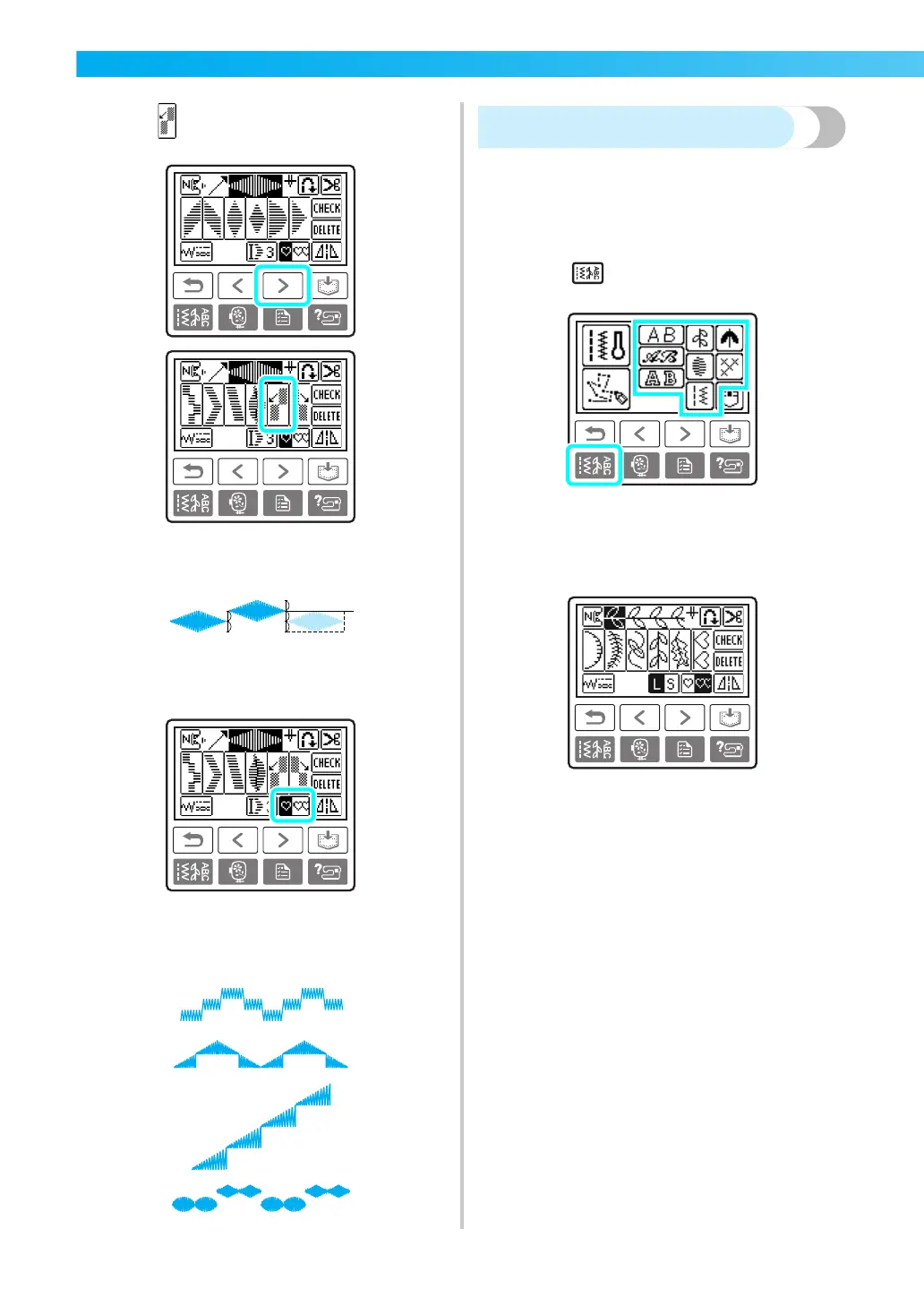
Press .
X The next pattern selected is moved half a
width to the left.
f
Specify that the patterns will be sewn
repeatedly.
• For details, refer to “Repeating patterns”
(page 133).
■ Examples of step patterns
Combining patterns
You can sew with combinations of stitches from
character stitches, decorative stitches, satin stitches,
combined utility stitches, decorative satin stitches
and cross stitches.
a
Touch (Utility stitch key) on the
operation panel, and select the stitch type.
b
Select the first pattern.
X The first pattern is selected and appears in
on the screen.
• When the sewing is started, the selected
pattern is sewn repeatedly until the sewing
machine is stopped.











 To Next Page