Editing Patterns 171
4
— — — — — — — — — — — — — — — — — — — — — — — — — — — — — — — — — — — — — — — — — — — — — — — — — — — —
Editing Patterns
This section describes ways to edit, adjust, and reposition patterns.
Adjusting the layout
The pattern is normally positioned in the center of the
embroidery frame.
You can check the layout before starting embroidery
and change the position and the size.
z Keys that appear surrounded with a dotted
line cannot be used.
a
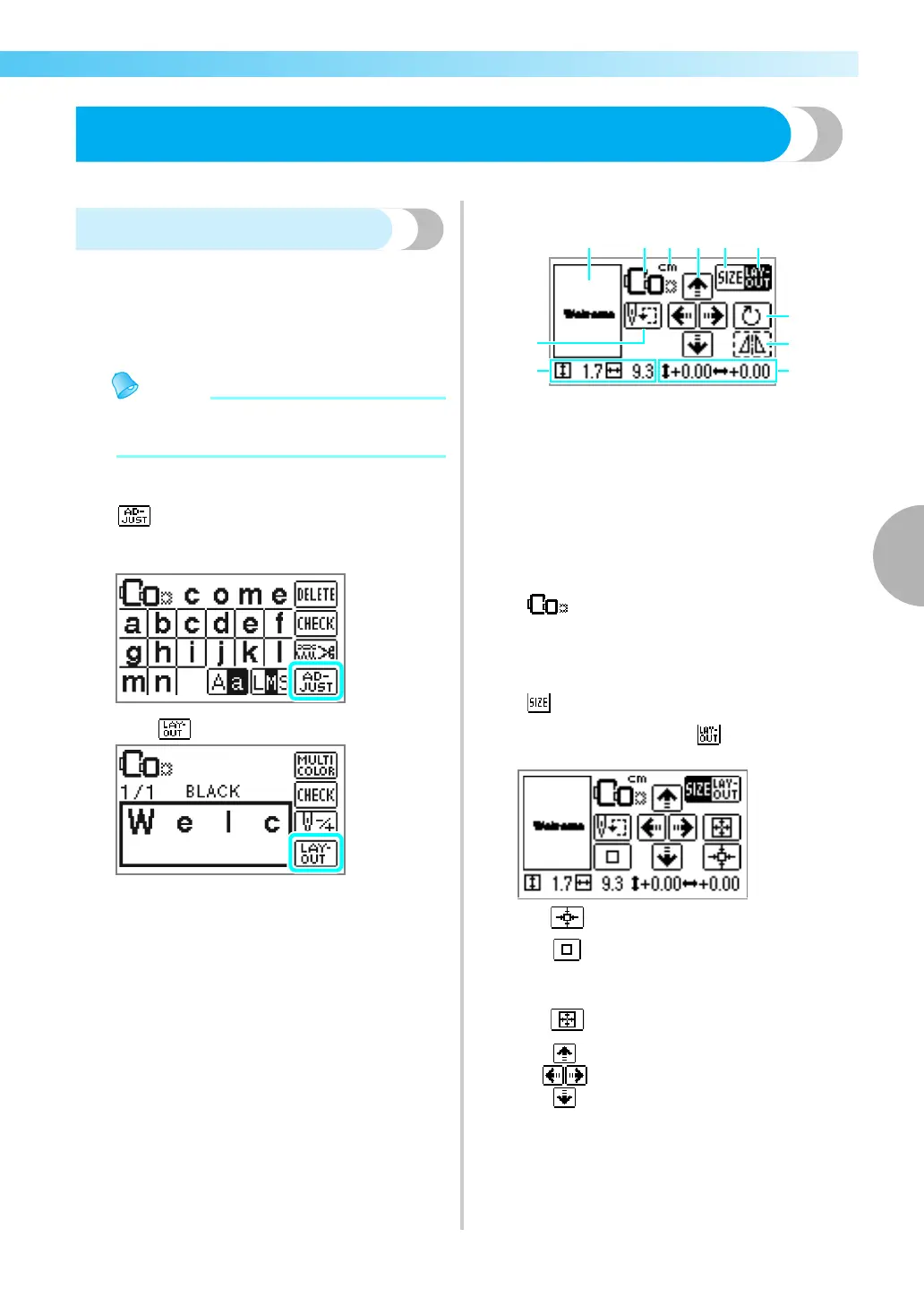
After selecting the embroidery pattern, press
.
X The embroidery screen is displayed.
b
Press .
X The layout screen is displayed.
c
Check and adjust the layout.
a Layout within the frame
b Available embroidery frames
c Display unit (cm/INCH)
d Change position keys
e Size key
f Layout key
g Rotation key
h Horizontal mirror image key
i Distance from the center
j Embroidery size
k Starting point key
Embroidery frame size
These flash if the pattern was resized,
the layout was adjusted, or the
recommended embroidery frame size
was changed. Embroidery frame icons
that appear in gray cannot be used.
Size key
Increases/decreases the size of the
pattern. Press to return to the
previous screen.
Decreases size
Returns to original size
Returns to center position (when the
pattern was moved with the change
position key)
Increases size
Change position keys
Moves the embroidery position up,
down, left and right.











 To Next Page