Selecting Embroidery Patterns 165
4
— — — — — — — — — — — — — — — — — — — — — — — — — — — — — — — — — — — — — — — — — — — — — — — — — — — —
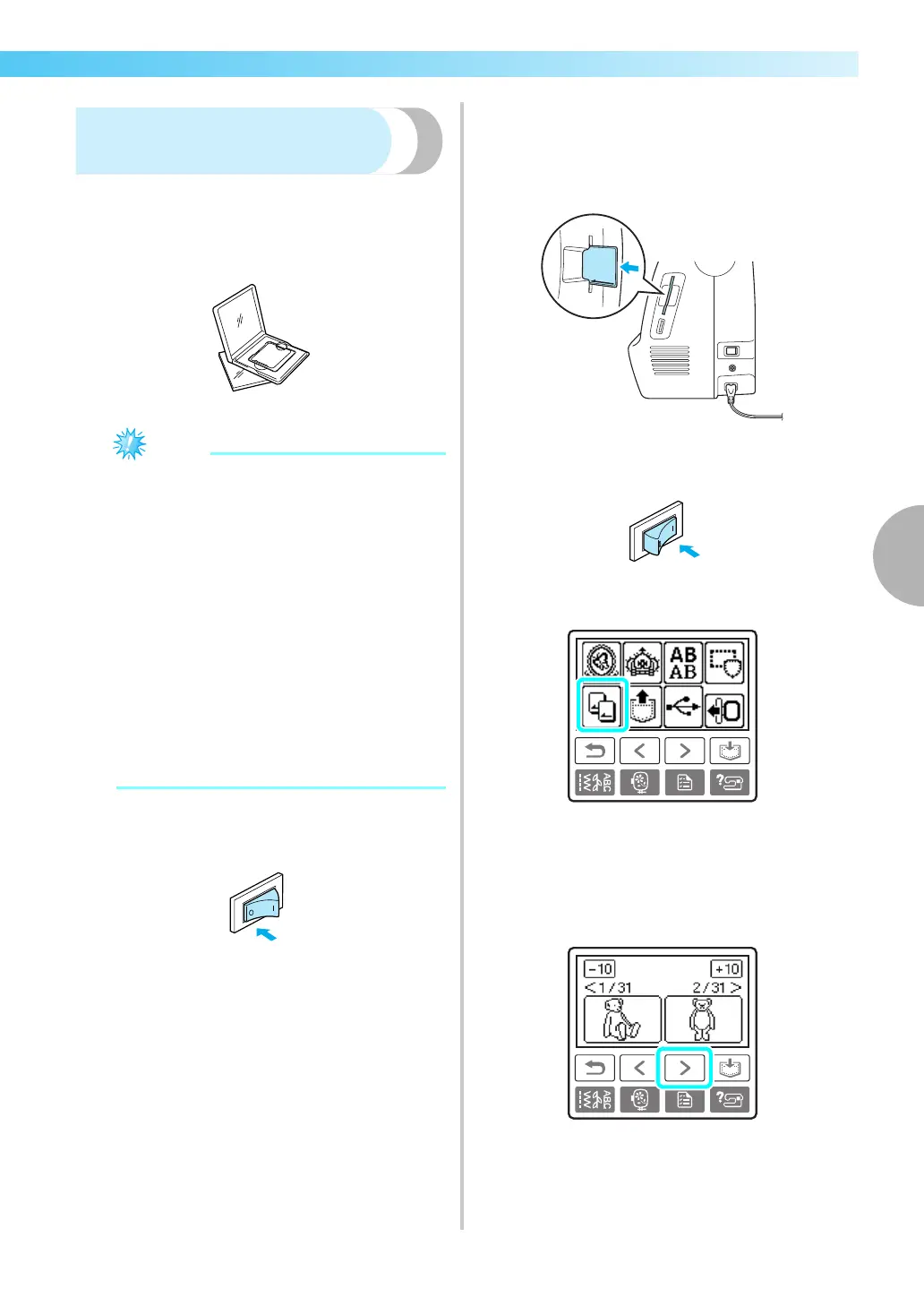
Using an embroidery card
(sold separately)
If an embroidery card is used, you can embroider
patterns other than the patterns saved in the sewing
machine. There are various cards with different
themes.
z Always turn off the sewing machine to insert
and remove embroidery cards.
z Insert the embroidery card into the
embroidery card slot, facing it in the right
direction.
z Do not put anything other than an
embroidery card in the embroidery card slot.
z When embroidery cards are not in use, keep
them in their storage cases.
z Use only embroidery cards manufactured for
this machine. Using unauthorized cards may
cause your machine to operate incorrectly.
z Embroidery cards purchased in foreign
countries may not work with your machine.
z Large patterns supplied on embroidery cards
may be difficult to view on the screen.
a
Turn off the sewing machine.
b
Insert the embroidery card in the embroidery
card slot on the right side of the sewing
machine.
Face the arrow on the embroidery card toward
you, and insert it in the direction of the arrow.
c
Turn on the sewing machine.
d
Press the embroidery card on the screen.
X The selection screen for the patterns saved in
the card is displayed.
e
Select a pattern.
The operation is the same as in “Selecting
Embroidery Patterns” (page 159).











 To Next Page