152
EMBROIDERY — — — — — — — — — — — — — — — — — — — — — — — — — — — — — — — — — — — — — — — — — — — — —
Removing the embroidery unit
Make sure that the sewing machine is completely
stopped and follow the instructions below.
a
Remove the embroidery frame.
• For details on removing the embroidery
frame, refer to “Removing the embroidery
frame” (page 158).
b
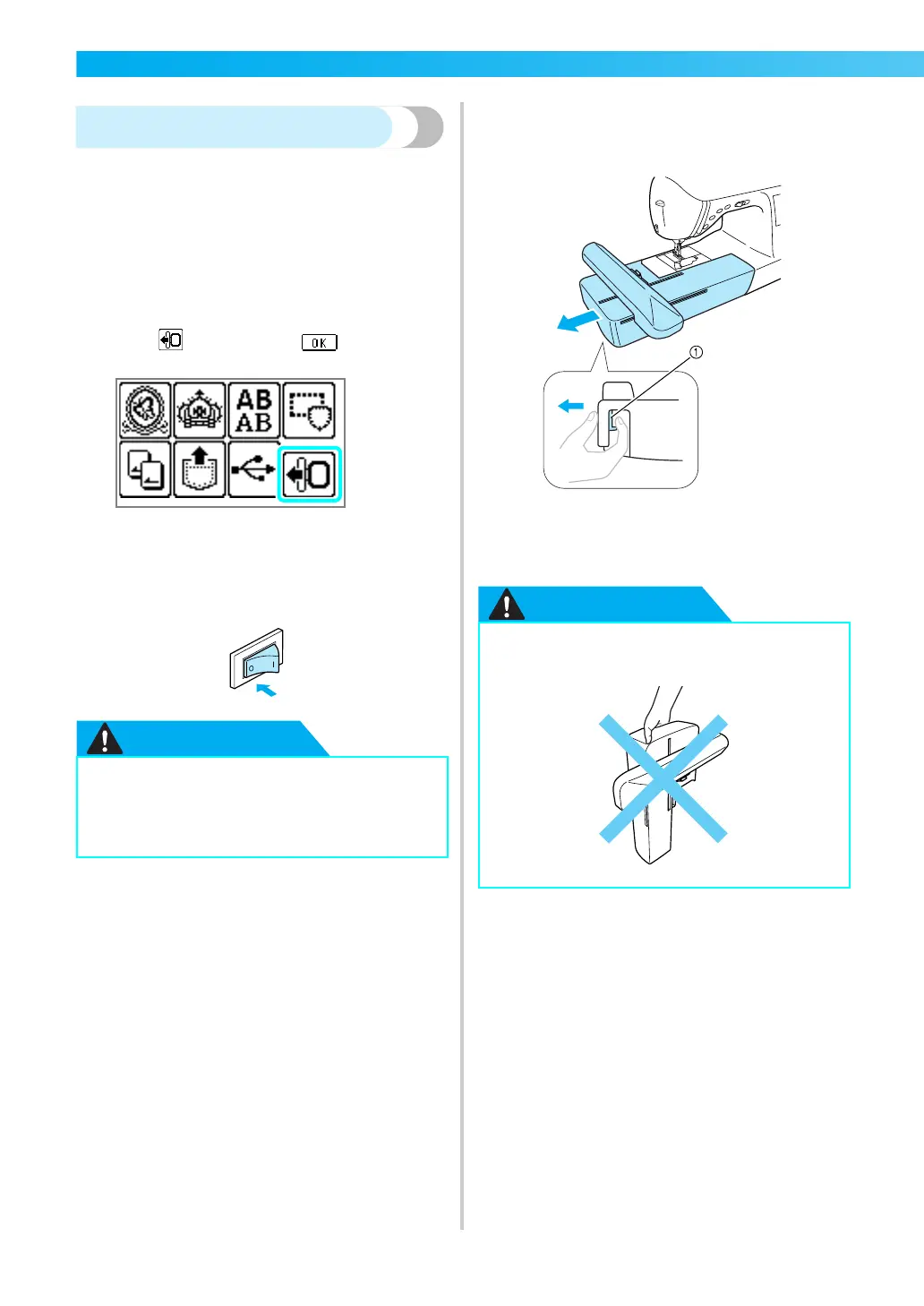
Press , and then press .
X The embroidery carriage moves into a
position where it can be stored.
c
Turn off the sewing machine.
d
Hold the release button on the bottom left of
the embroidery unit, and slowly pull the
embroidery unit to the left.
a Release button
X The embroidery unit separates from the
sewing machine.
● Always turn off the sewing machine
before removing the embroidery unit.
It may cause malfunctions if removed
when the machine is turned on.
● Do not carry the embroidery unit by
holding the release button compartment.











 To Next Page