Troubleshooting 205
5
— — — — — — — — — — — — — — — — — — — — — — — — — — — — — — — — — — — — — — — — — — — — — — — — — — — —
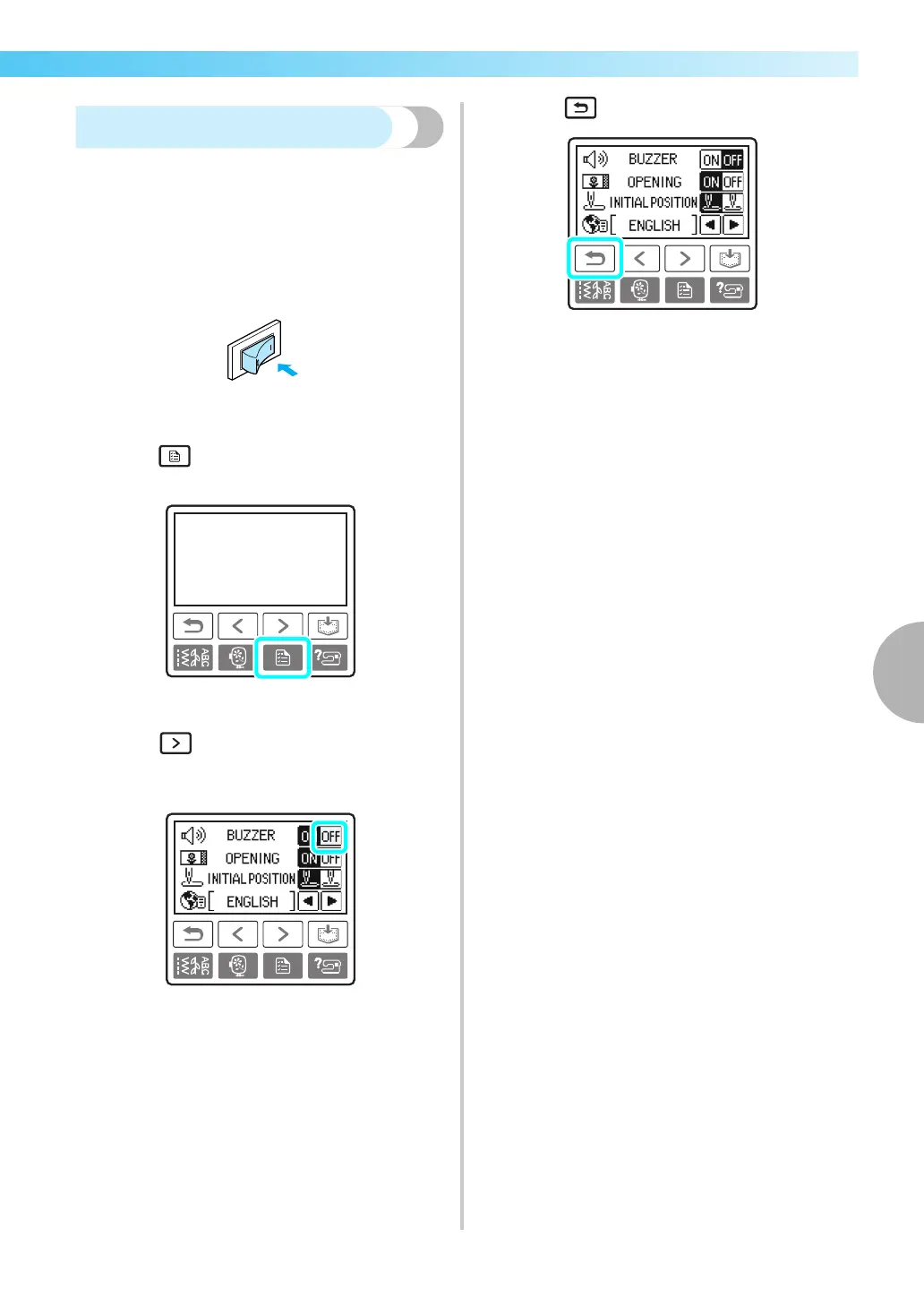
Canceling the operation beep
When the sewing machine is purchased, it is set to
beep each time an operation panel key is pressed.
This setting can be changed so that the machine does
not beep.
a
Turn on the sewing machine.
X The LCD comes on.
b
Press (Settings key) on the operation
panel.
X The settings screen appears.
c
Press (Next page key) three times.
d
Press OFF for the buzzer.
X The screen for changing the beep setting
appears.
e
Press (Back key).
X The initial screen appears again.











 To Next Page