2
Sewing 55
— — — — — — — — — — — — — — — — — — — — — — — — — — — — — — — — — — — — — — — — — — — — — — — — — — — —
Securing the stitching
When sewing with the straight stitch, for example, at
the end of an opening or where seams do not
overlap, use reverse stitching or reinforcement
stitching to secure the end of the thread.
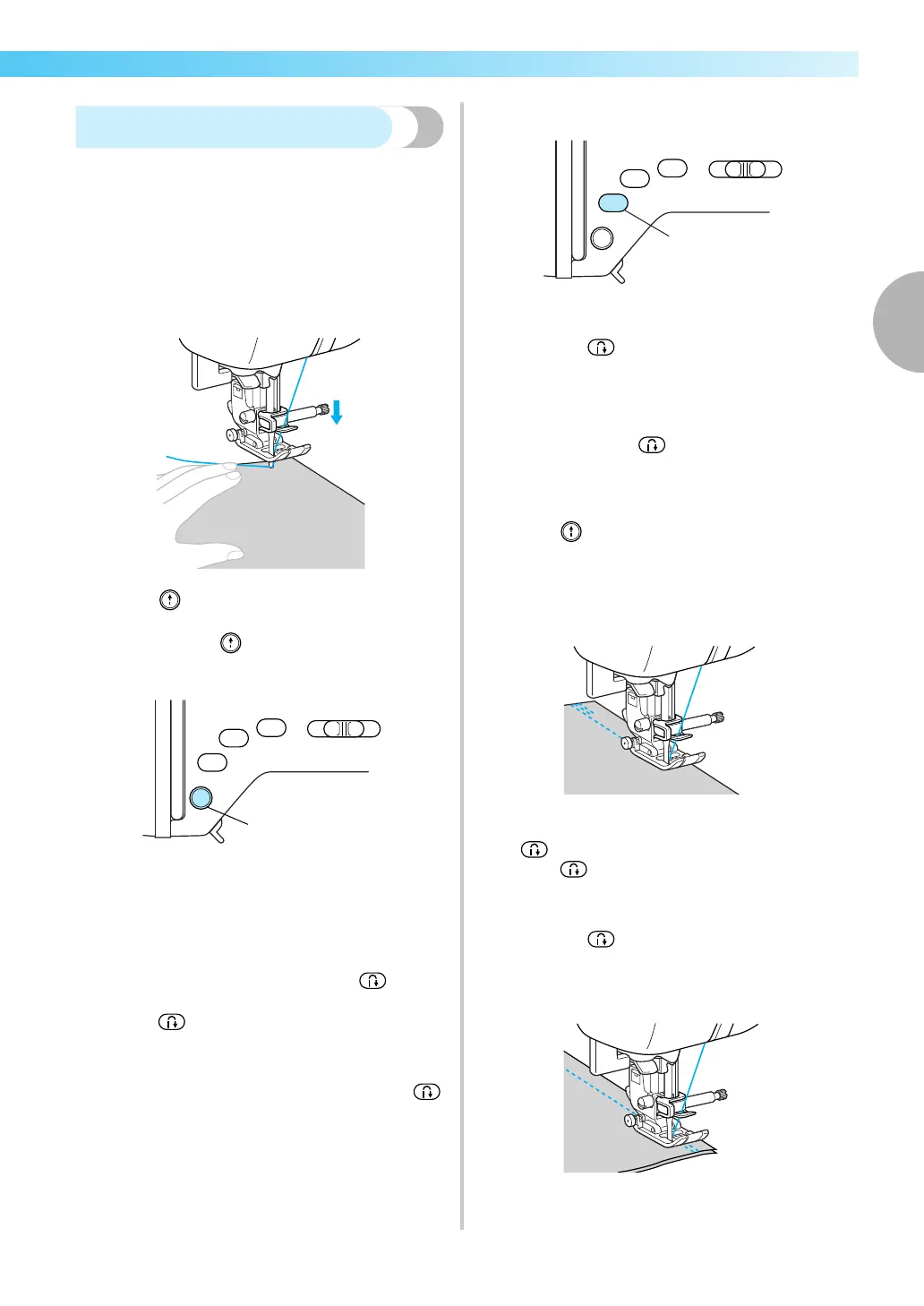
a
Lower the needle into the fabric at the
beginning of the stitching, and then lower the
presser foot lever.
b
Press (“Start/Stop” button) or press down
on the foot controller.
At this time, if (“Start/Stop” button) is held
down, the machine sews at a slow speed.
a “Start/Stop” button
• For details, refer to “Starting to sew” (page
53).
X The machine starts sewing.
c
After sewing 3 to 5 stitches, press
(“Reverse/Reinforcement Stitch” button).
Keep (“Reverse/Reinforcement Stitch”
button) held down until you reach the
beginning of the stitching.
• The machine sews at a slow speed when
(“Reverse/Reinforcement Stitch” button) is
held down.
a “Reverse/Reinforcement Stitch” button
X While (“Reverse/Reinforcement Stitch”
button) is held down, reverse stitches are
sewn.
d
After sewing back to the beginning of the
stitching, release (“Reverse/Reinforcement
Stitch” button).
X The machine stops sewing.
e
Press (“Start/Stop” button), or press down
on the foot controller.
X The machine starts sewing in the normal
sewing direction.
f
When the end of the stitching is reached, press
(“Reverse/Reinforcement Stitch” button).
Keep (“Reverse/Reinforcement Stitch”
button) held down until 3 to 5 reverse stitches
are sewn.
X While (“Reverse/Reinforcement Stitch”
button) is held down, reverse stitches are
sewn.











 To Next Page