Selecting Embroidery Patterns 163
4
— — — — — — — — — — — — — — — — — — — — — — — — — — — — — — — — — — — — — — — — — — — — — — — — — — — —
Selecting characters
Specify the characters for embroidery.
z When “The pattern is too large for the
embroidery frame.“ is displayed, no more
characters can be input.
z Characters of different styles (sans serif, serif,
and outline, etc.) cannot be combined.
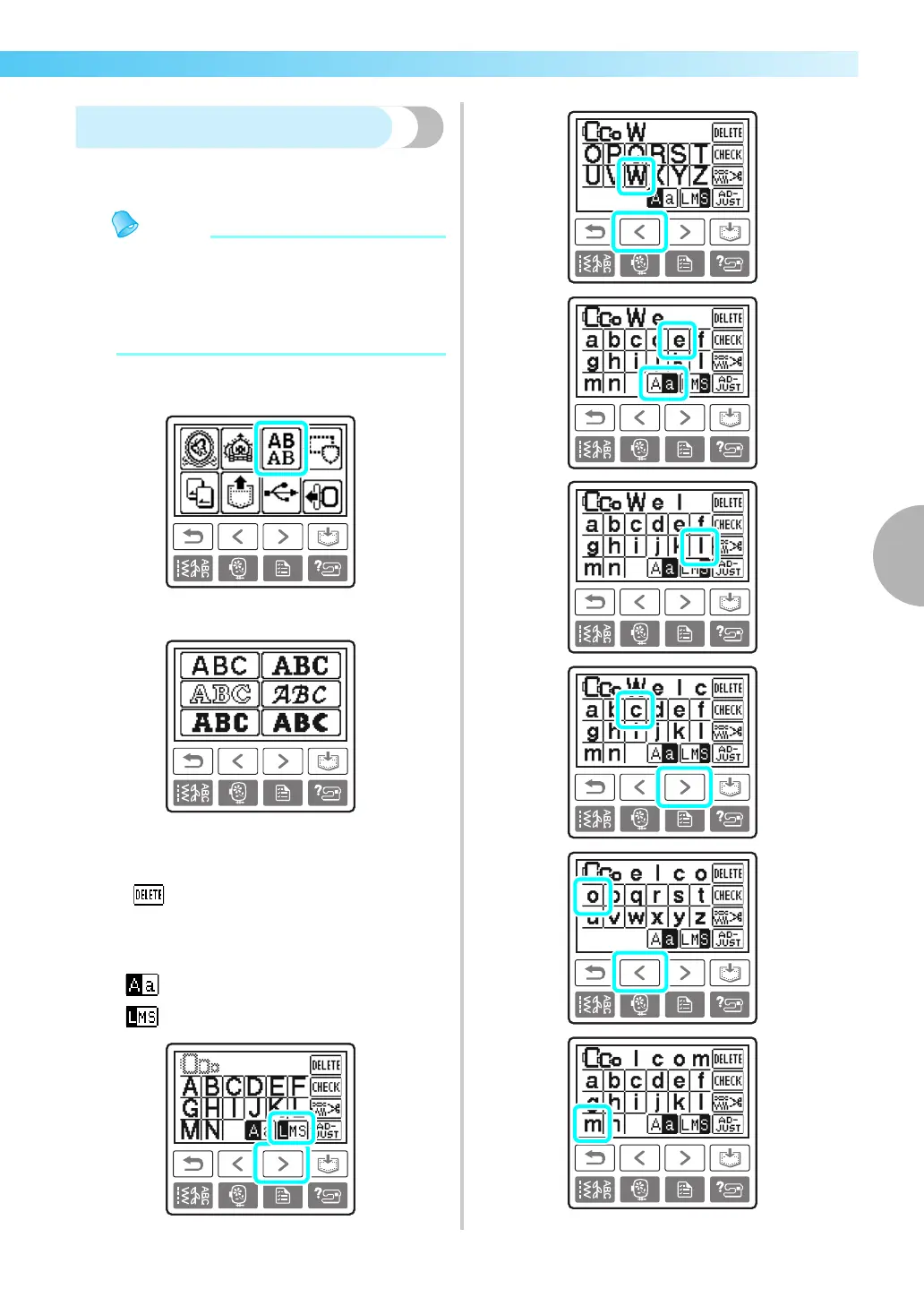
a
Select the character stitches.
b
Select the character style.
c
Select the characters.
• If a wrong character was selected, press
.
• To enter a space, press “_”.
Example: Welcome
Switch between uppercase/lowercase
Switch among large/medium/small sizes



 To Next Page