206
APPENDIX — — — — — — — — — — — — — — — — — — — — — — — — — — — — — — — — — — — — — — — — — — — — — —
Upgrading Your Machine’s Software Using USB Media
You can use USB media and a computer to download software upgrades for your sewing machine.
When an upgrade program is available on our website at “ http://solutions.brother.com ”, please
download the file(s) following the instructions on the website and steps listed below.
z When using USB media to upgrade the software, check that no data other than the upgrade file is saved
on the USB media being used before starting to upgrade.
z Upgrade file can be recalled from a USB flash drive (USB flash memory) of any size.
z When the machine's software is upgraded, saved combinations of character and decorative stitches are
erased. However, saved embroidery patterns are not erased.
a
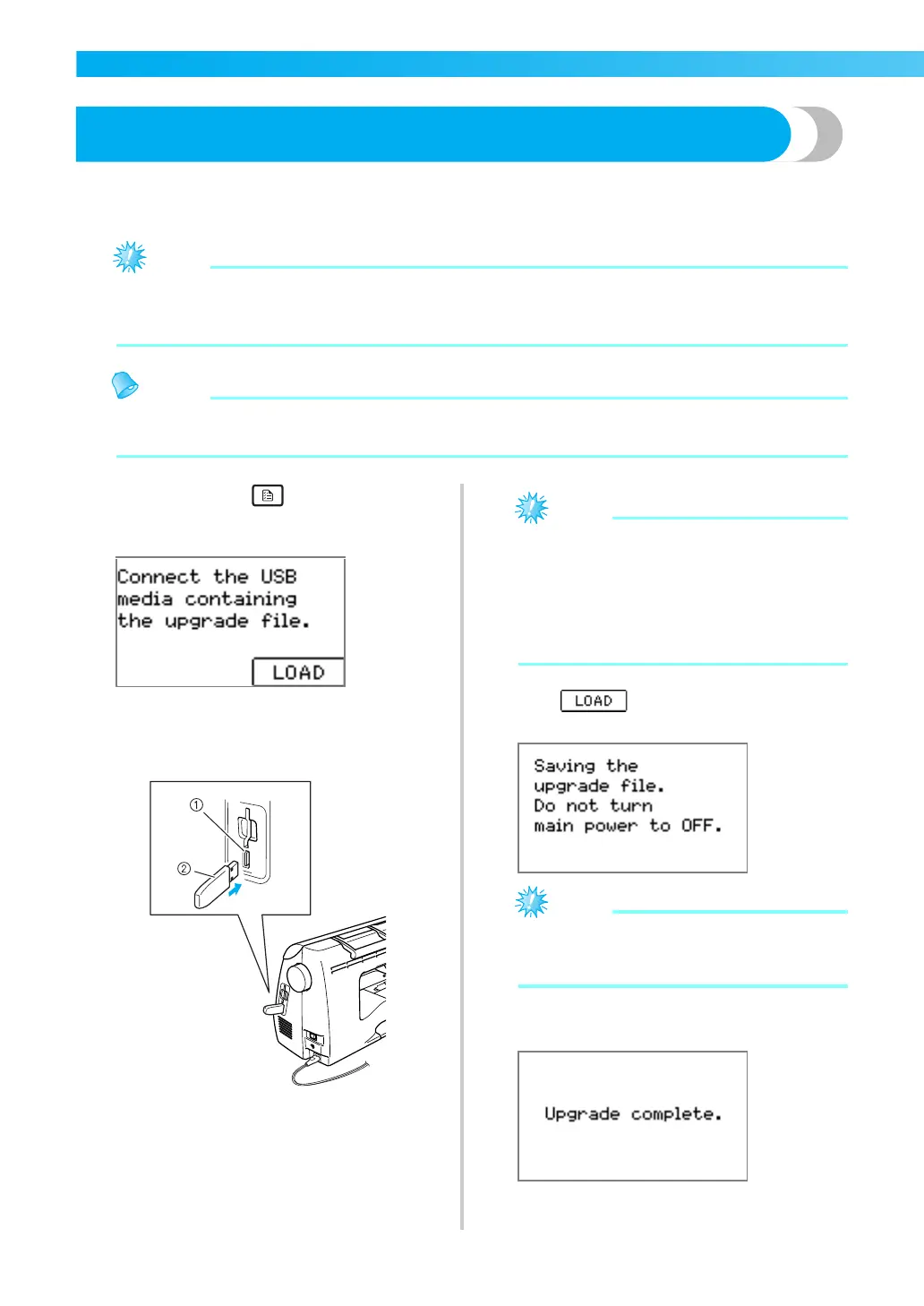
Press and hold the (Settings key) while
turning on the machine.
X The following screen appears.
b
Insert the USB media into the USB port on the
machine. The media device should only
contain the upgrade file.
a USB port for media
b USB media
z When using USB media equipped with an
access indicator, the access indicator will
begin flashing after the media is inserted into
your computer or machine, and may take
about 5 to 6 seconds before the media is
recognized. (The length of time differs
depending on the USB media.)
c
Press .
X The following screen appears.
z
If an error occurred, a text error message will
appear. At this time, turn the machine off, and
then start the procedure again from step
a.
d
When the following screen appears, upgrading
is completed.
e
Remove the USB media, and turn the machine
off and on again.











 To Next Page