GETTING READY — — — — — — — — — — — — — — — — — — — — — — — — — — — — — — — — — — — — — — — — — — — —
22
a
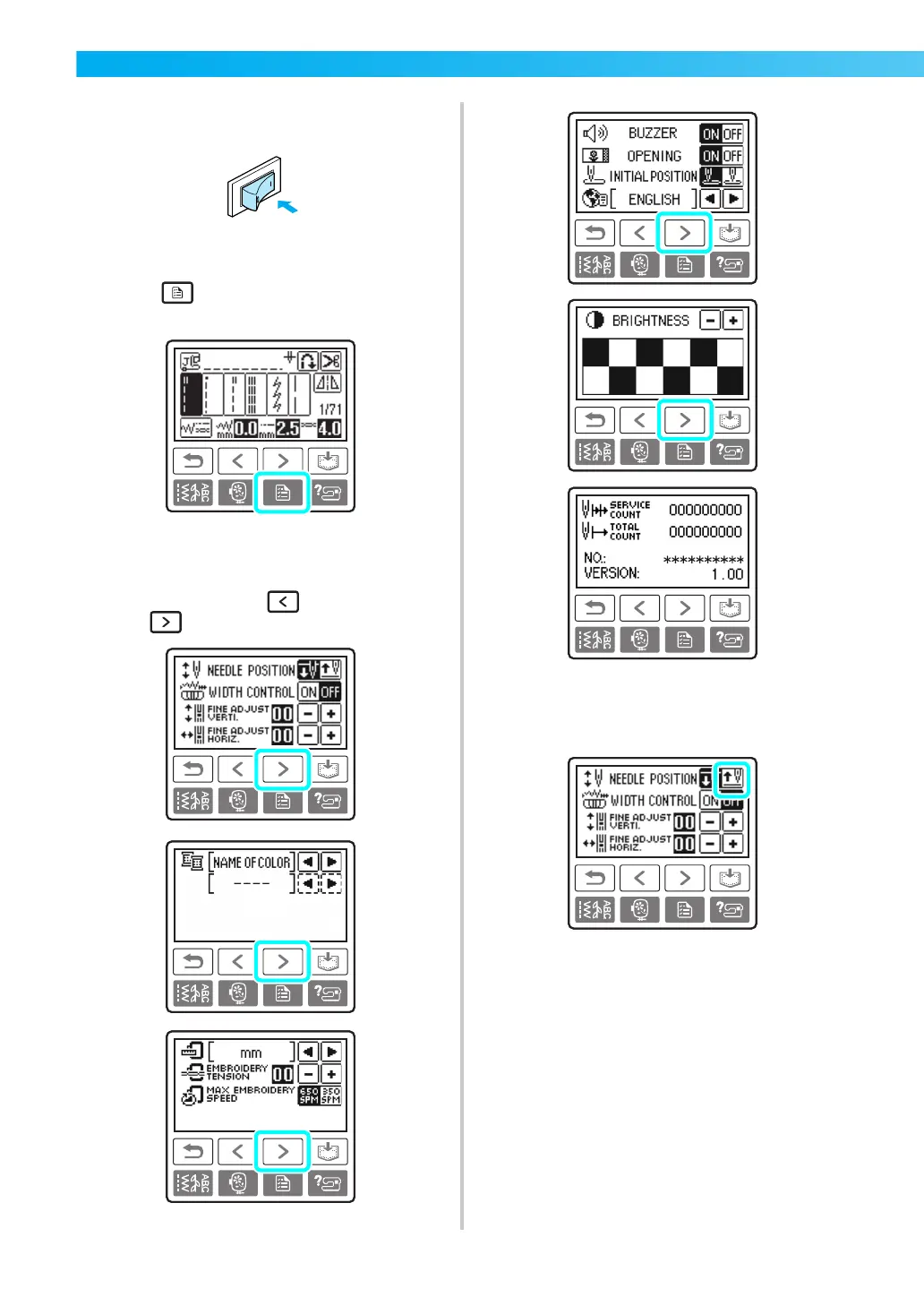
Turn on the sewing machine.
X The LCD comes on.
b
Press (Settings key) on the operation
panel.
X The settings screen appears.
c
Press the item to be set.
Switch screens using (Previous page key)
and (Next page key).
• The items shown in reverse highlighting are
the settings at the time of purchase.
Example: Changing the needle stop position











 To Next Page