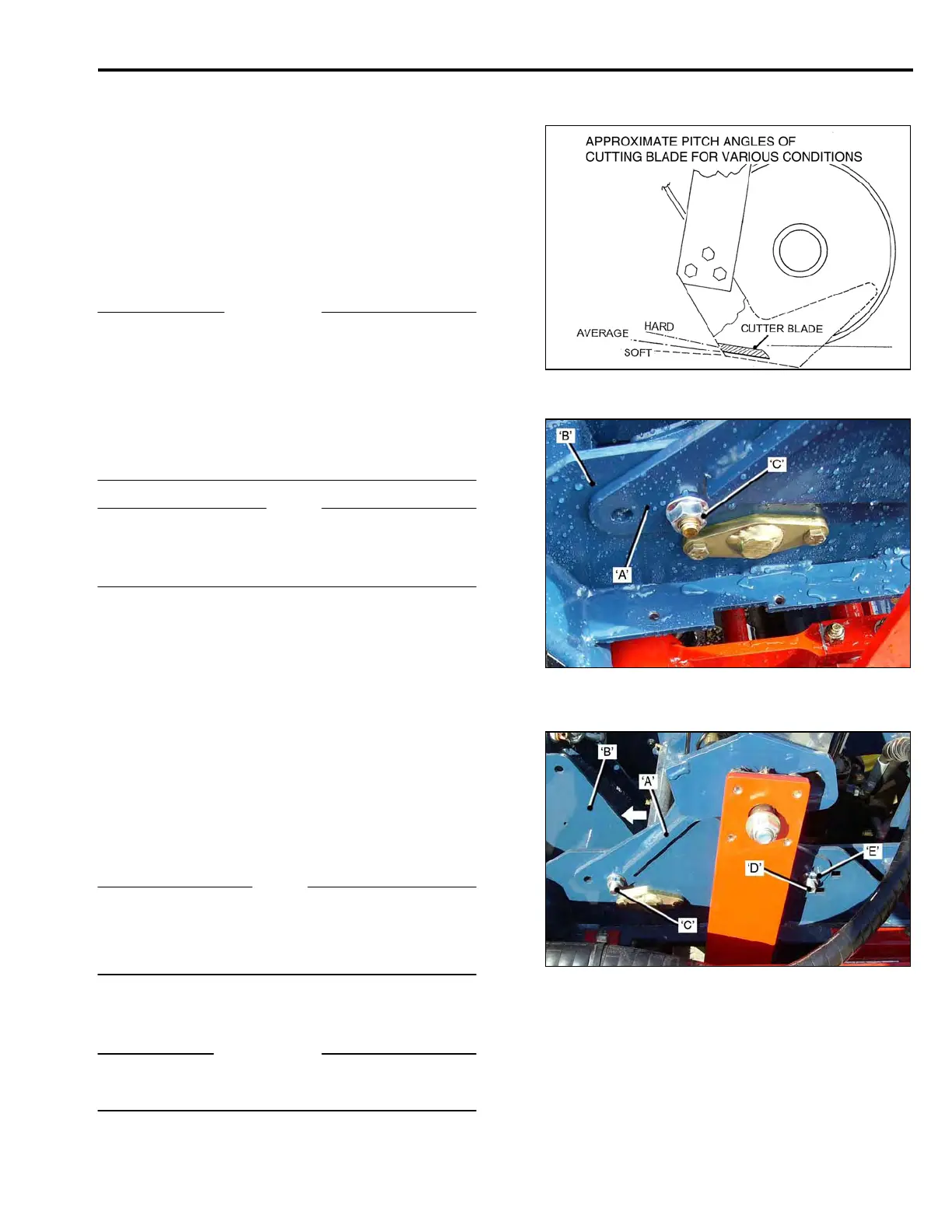
PITCH ANGLE SETTING.
Pitch Angle is the angle that the Cutter Blade makes
relative to the ground. The Pitch Angle is set at the
factory for average conditions. It can be adjusted to
improve cutting performance in hard or soft soils.
In soft conditions the Pitch Angle should be set so that
the cutting blade is almost ‘parallel’ to the Ground.
In harder conditions the angle should be increased,
this maintains the cutting angle and also prevents the
Cutting Head from coming out of the ground.
IMPORTANT
When the Pitch Angle is changed, the relationship of
the Cutting Blade to the Conveyor Mat and also the
Ground Roller, must be maintained.
The front Idler Shaft of the Conveyor can be adjusted
to ensure that there is no interference between the mat
and the blade.
Refer to the Ground Roller adjustment instructions for
correct Roller to Blade set-up.
NOTE
The factory setting for the pitch angle locates the Adj-
uster Bracket ‘A’, in the second hole from the rear, in
the Cutter Head Frame ‘B’.
To adjust the Pitch Angle:
• Loosen the Nuts ‘C’, sufficient to allow the
Adjuster Bracket to slide in the Cutter Head
Frame.
• Remove Locator Bolts ‘D’. (See Note below).
• For soft soil or peat, pull the Adjuster Bracket
‘BACK’, in the direction of arrow, and refit the
Locator Bolts in the first hole to the rear in
the Cutter Frame.
• For harder soils, locate the Adjuster Frame in
the third or fourth holes, to the front of the
Cutter Head Frame.
• Fully tighten all fasteners.
NOTE
The Locator Bolts are fitted in the ‘center holes’ in the
Adjuster Bracket ‘C’. The ‘upper’ and ‘lower’ holes ‘E’,
are for depth of cut adjustment. See following pages for
depth adjustment.
IMPORTANT
Check the fasteners regularly for tightness to ensure
that they do not loosen during operation.
ADJUSTMENTS
3-11



 To Next Page