UPPER/LOWER NETTING SELECTION.
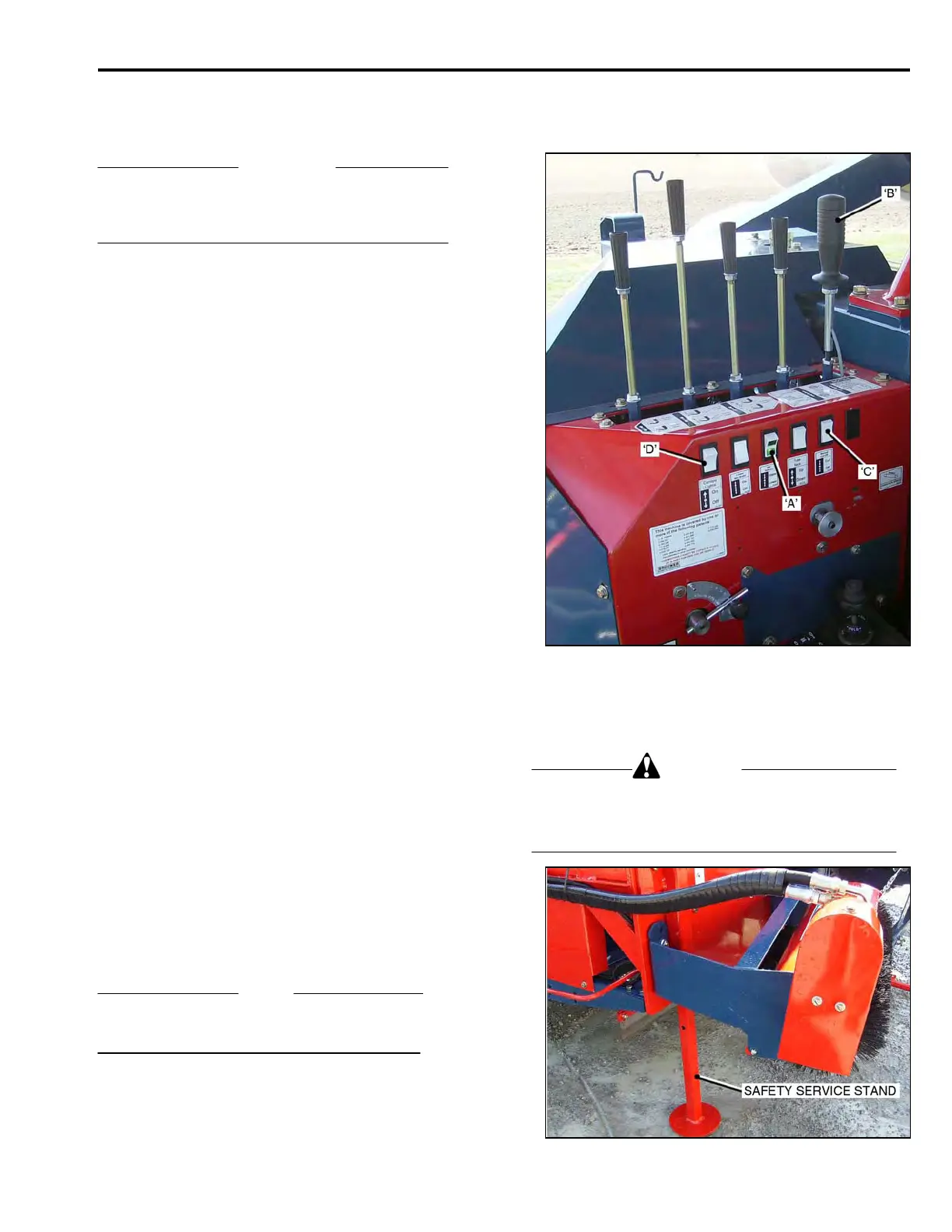
The Netting Selector Switch ‘A’.
IMPORTANT
When using the Netting Selector Switch, the Button
Switch ‘B’ in the Swing/Dump Control Lever must
be pressed.
• Press to ‘UPPER’ to select ‘upper netting’.
• Press to ‘LOWER’, to select ‘lower netting.
LOWER NETTING CLAMP AND BRAKE.
The Lower Netting Clamp/Brake Switch ‘C’.
• Switch to ‘ON’ to restrain netting from passing
through the feed rollers.
• Switch to ‘OFF’, to allow the netting to pass
through the feed rollers.
When the netting has been applied to the comp-
leted roll of sod, leave the switch in the ‘OFF’ posi-
tion and use the ‘net clamp’ button switch, on the
Swing/Dump control lever, to clamp the netting
during ‘cut-off’.
When netting is applied only to the outer layers of the
roll:
• leave the switch in the ‘ON’ position while
rolling, and ‘toggle’ the switch to ’OFF’ for the
last ten feet of the roll and for the over-wrap.
• Toggle the switch to ‘ON’ to cut the netting
when the roll is ‘dumped’.
When there is no netting being used, and there is none
threaded through the rollers, leave the switch in the
‘ON’ position.
CANOPY/WORKING LIGHTS.
Canopy/Working Lights Switch ‘D’.
• Switch to ‘ON’ to activate the lights.
• Switch to ‘OFF’ to de-activate the lights.
NOTE
Refer to Section 4, for Canopy Frame Assembly
Canopy installation.
OPERATION
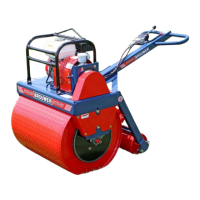
WARNING
To prevent serious injury or death, the Safety Service
Stand must be down and secured before carrying out
any adjustments or service procedures, when the
Cutter Head is raised.
3-09



 To Next Page