Home
Bryant
Thermostat
Thermidistat Control
Page 8
Bryant Thermidistat Control - Page 8
36 pages
Manual
Save Page as PDF
To Next Page
To Next Page
To Previous Page
To Previous Page
Loading...
SETTING
UP THE THERMIDIST
A
T
CONTROL
2
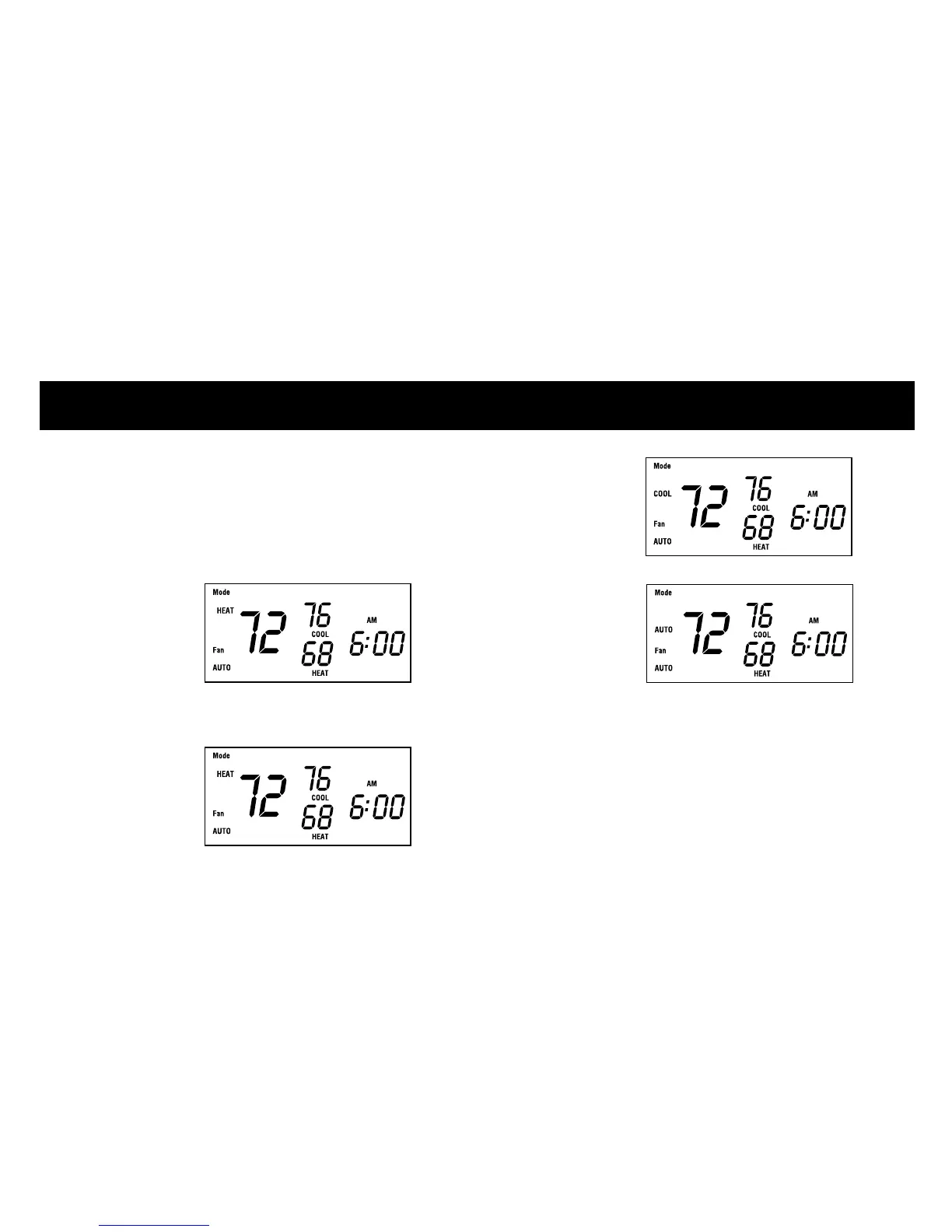
When the MODE button is pressed,
the words
OFF
,
HEA
T
,
COOL,
and A
UT
O
will rotate on the displa
y
.
If y
ou ha
ve a heat pump, the displa
y
will show OFF
, HEA
T
, COOL,
A
UT
O
,
and EHEA
T
.
4
7
9
Table of Contents
Main Page
Default Chapter
4
Table of Contents
4
Setting up the Thermidistat Control
5
Setting Your Indoor Temperature Set Points
5
Setting the Current Time
6
Setting the Mode Operation
7
Setting the Fan Operation
9
Setting the Humidification Set Point
10
Setting the Dehumidification Set Point
13
Setting the "Cool to Dehumidify" Function
14
Operating the Thermidistat Control
16
Checking Current Temperature
16
Checking the Outdoor Temperature and Indoor Humidity
16
Checking Current Humidification and Dehumidification Set Points
17
Clean Filter Feature
18
Vacation Feature Setup
19
Vacation Feature Operation
23
Auto Changeover
24
What if
25
The Auxiliary Heat Indicator Is Displayed
25
The Clean Filter Indicator Is Displayed
25
You Have a Power Outage
27
You Have a System Error Message
27
Warranty
28
Common Terms and Where to Find Them
29
Related product manuals
Bryant Programmable Thermidistat
44 pages
Bryant Evolution Control
35 pages
Bryant Evolution Connex Control
116 pages
Evolution Control SYSTXBBUID01
12 pages
EVOLUTION Zone Control SYSTXBBUIZ01-B
20 pages
Evolution Connex Control SYSTXBBECC01-C
94 pages
NON-PROGRAMMABLE THERMOSTAT
31 pages
BUILDER’S MODEL THERMOSTAT
8 pages
Bryant TSTAT
8 pages
Bryant T6-PRH
64 pages
Bryant T2-NAC01-A
40 pages
Bryant TSTATCCPS101
12 pages











 To Next Page