Installation and Connections
SM-DIN/MULTILOOP.. - 2.3 -
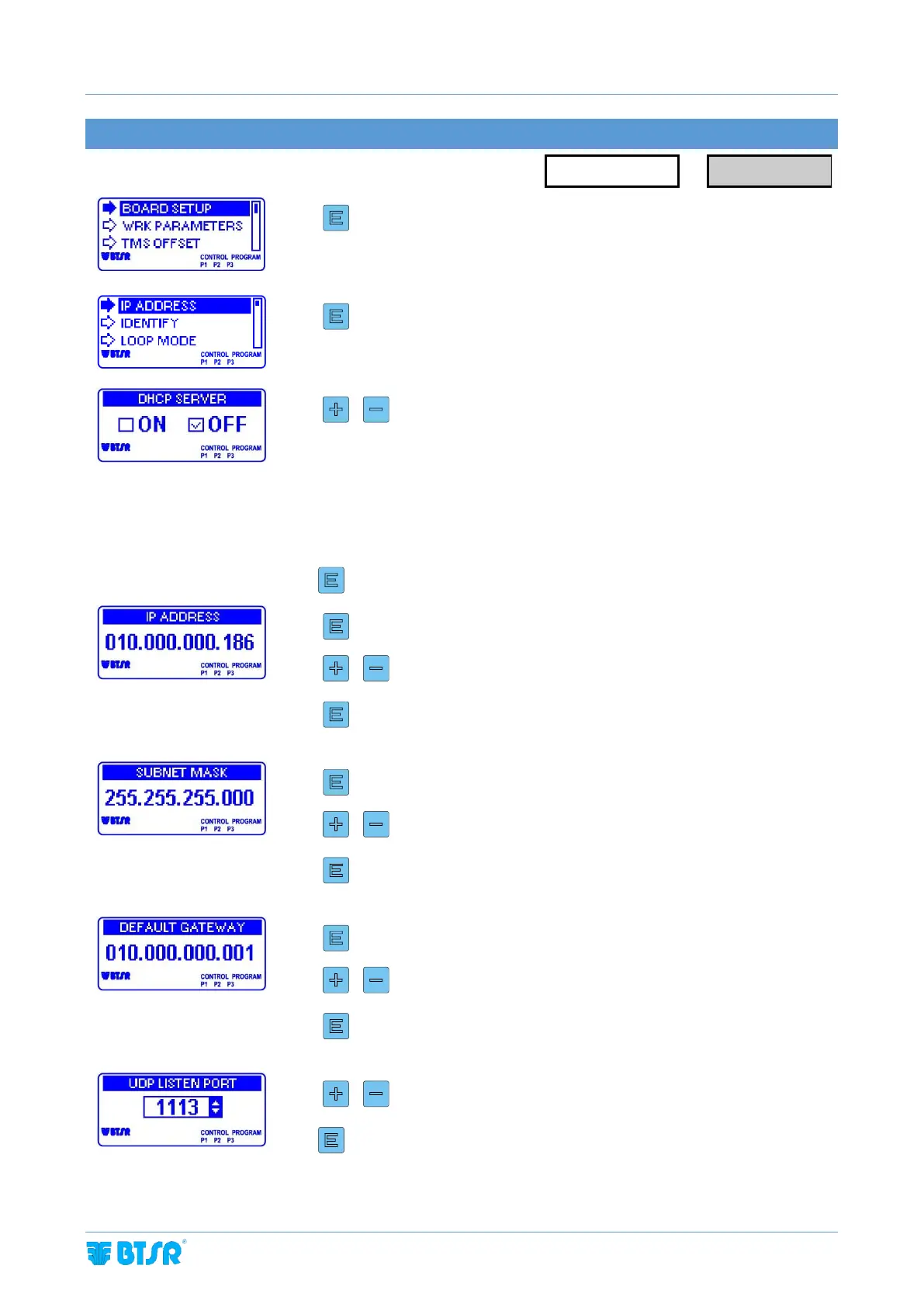
IP CONFIGURATION SETTING
Enter the BOARD SETUP menu
To set DHCP SERVER ON or OFF
DHCP SERVER ON = The machine PLC automatically assigns the following
parameters: IP address, subnet mask, default gateway to
the Board
DHCP SERVER OFF = The User can manually configure: IP address, subnet
mask, default gateway for the Board
3 sec to confirm and go to next parameter
To increase/decrease the value
to confirm and go to next parameter
To increase/decrease the value
to confirm and go to next parameter
To increase/decrease the value
to confirm and go to next parameter
To increase/decrease the value (*)
3 sec to confirm and go back to IP ADDRESS menu



 To Next Page