Installation and Connections
SM-DIN/MULTILOOP.. - 2.4 -
Note: on PROFINET PLC integration it is necessary to set for each SMDIN board a “node name” for a correct
communication inside the network
(*) This is a service parameter used for the communication with the software. Generally it is not necessary to change it.
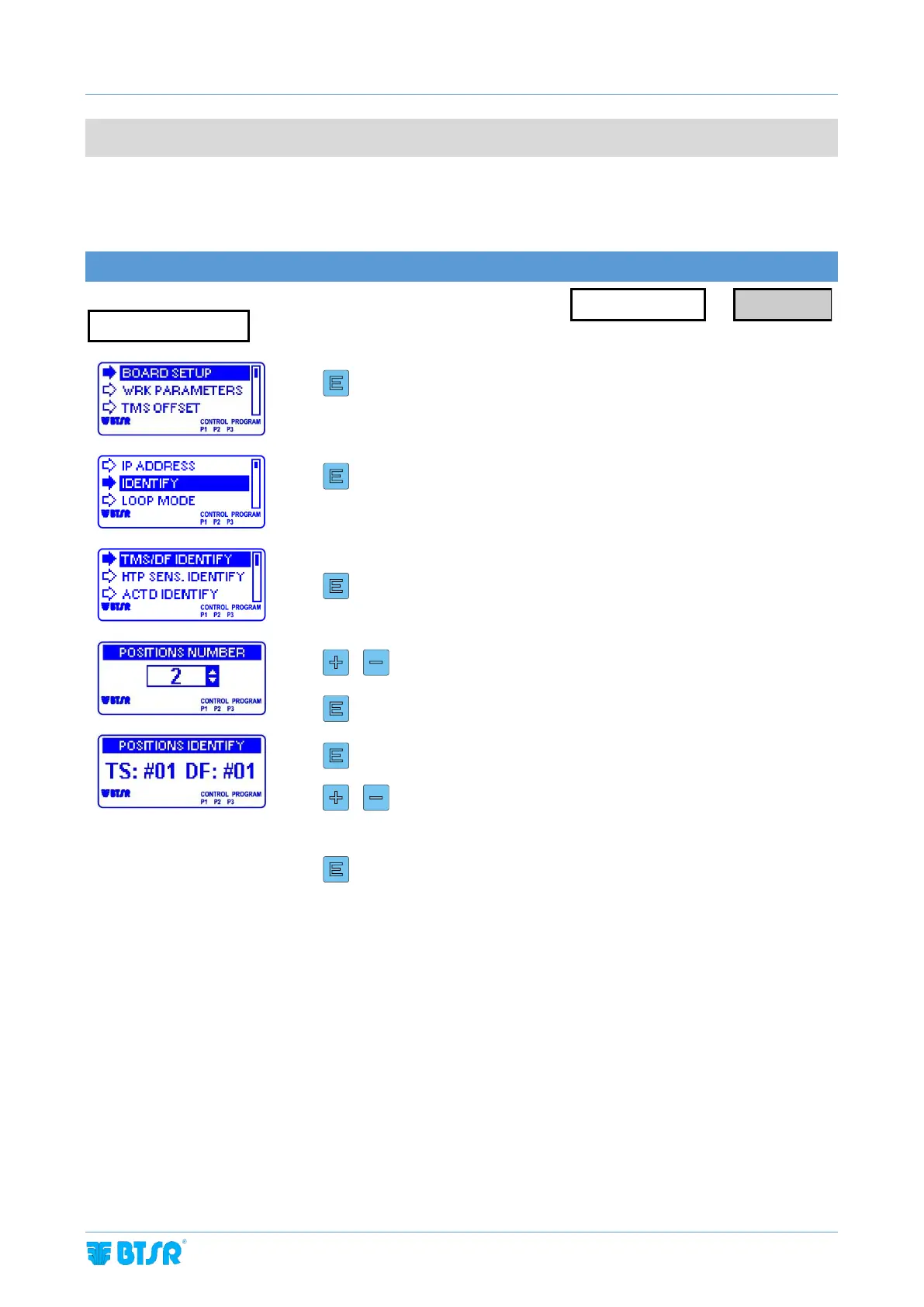
TS55/TMS SENSORS AND DIAPER FEEDER DEVICES IDENTIFICATION
To increase/decrease the value. This parameter corresponds to the
number to be assigned to the first sensor/device to be identified.
(TS=TS55/TMS; DF=Diaper Feeder)
TS55/TMS sensor identification
The green LED starts flashing on all the TS55/TMS sensors connected
Skim the touch light of the First TS55/TMS sensor and check that:
a) the sensor LED changes from flashing green to red.
b) the TS field on the Board display increases by 1.
Skim the touch light of the second TS55/TMS sensor and continue with the
numbering of all sensors
Diaper Feeder device identification
The red LEDs of all TS44 tension sensors and the LEDs of Control, Enter and Reset
buttons (red and green) start flashing. In addition, the display of all DIAPER FEEDER
devices shows the IDENTIFY FEEDER message.
Press Enter on the First DIAPER FEEDER device and check that:
a) The LED of tension sensor turns off and the LEDs of Control, Enter and Reset
buttons remain steady green.



 To Next Page