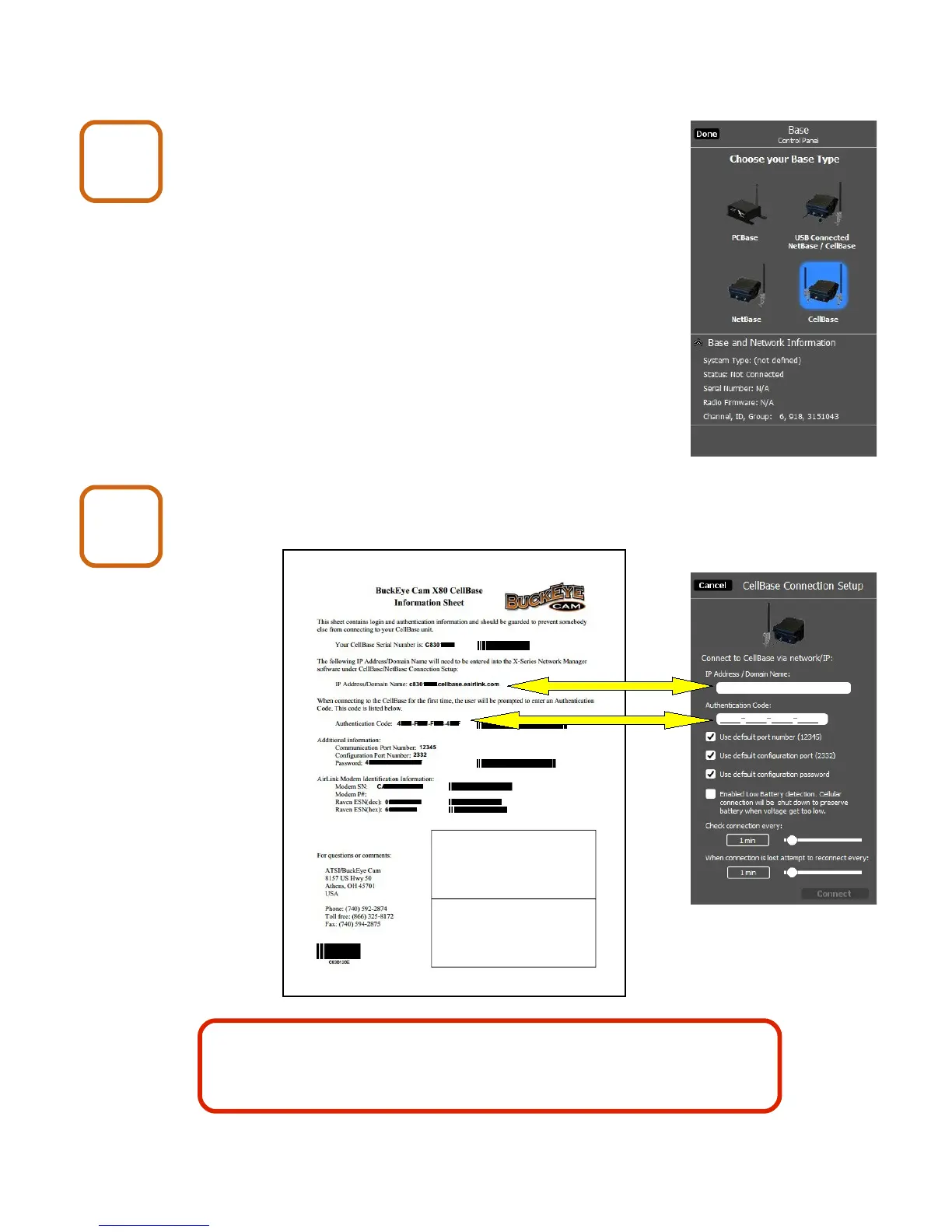
5. Connecting to a Cell Base
Start X-Series Network Manager and
click on the Cell Base icon.
Enter the IP Address / Domain Name and Authentication
Code from the Cell Base Information Sheet.
X80 Wireless Camera User's Manual v2.0 10 of 35
Cell Base
7
Cell Base
8
Keep the Cell Base Information Sheet in a safe place. You may
need it again if you need to re-enter the connection setup or if you
need to contact Buckeye Cam tech support.


 To Next Page