The functions4
12 Operating instructions RC20 room controller • Issue 08/2006
We reserve the right to make any changes due to technical modifications.
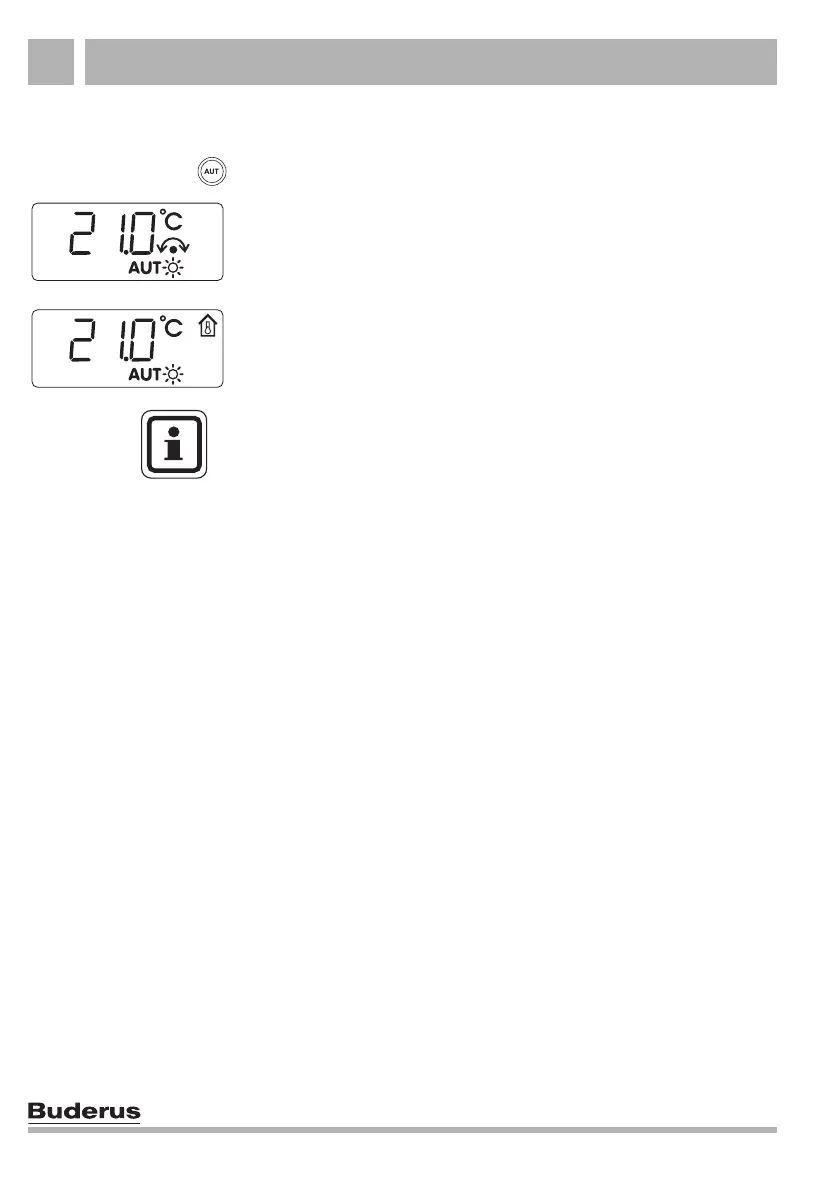
Example: activating automatic mode
The display shows the "AUT" symbol; automatic mode is active.
While the "AUT" key is held down, the arrow symbol lights up and
the display shows the set room temperature for automatic mode.
When the "AUT" key is released, the display shows the standard
display (e.g. the actual room temperature) again. In addition, either
the "Day mode" or "Night mode" symbol is illuminated. This
depends on the set times for day and night mode.
Press "AUT".
USER NOTE
If the RC20 is installed as a remote control unit (see section 5.1
"What does the RC20 room controller regulate?", page 23): you
may find during the in-between seasons of spring and autumn that
your home feels too cold, even though the heating system is in
summer mode because of the outside temperature (DHW heating
only). In this case, choose manual mode to run the heating one
hour at a time.
The room temperature will be controlled if the RC20 is the sole
programming unit. As the outside temperature is ignored, there
can be no summer/winter changeover.



 To Next Page