First steps with your room controller3
6 Operating instructions RC20 room controller • Issue 08/2006
We reserve the right to make any changes due to technical modifications.
3 First steps with your room controller
3.1 Controls
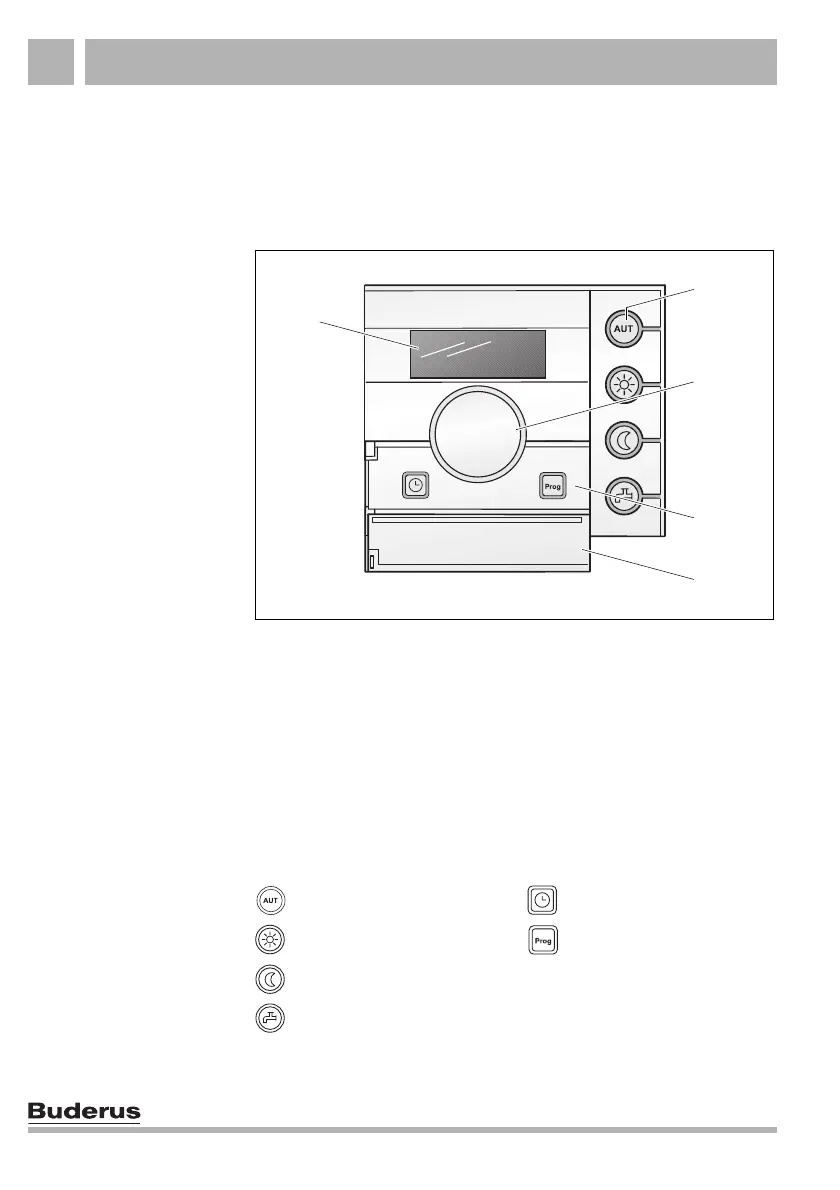
Fig. 1 RC20 controls
Item 1: Display
Item 2: Keys for basic functions with LEDs
Item 3: Rotary selector for changing values and temperatures
or for navigating through the menus
Item 4: "Prog" and "Time" keys
Item 5: Flap; covers the "Prog" and "Time" keys
Keys for basic functions
(Fig.1,Item2)
Keys for extended functions
(Fig.1,Item4)
"AUT" key (automatic) "Time" key
"Day mode" key "Prog" key (program)
"Night mode" key
"DHW" key
4
3
2
5
1



 To Next Page