Extended functions8
42 Operating instructions RC30 programmable room thermostat • Issue 02/2006
We reserve the right to make any changes due to technical modifications.
8.11 Modifying the heating program by moving switching points
If the switching points, i.e. the times in a preset heating program at
which the system changes over between day and night mode, only
partially suit you, you may change them, or ask your installer to
change them for you. The modified heating program is then saved
under the new name "OWN PROG".
Only one custom heating program can be stored for each period
(Mon-Thur, Fri, Sat, Sun), for each heating circuit. If you enter a
new "OWN PROG", the previous one will be overwritten.
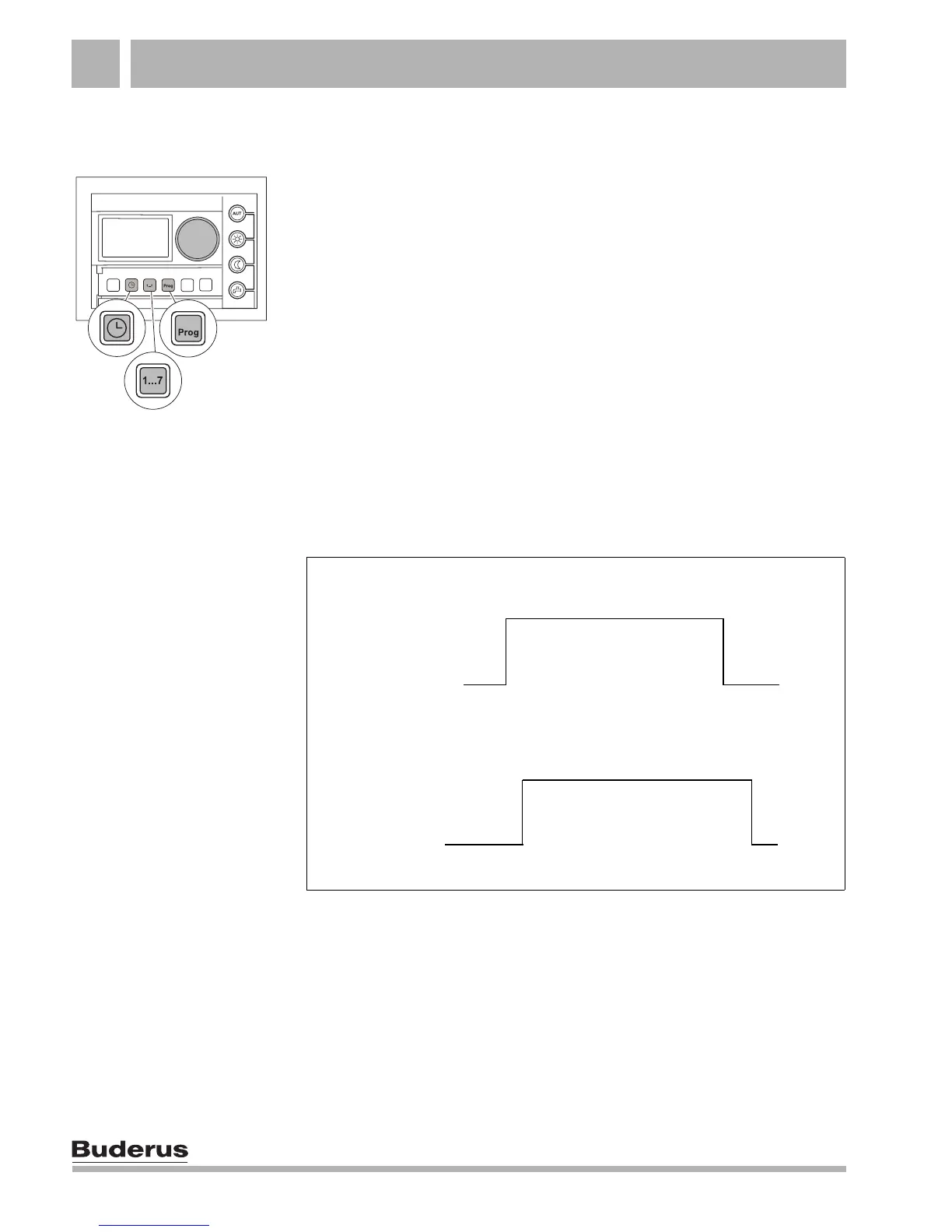
The example below (Fig. 8) shows how the switching points of the
"FAMILY" heating program can be changed for the days Monday
to Thursday.
z Select a heating circuit (see Chapter 8.6 "Selecting a heating
circuit", page 35).
Fig. 8 Changing the switching points from 5:30 to 6:00 and from 22:00
to 23:00 (example)
"FAMILY"
Day "normal" mode
Night "reduced"
mode
New "OWN PROG" program
Day "normal" mode
Night "reduced"
mode
5:30 22:00
6:00
23:00



 To Next Page