Extended functions 8
49
We reserve the right to make any changes due to technical modifications.
Operating instructions RC30 programmable room thermostat • Issue 02/2006
The first switching point (Monday, 16:00) appears.
Simultaneously press the "Display" and "Heating circuit" buttons.
On the display all the eights appear and then disappear. When all
the eights disappear, the selected switching point has been
deleted.
Release the "Display" and "Heating circuit" buttons.
SWITCH POINT
ON MO
16:00
+
SWITCH POINT
DELETE
888888
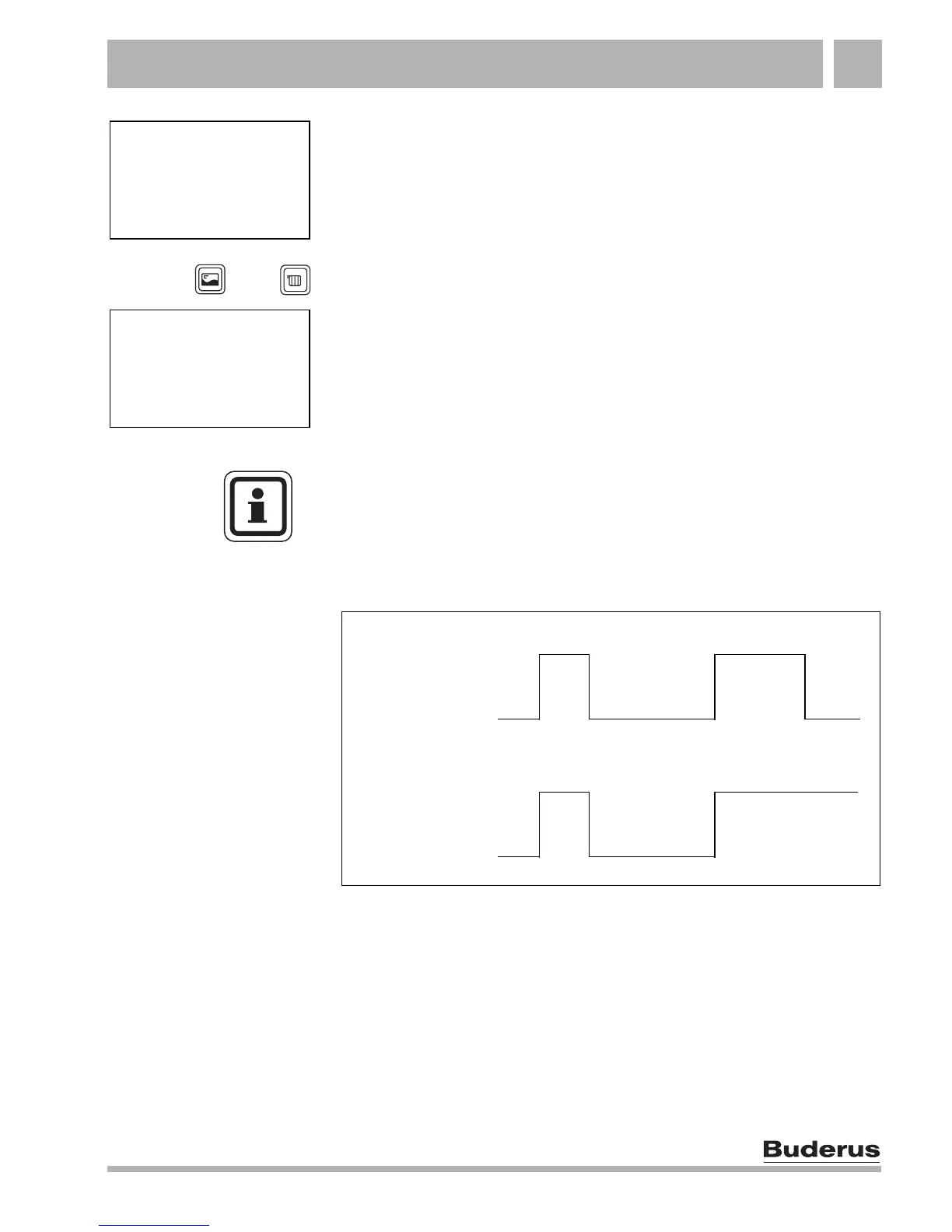
USER NOTE
Make sure that you always delete both an ON switching point and
an OFF switching point. Otherwise the heating system will remain
in day mode at night, for example (Fig. 11).
Fig. 11 Incomplete deletion of switching points
New "OWN PROG" program
"SINGLES"
Day "Normal"
mode
Night "Reduced"
mode
6:00 22:00
8:00
16:00
Day "Normal"
mode
Night "Reduced"
mode
6:00
8:00
16:00



 To Next Page