13
MA601990_20 [Original Instructions] 10/04/2010
Adjusting the Distance between the Specimen Holder and the Platen Base
In some applications, it may be necessary to limit the downward travel of the Vector Power Head.
1. Lift the rubber boot on the attachment collar.
2. Secure a single force specimen holder into the chuck.
3. Install a platen on the base of the grinder polisher.
4. Power ON the Vector Power Head.
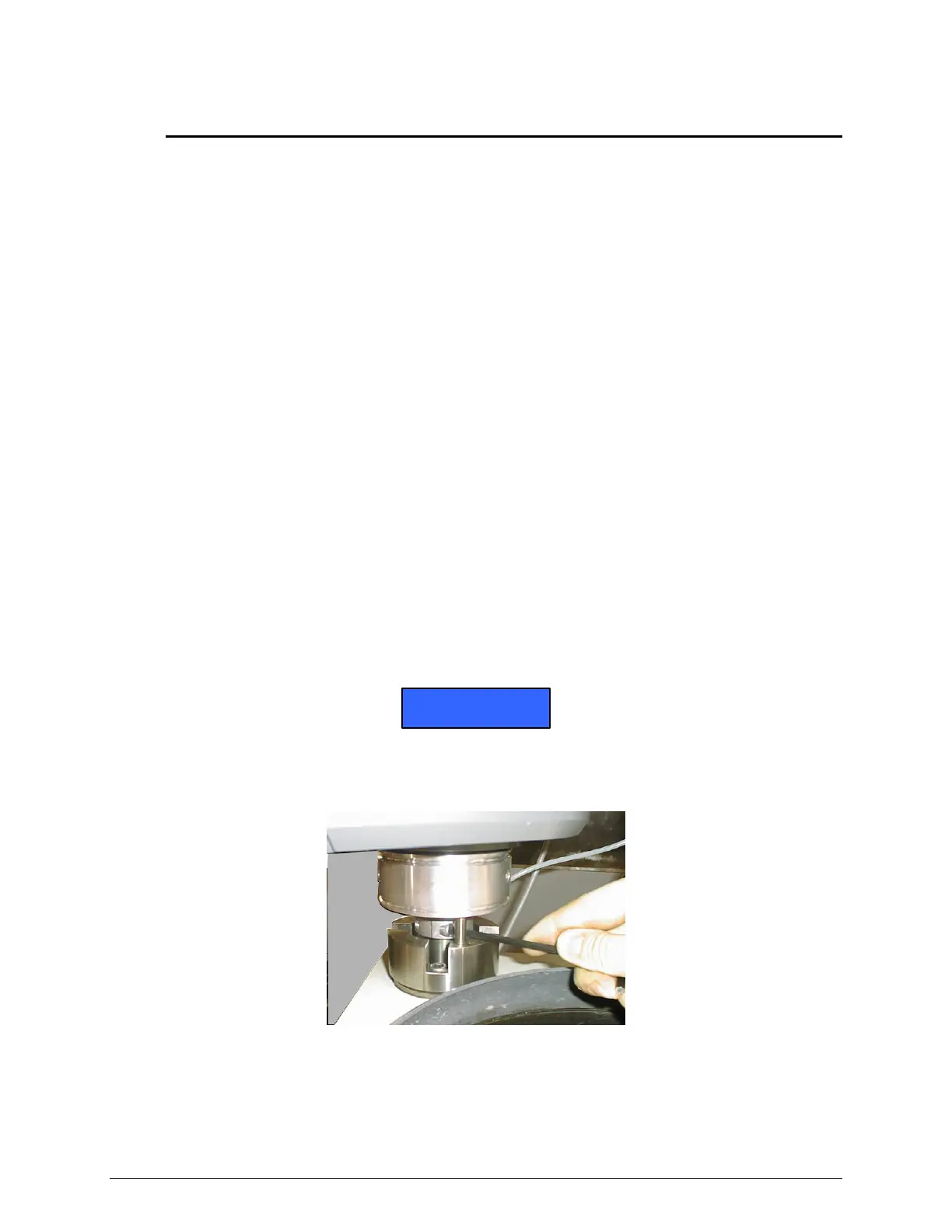
5. Loosen the locking ring. Insert with a 6 mm L-Wrench into the clamp screw and rotate the
screw counter-clockwise (see Figure 15).
6. Place the height adjustment gauge on the platen under the sample holder.
7. Set the FORCE APPLICATION to SINGLE FORCE (see FORCE UNITS on page 18).
8. Press the green START buttons to lower the Vector Power Head.
• The head will lower until the specimen holder rests on the flat plate of the height
adjustment gauge.
• In the SINGLE FORCE mode, the platen will not rotate after pressing the green START
buttons.
9. Raise the locking ring as far as possible to set the lower travel limit of the Vector Power
Head. Tighten the clamp screw on the locking ring.
10. Reposition the rubber boot.
NOTICE
If a single force specimen holder is not available, follow the above instructions using a
central force specimen holder (with no specimens). Set the locking ring at a level so the
sample holder does not touch the platen surface.
Figure 15 Adjusting the Locking Ring (shown without the Rubber Boot)


 To Next Page