22
MA601990_20 [Original Instructions] 10/04/2010
Maintenance
The Vector Power Head will continue to perform at optimum levels with proper care, daily cleaning, and
general maintenance.
Replacing the Power Head Drive Belt
WARNING
!
Personal Injury. Disconnect the power supply before performing any maintenance or
adjustments.
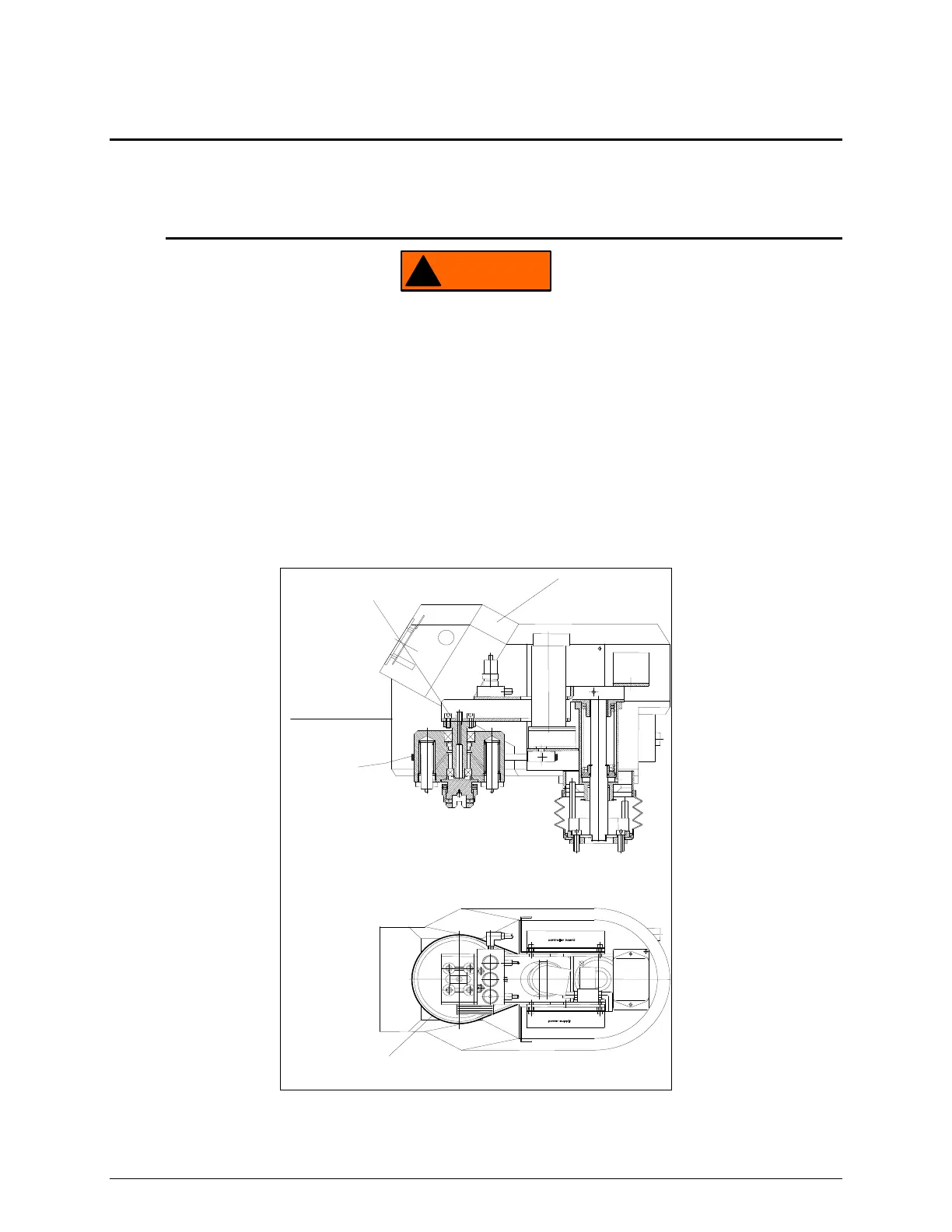
1. Remove the belt cover and top cover of the Vector Power Head.
2. Loosen the four allen bolts (see Figure 20).
3. Remove the old belt and replace it with a new belt.
4. Check that the belt has the proper tension before tightening the four allen bolts.
5. Tighten the four allen bolts.
6. Replace the top and belt cover.
BELT
822171
TOP COVER
814205
SIDE VIEW
BOTTOM VIEW
BELT
822171
ALLEN BOLTS
(4)
BELT COVER
814206
Figure 20 Belt Replacement Diagram


 To Next Page