17
MA601990_20 [Original Instructions] 10/04/2010
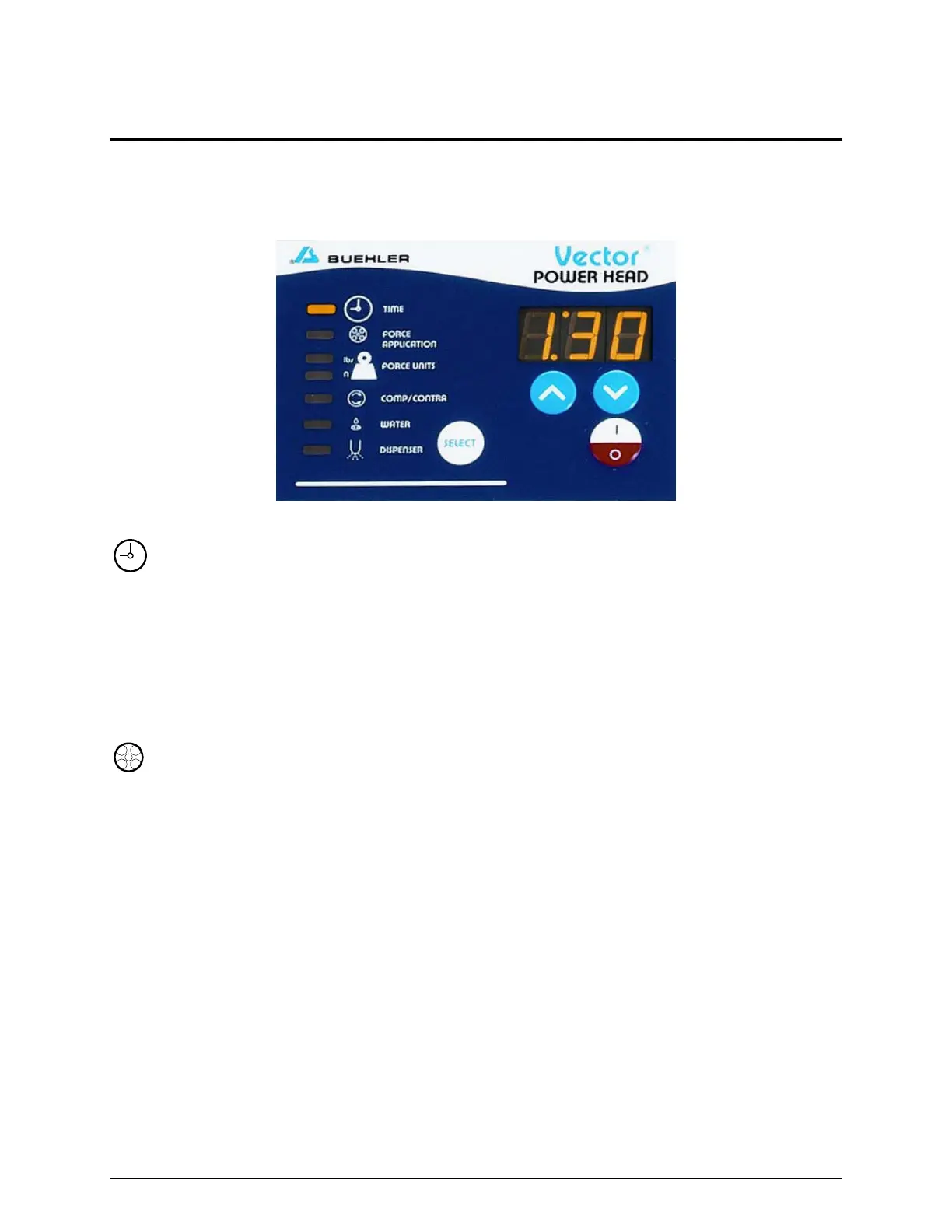
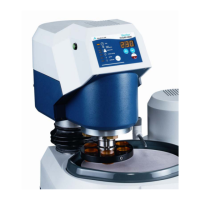
Vector Power Head Control Panel
The Vector Power Head front control panel has a set of parameters that can be programmed to operate
during a grinding-polishing cycle.
Use the SELECT MODE to a select a parameter. As a parameter is selected, a LED will light up next to
the selected parameter. Use the INCREASE or DECREASE buttons to change the parameter’s settings.
Figure 18 Vector Power Head Front Control Panel
TIME TIME sets the desired running time. The maximum time is 99:00
(99 minutes). The minimum time is 00:20 (20 seconds). When set to ON the
Vector Power Head will operate for an unlimited time.
Use the INCREASE or DECREASE button to change the time in 10-second
increments up to 10 minutes and in 1-minute increments up to 99 minutes.
During operation the remaining cycle time is displayed until the cycle is
completed.
FORCE APPLICATION Select a FORCE APPLICATION based on the type of specimen holder
used: Central, Single, or Manual.
Central Force: The Central Force mode is indicated by an LCD graphic that looks like an
upside-down T.
Once Central Force mode is selected it cannot be changed until the
machine is powered off.
Single Force: The Single Force mode is indicated by an LCD graphic that looks like three
open boxes.
Manual: Manual mode is available when the FORCE APPLICATION parameter is set
to OFF.
Manual mode disables the head and enables the grinder polisher base to be
used for manual operations. Position the power head and use press the
green START buttons to activate the grinder polisher.


 To Next Page