22
Compatible OS
Windows 8 (32-bit and 64-bit)
Windows 7 (32-bit and 64-bit)
Windows Vista (32-bit and 64-bit)
Windows XP (32-bit)
OS X 10.4 or later (models with Intel Processor)
*1 Connect the DriveStation to a USB 3.0 port for best transfer speeds. The DriveStation will function when connected to
a USB 2.0 or USB 1.1 port, but data transfers will be slower.
WARNING:
This product and its components contain chemicals known to the State of California to cause cancer and birth defects,
or reproductive harm. Wash hands after handling.
HD-LBU2
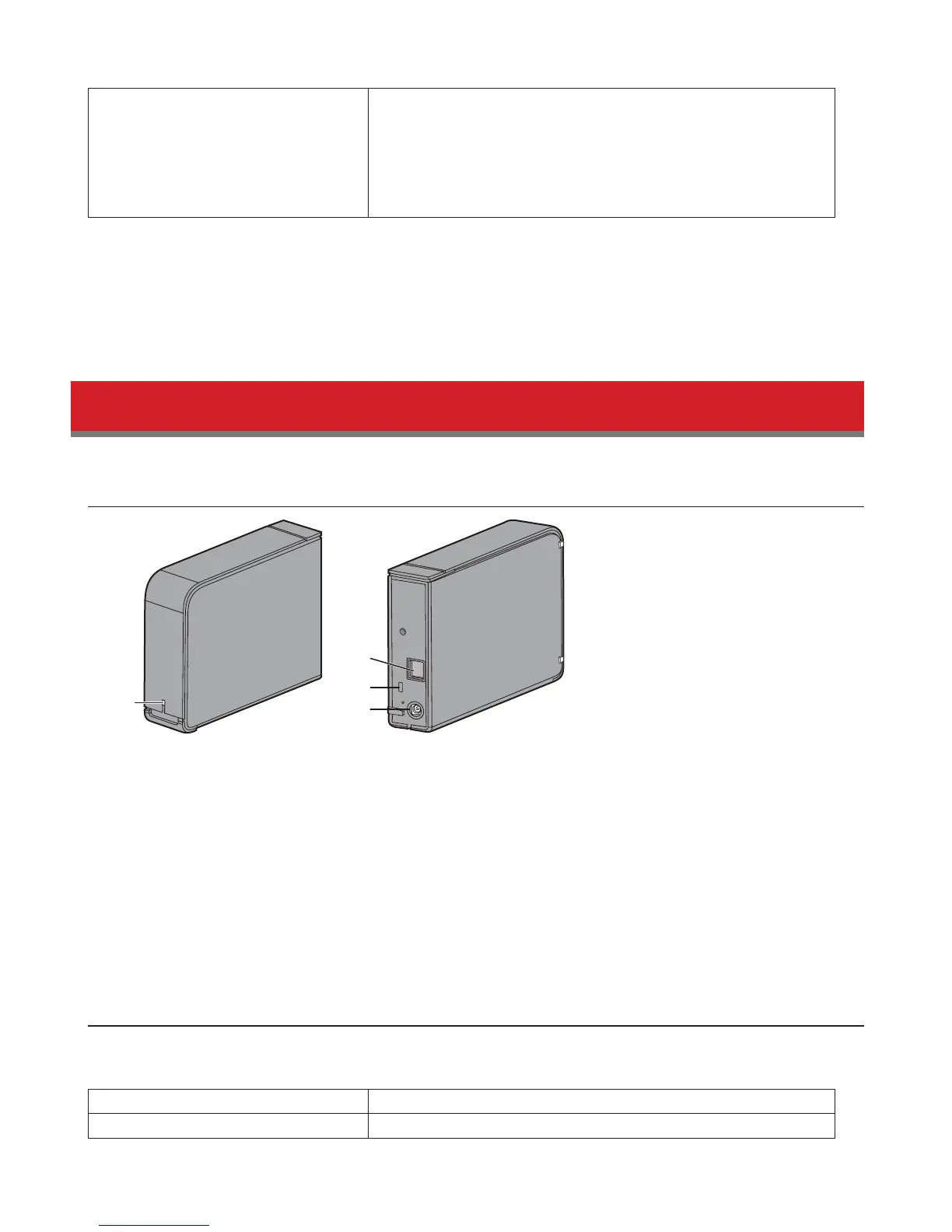
Diagrams
1
2
3
4
1
Power / Access LED
Idle: Green
Active: Blinking green
2
USB Connector
3
Anti-Theft Security Slot
4
Power Connector
Specications
Check Bualo's website for information on the latest products and compatible models.
Interface USB 2.0
Transfer speed 480 Mbps maximum (USB 2.0) *1













 To Next Page