28
8
Anti-Theft Security Slot
Important:
Please remove the cardboard shipping insert from behind the front panel of the DriveStation before use!
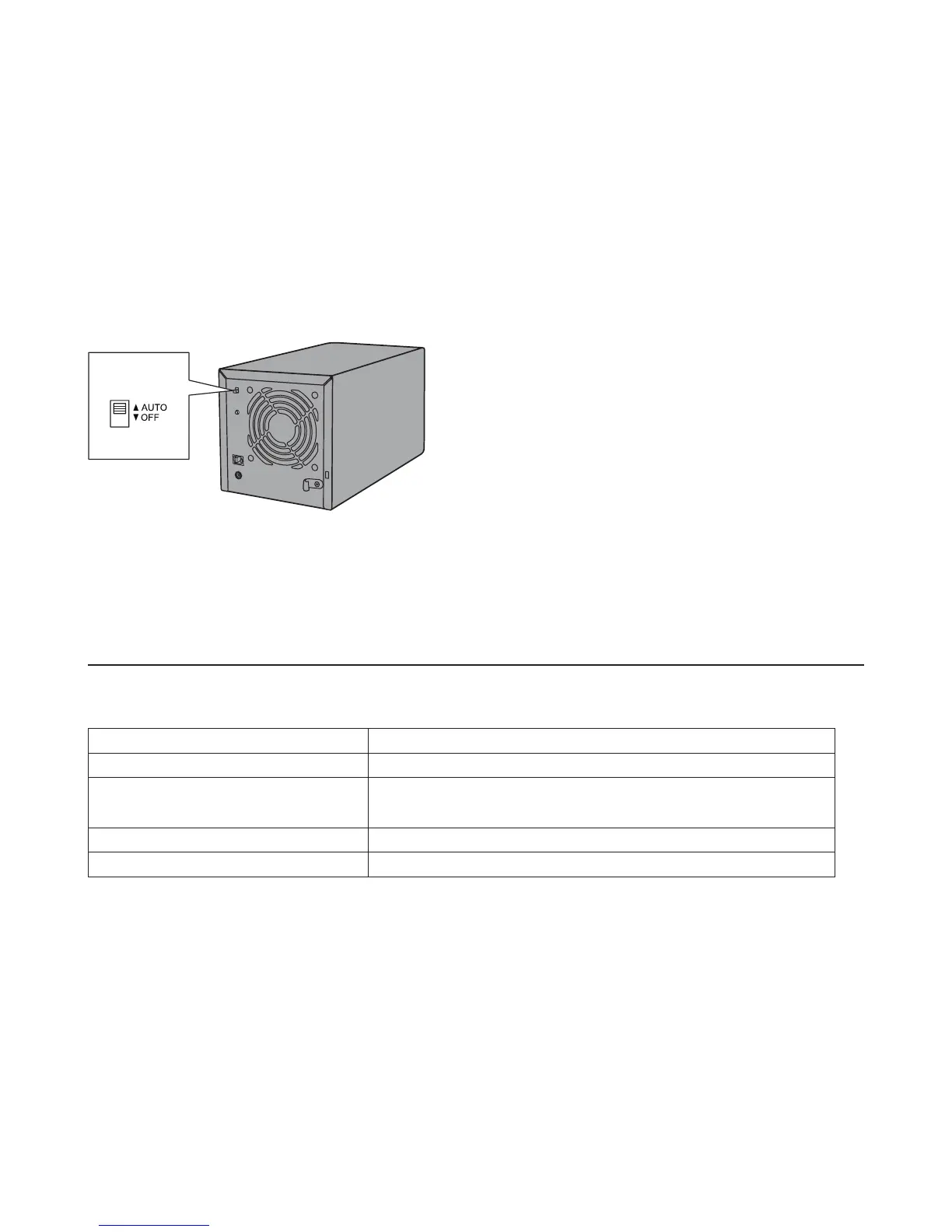
Power On/O
Auto power mode will turn the DriveStation on and off automatically with your computer, or you may turn the
DriveStation o manually.
Auto: The DriveStation turns on and o with your computer.
O : This turns o the DriveStation's power.
Power Mode
• In Auto mode, after the computer is turned off, there may be a short delay before the DriveStation shuts down.
• If the DriveStation is connected to a USB hub with its own power supply, it may not shut down automatically
when the computer is turned off. In this case, use the switch to turn it off manually.
Specications
Check Bualo's website for information on the latest products and compatible models.
Interface USB 3.0
Transfer speed 5 Gbps maximum (USB 3.0) *1
External dimensions
(excluding protruding parts)
149 x 154 x 233 mm
Power consumption 90 W (Max)
Power AC 100 - 240 V 50/60 Hz













 To Next Page