26
Power On/O
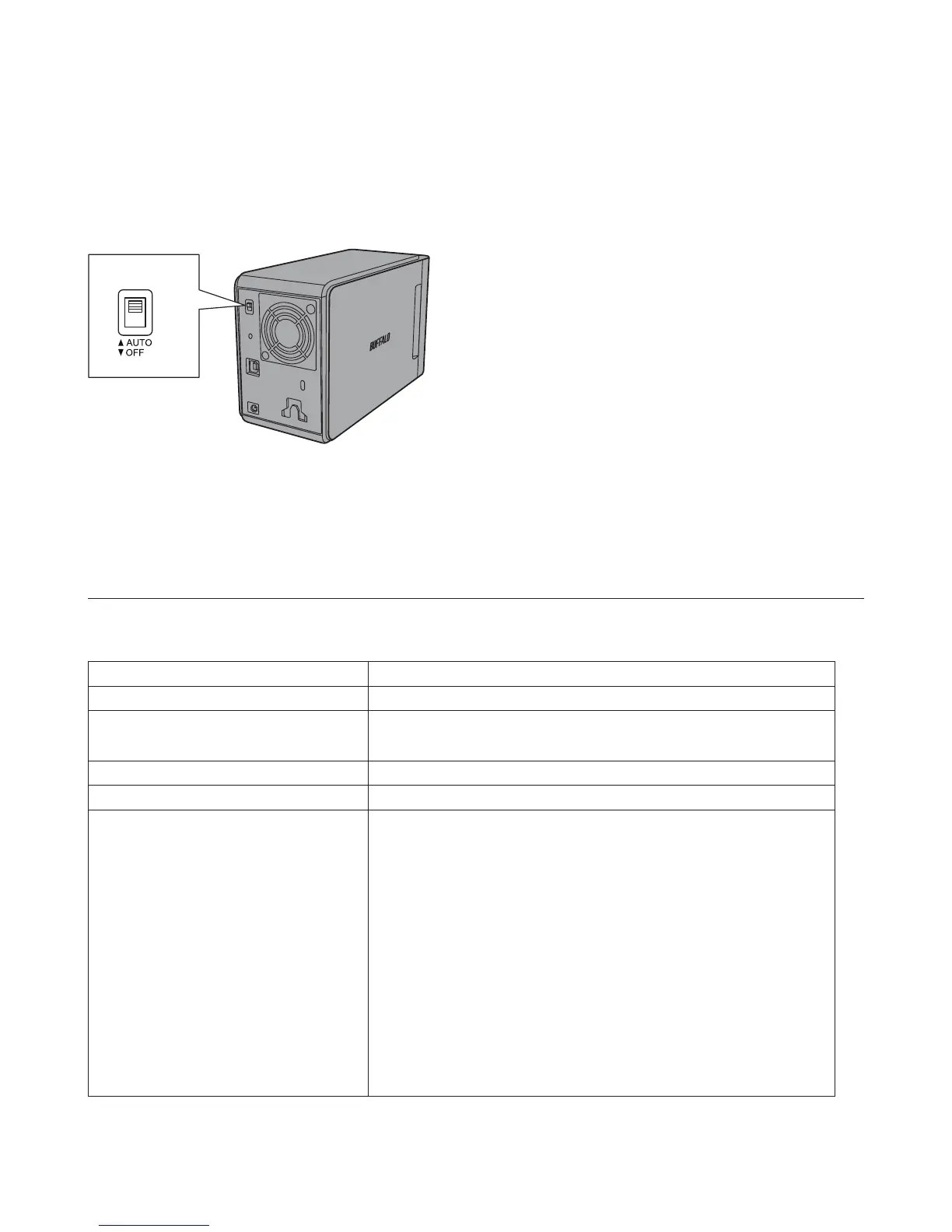
Auto power mode will turn the DriveStation on and off automatically with your computer, or you may turn the
DriveStation o manually.
Auto: The DriveStation turns on and o with your computer.
O : This turns o the DriveStation's power.
Power Mode
• In Auto mode, after the computer is turned off, there may be a short delay before the DriveStation shuts down.
• If the DriveStation is connected to a USB hub with its own power supply, it may not shut down automatically
when the computer is turned off. In this case, use the switch to turn it off manually.
Specications
Check Bualo's website for information on the latest products and compatible models.
Interface USB 3.0
Transfer speed 5 Gbps maximum (USB 3.0) *1
External dimensions
(excluding protruding parts)
86 x 127 x 204 mm
Power consumption 36 W (Max)
Power AC 100 - 240 V 50/60 Hz
Compatible OS
Windows 10 (32-bit and 64-bit)
Windows 8.1 (32-bit and 64-bit)
Windows 8 (32-bit and 64-bit)
Windows 7 (32-bit and 64-bit)
Windows Vista (32-bit and 64-bit)
Windows XP
Windows Server 2008 R2 (64-bit)
Windows Server 2008 (32-bit and 64-bit)
Windows Server 2003 R2 (32-bit)
Windows Server 2003 (32-bit)
OS X 10.4 or later (models with Intel Processor)
*1 Connect the DriveStation to a USB 3.0 port for best transfer speeds. The DriveStation will function when connected to
a USB 2.0 or USB 1.1 port, but data transfers will be slower.













 To Next Page