27
WARNING:
This product and its components contain chemicals known to the State of California to cause cancer and birth defects,
or reproductive harm. Wash hands after handling.
HD-QLU3
Diagrams
‣
․
…
‥
1
2
3
4
5
6
7
8
1
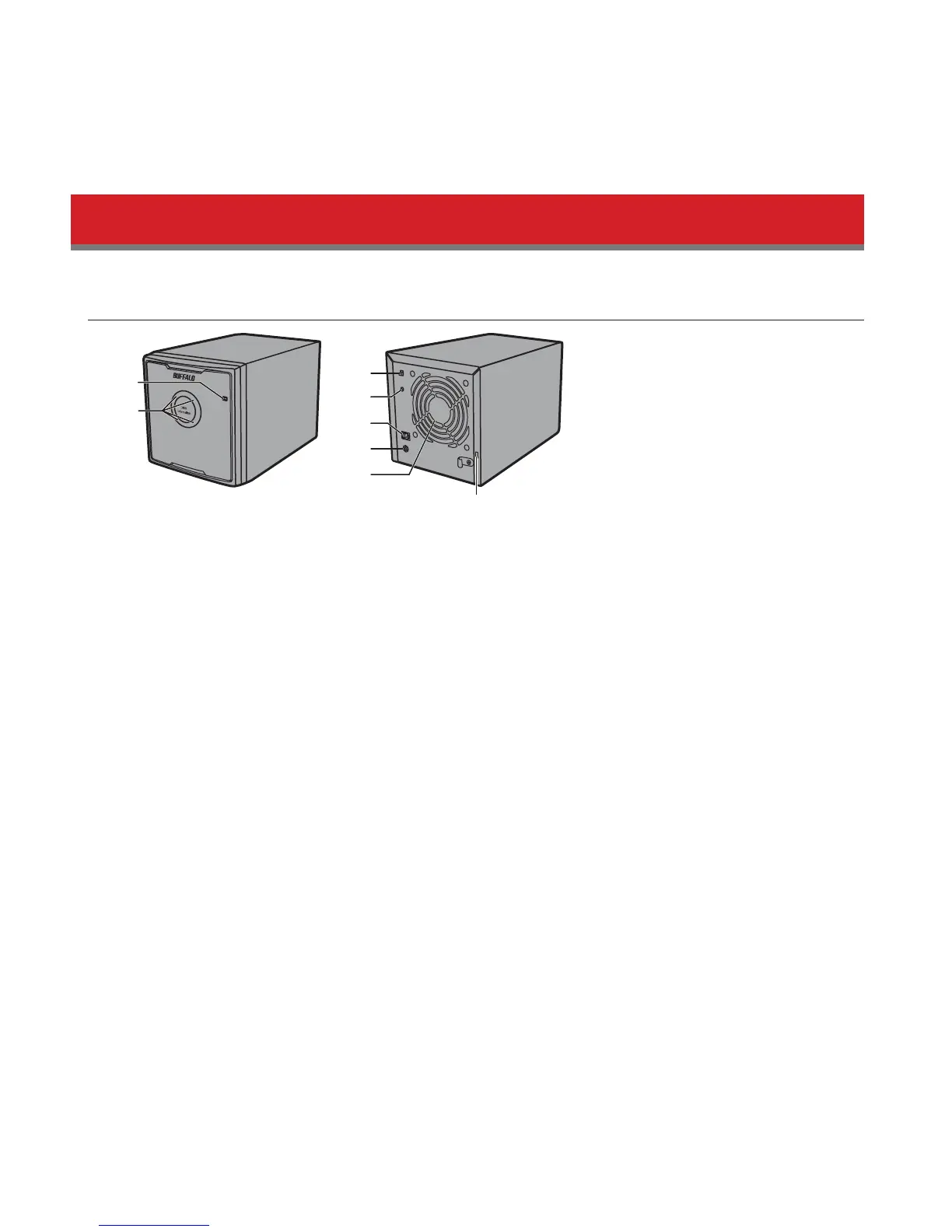
Power LED
Idle: Blue
RAID Maintenance: Purple
2
Access LEDs
These indicate the status for each internal hard drive of the DriveStation. The number next to the LED corresponds
to the hard drive number.
Active: Blinking green
Rebuilding: Blinking red
Error: Red
3
Power Mode
See "Power On/O".
4
RAID Mode Button
Use this button to change RAID modes. A connected computer is not required.
5
USB Connector
Connect to your computer with the included USB cable.
6
DC in
Connect the AC adapter here.
7
Fan
Don't block airow from the fan.













 To Next Page