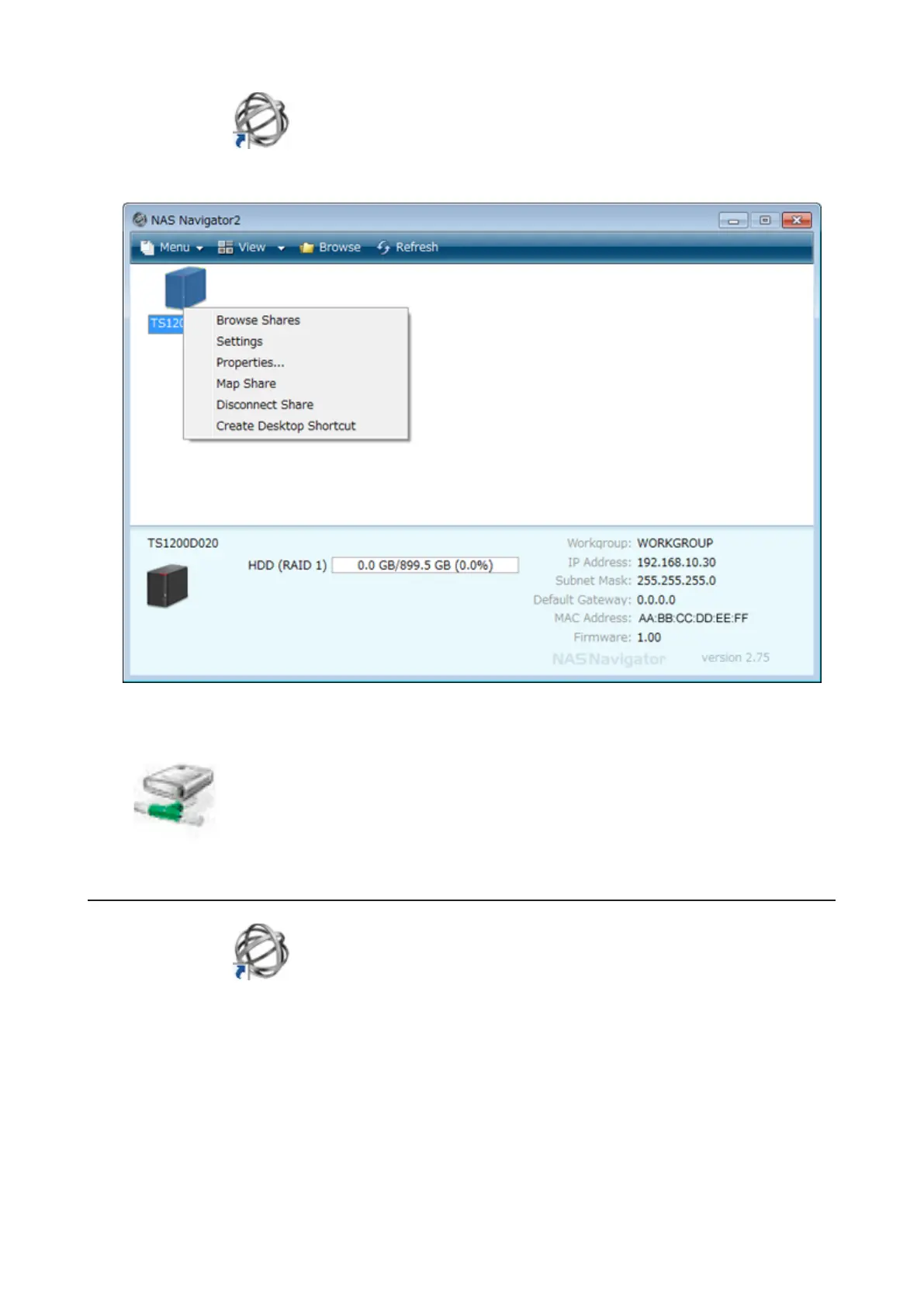
1 Double-click the icon to start NAS Navigator2.
2 Right-click on the TeraStation's icon, then click Map Share.
3 An icon for the mapped share will appear in Computer or My Computer. You can use this network drive just like
any other hard drive.
Changing the IP Address
1 Double-click the icon to start NAS Navigator2.
2 Right-click on your TeraStation's icon and choose Properties - IP Address.
113



 To Next Page