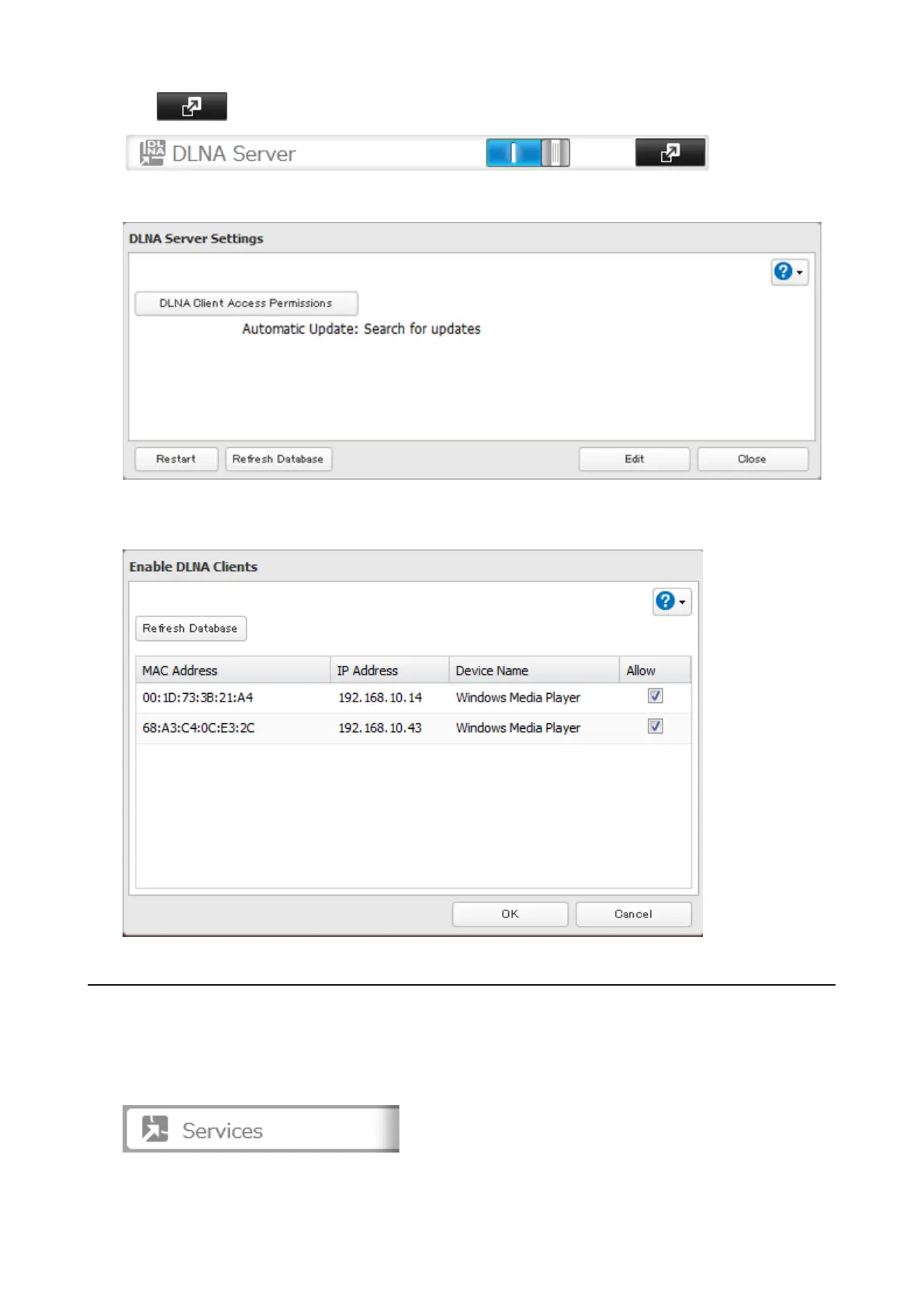
2 Click to the right of "DLNA Server".
3 Click DLNA Client Access Permissions.
4 A list of the MAC addresses, IP addresses, and device names of the DLNA-compatible devices connected to the
same network as the TeraStation is displayed. If your device is not listed, click Refresh Database.
Streaming to DLNA-compatible Devices
When new movies, photos, and music files are added to the TeraStation's DLNA folder, the database must be
updated before the new file can be streamed. By default, the database is updated at startup and again every 60
minutes. You can change this interval or update the database manually.
1 In Settings, click Services.
79



 To Next Page