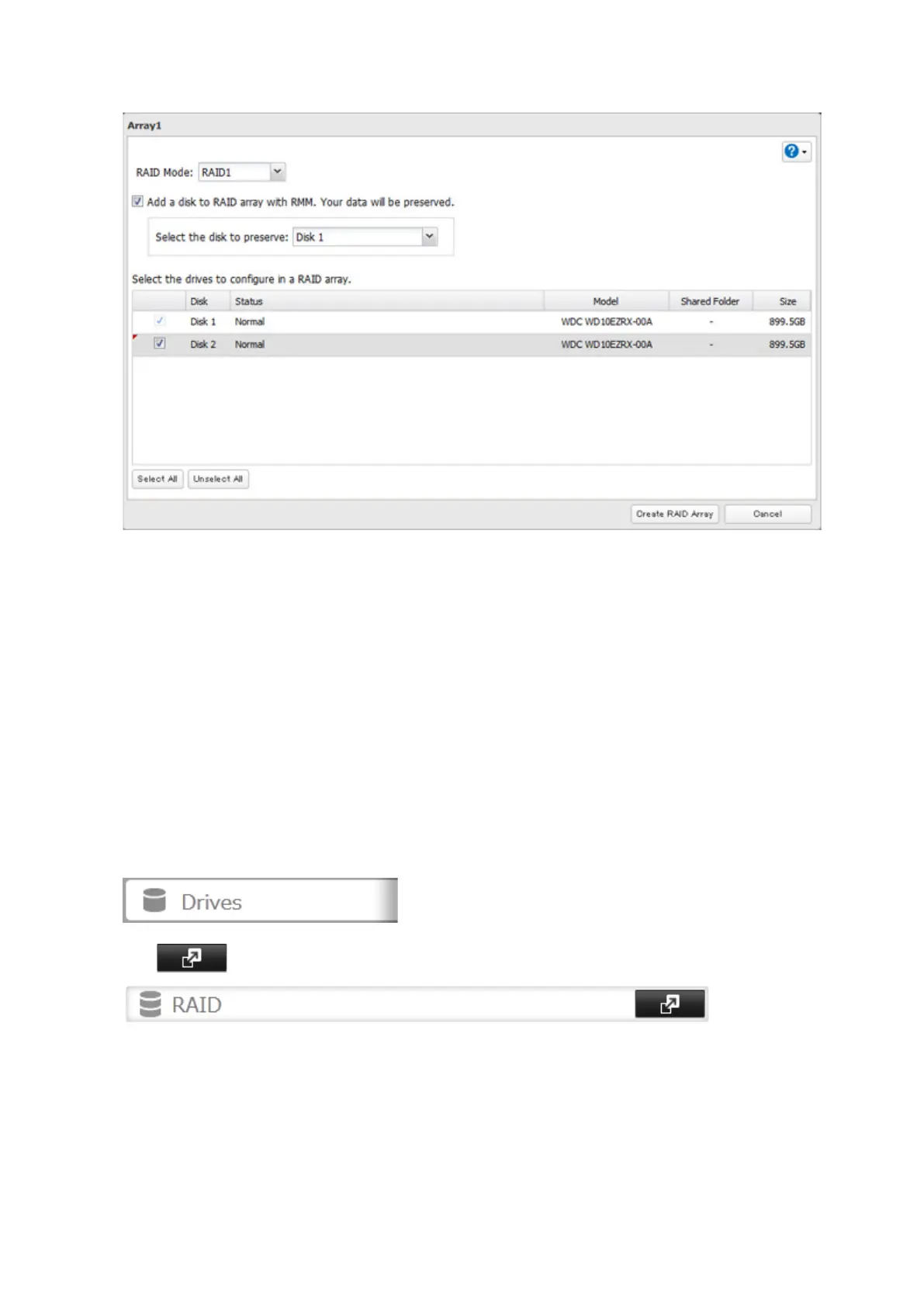
5 Select the "Add a disk to RAID array with RMM. Your data will be preserved." checkbox.
6 Select the drive whose data will be saved from the drop-down list.
7 Select the drive to add to the RAID array.
8 Click Create RAID Array.
9 The "Confirm Operation" screen will open. Enter the confirmation number, then click OK.
Adding a Drive to an Existing RAID Array (For TS1400D and TS1400R Models)
You can add a drive to a RAID 1 or RAID 5 array. Drives that can be added to the RAID array show "Normal".
Note: RMM can be used to expand an array by one drive per operation. To expand by two or more drives, RMM must
be performed multiple times.
1 In Settings, click Drives.
2 Click to the right of "RAID".
38



 To Next Page