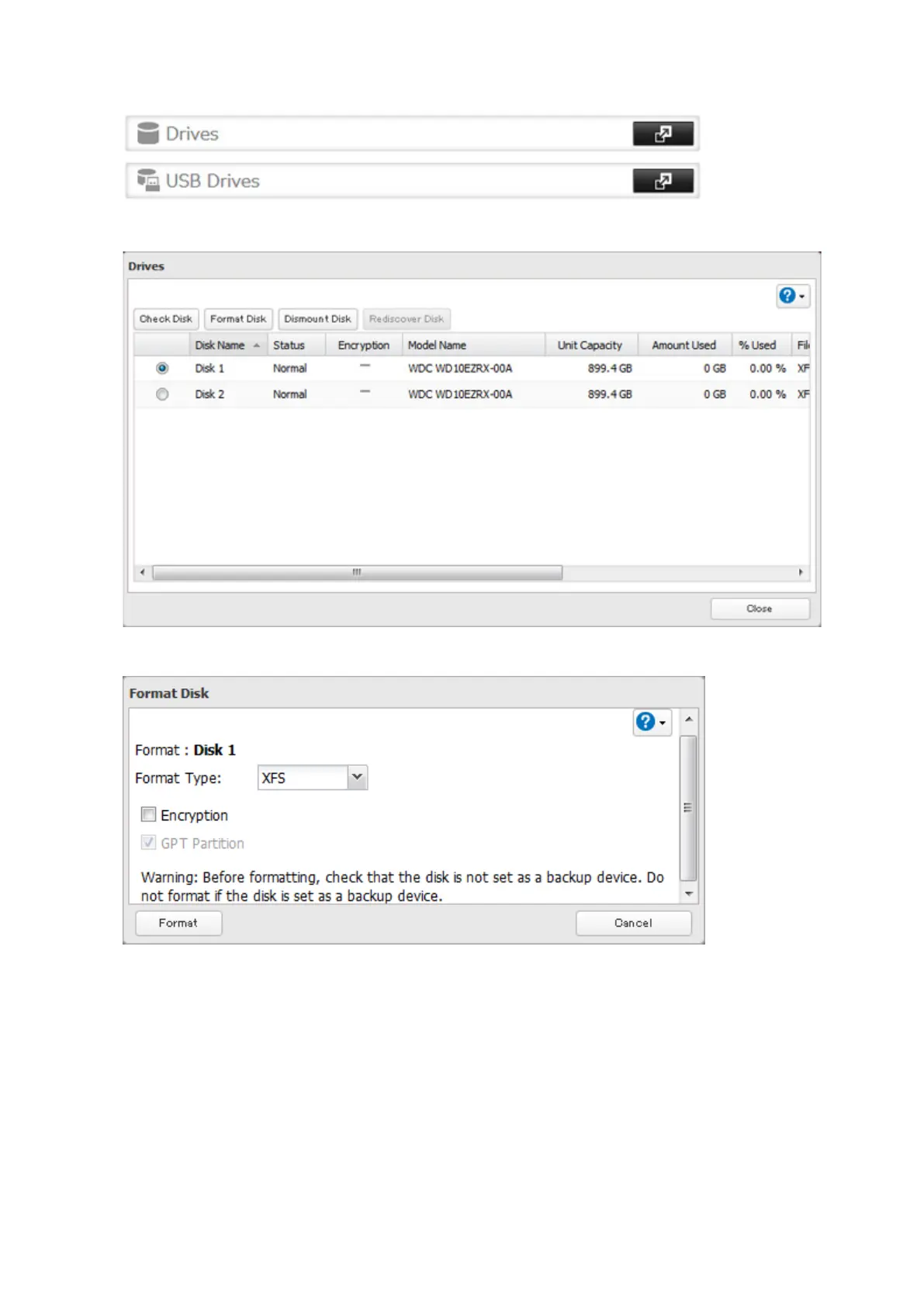
2 Select Drives to format an internal drive or USB Drives to format an external drive.
3 Select the drive or the array to format, then click Format Disk.
4 Select a format type, then click Format.
5 The "Confirm Operation" screen will open. Enter the confirmation number, then click OK.
6 Depending on the size and the formatted file system of your drive, the format may take several minutes or
several hours to complete. "Formatting" will be displayed in Settings or NAS Navigator2 until the format is
complete. Click OK when finished.
Notes:
• Do not turn off or disconnect power to the TeraStation while formatting a hard drive.
• For drives of 2.2 TB or larger, make sure that the "GPT Partition" checkbox is selected.
44



 To Next Page