OPERATION
27
®
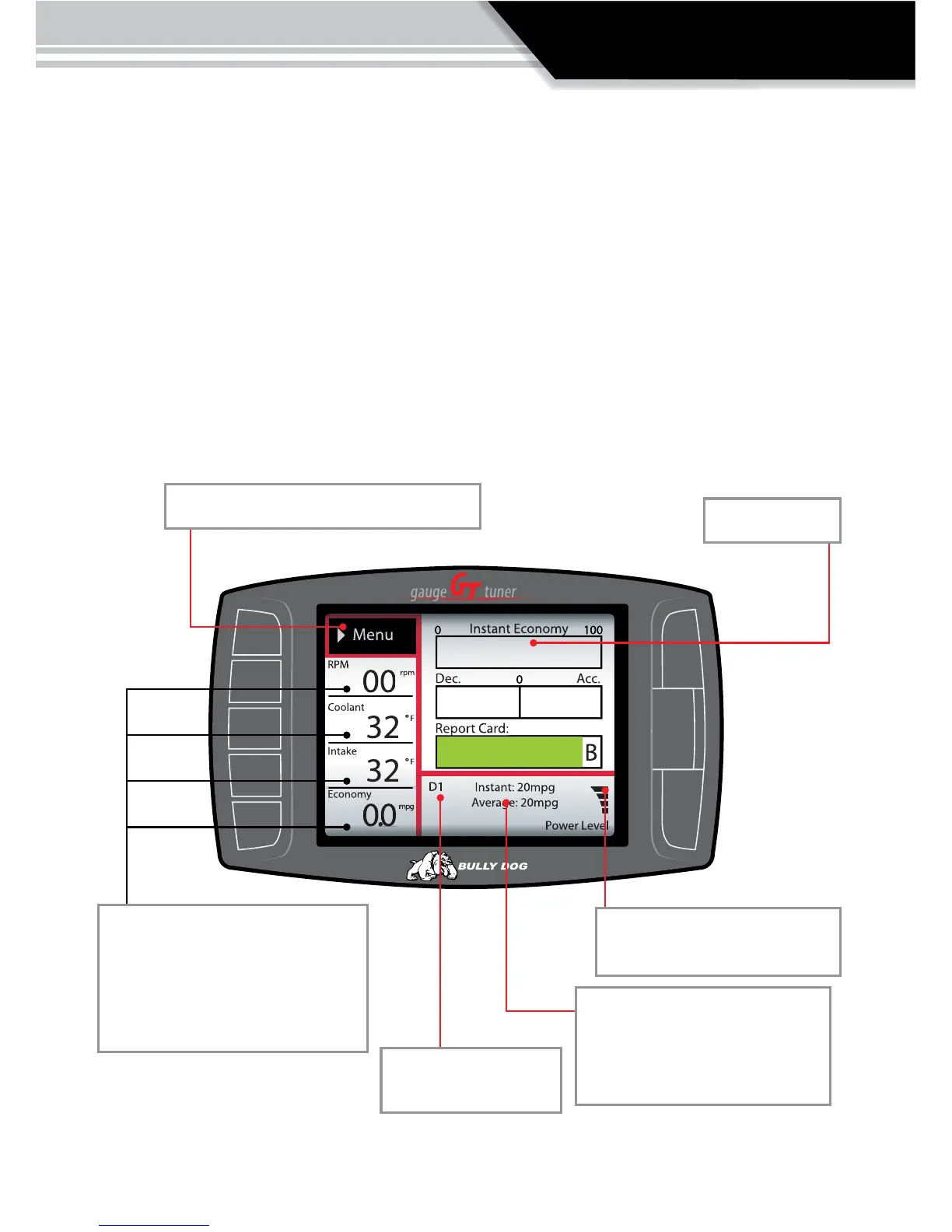
SECTION 3: Exploring the main screen
The Main Screen is the screen that displays vehicle activity, it is also the screen from
which the main menu is accessed. The main screen has a multitude of different
functions; the diagrams in this section fully explain each function accessed from the
main menu. The first diagram displayed names all the parts of the main screen.
See the list of main screen functions on the following page.
Menu button: press to enter the main menu.
Vehicle parameters: To change which
vehicle parameter is displayed in the
large gauge area simply press one of
the four buttons next the preferred
vehicle parameter.
Large Gauge area
Automatic transmission
gear indicator
Power bar: indicates power level,
but only on diesels.
Instant and average fuel economy:
displays current fuel economy,
only accurate if driving coach has
been setup.



 To Next Page