OPERATION
28
®
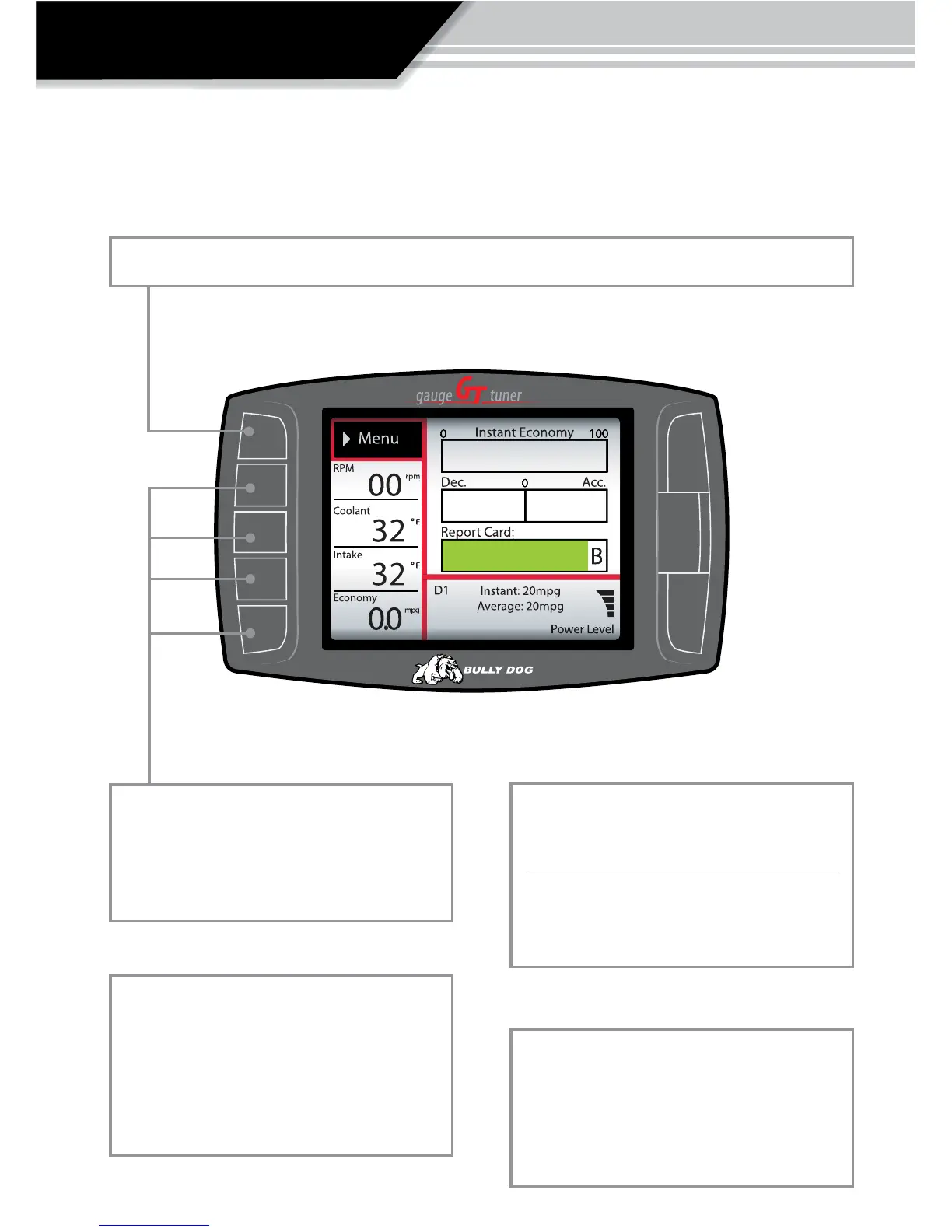
FIVE BUTTON FUNCTIONS OF THE MAIN SCREEN:
FUNCTION 1: Press the top left button to enter the Main Menu, also use this button to exit menus.
FUNCTION 2: Press any of the four buttons on
the left side of the GT adjacent to one of the
vehicle parameters on the screen will display
that parameter in the large gauge area.
FUNCTION 4: Diesel Only
Power Level Up
Power Level Down
Use the power level buttons to control power
levels on-the-y only while in the main
screen.
FUNCTION 5: For diesel and gasoline vehicles,
continuously holding the upper right button
will change the GT color theme. The screen
theme will continue to change as the button
is held.
FUNCTION 3: Continuously hold any of the
four buttons to change the Large Gauge style,
there are four dierent styles that pop up. The
rst style is the Driving Coach. See the next
page to see each gauge style, and the Driving
Coach.



 To Next Page