OPERATION
51
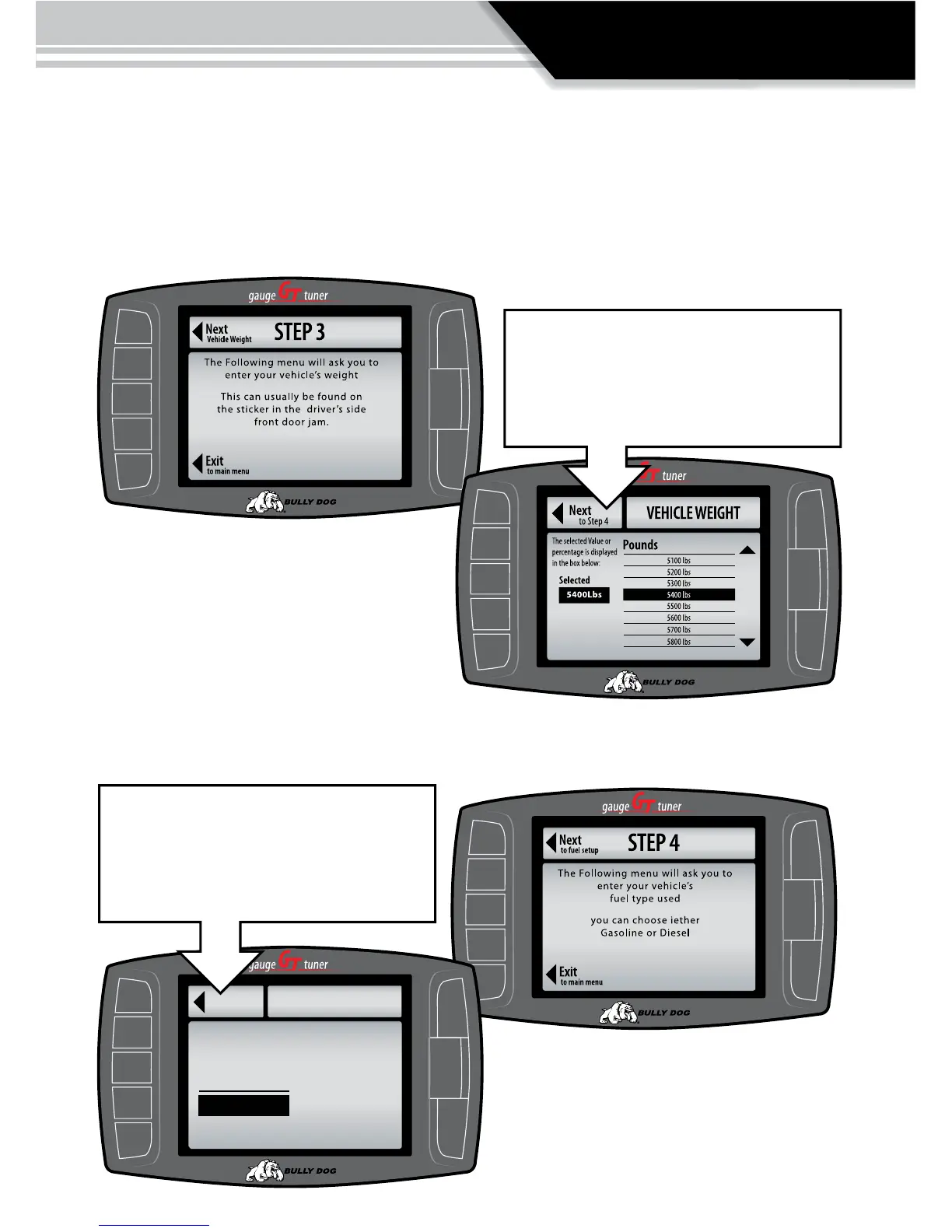
STEP 3: CHOOSE CURB WEIGHT OF VEHICLE The curb weight of a vehicle is usually posted
on a sticker on the inside of the drivers door jam. If the curb weight cannot be found on the door
jam, refer to the vehicle owners manual or look for the curb weight on the internet. The vehicle
can also be weighed on a vehicle scale.
STEP 4: SELECT VEHICLE FUEL TYPE
In step four simply select the vehicle fuel type: gaso-
line or diesel.
To select the correct curb weight scroll to the
correct value listed using the buttons on the
right side of the GT then press the “Next,” but-
ton to proceed to step 4.
®
Go Back
FUEL TYPE
Select Gas or Diesel Fuel
CURRENT:
Gasoline
GASOILINE
DIESEL
to Step 5
Set Gas or Diesel Fuel
To choose the correct fuel type highlight the
correct fuel type by touching the button adja-
cent to the preferred units and then press the
“Next,” Button.



 To Next Page