UPDATES
72
SECTION 1: GT VERSION INFORMATION
The GT may have to be returned to stock before an internet update can be performed
based on the version information. Meaning that the GT download may have to may have
to downloaded to factory stock. The change in the version number for any new update
issued on the Update Agent can be viewed on the Bully Dog web site and compared to the
version on the GT. This is how to determine if a download to stock is necessary.
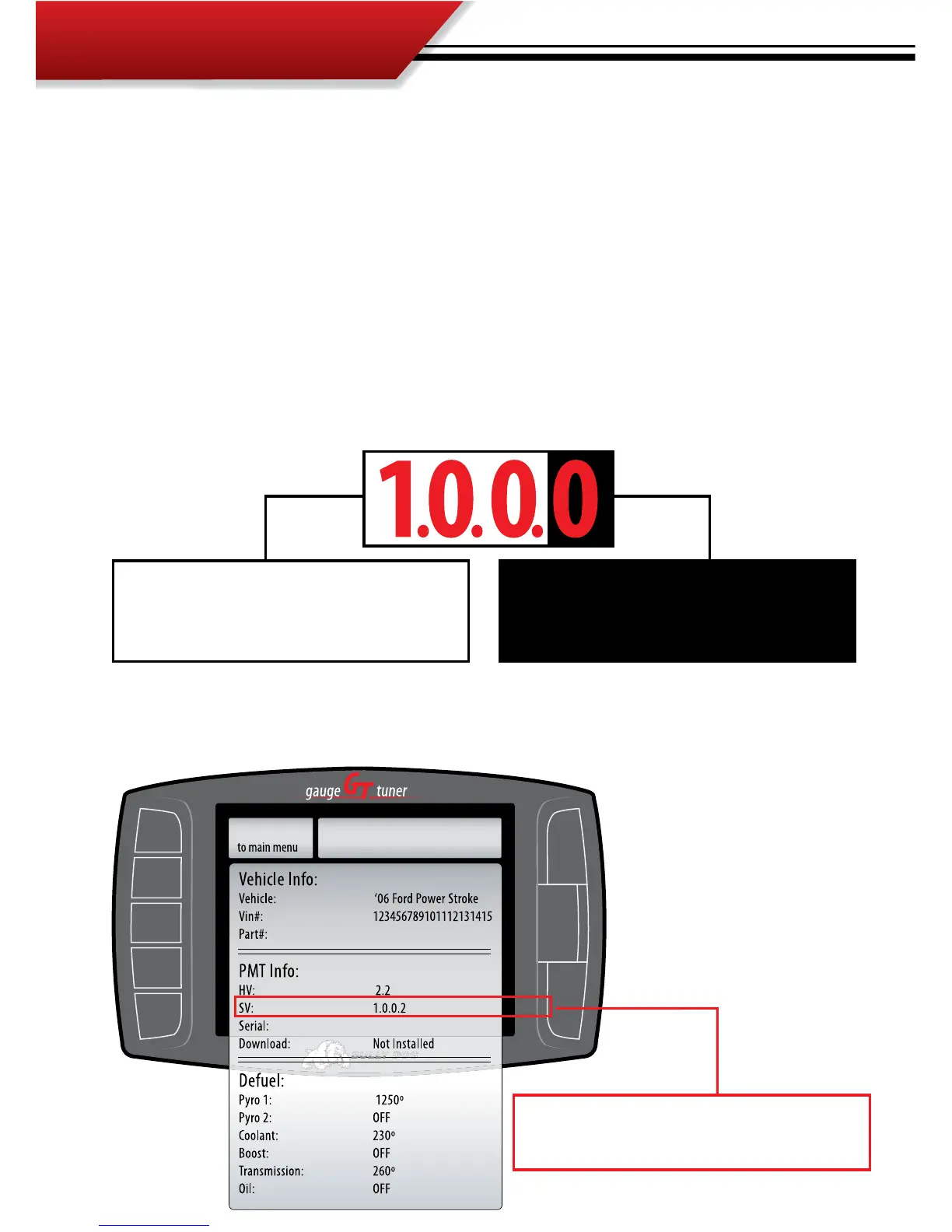
The GT software versions contain four digits as seen below:
®
SETTINGS
Go Back
Go to the Show Setting Menu to view current in-
stalled GT software version.
If any of the rst three digits change in the ver-
sion number then the GT must be downloaded
back to stock before an internet update.
If the fourth digit is the only digit that changes
on a newly issued GT version then the GT does
not need to be downloaded back to stock.
Show Settings Menu: Navigate to the show settings menu in the GT main menu to
find and view the Software Version currently loaded on the GT.



 To Next Page