5 | Operation
10 / 24 Instruction Manual VACTEST DCC 400_EN_en
4.4 Change Display Unit and Orientation (Display
version only)
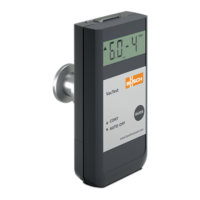
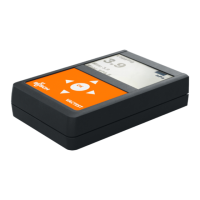
In order to change the display unit (mbar, Torr, hPa):
• Hold the "Adj" pushbuton pressed while connecting power supply until the display
shows "Unit".
• Select the desired unit by pressing the "Adj" pushbuton.
Display unit and orientation can be changed via VacTest explorer or by software com-
mand, see chapterCommands Overview [►13].
5 Operation
NOTICE
Aggressive media such as fluorides, halogenides, carbon, oxygen plasma and all other
corrosive media.
Reduce sensor life-time!
• Furthermore, dust, oil or condensing vapours will affect sensor performance and may
cause malfunction.
NOTICE
Permanent operation in the pressure range 5 x 10
-4
to 2 x 10
-3
mbar.
Wear of the cold cathode sensor!
5.1 Before Operation
Warm-Up Time
The signal output of the gauge is available approx. 2 seconds after the unit is switched
on.
To take advantage of the maximum accuracy of the unit it is advisable to wait 5 ... 10
minutes for stabilization before measurement.
Dependence On Gas Type
The measured pressure will depend on composition and type of gas. The gauge is factory
calibrated for N
2
and dry air.
To adjust to other gases, a suitable correction factor for the cold cathode sensor can be
set in the gauge for the pressure range below 0.002 mbar, see Gas Correction Factor
[►20].


 To Next Page