Installation | 4
Instruction Manual VACTEST DCC 400_EN_en 7 / 24
4.3 Electrical Connection
NOTICE
Establish a connection using a live cable.
Risk of damage to the device!
• Only connect cables when de-energised.
4.3.1 Connecting to the Active Sensor Controller
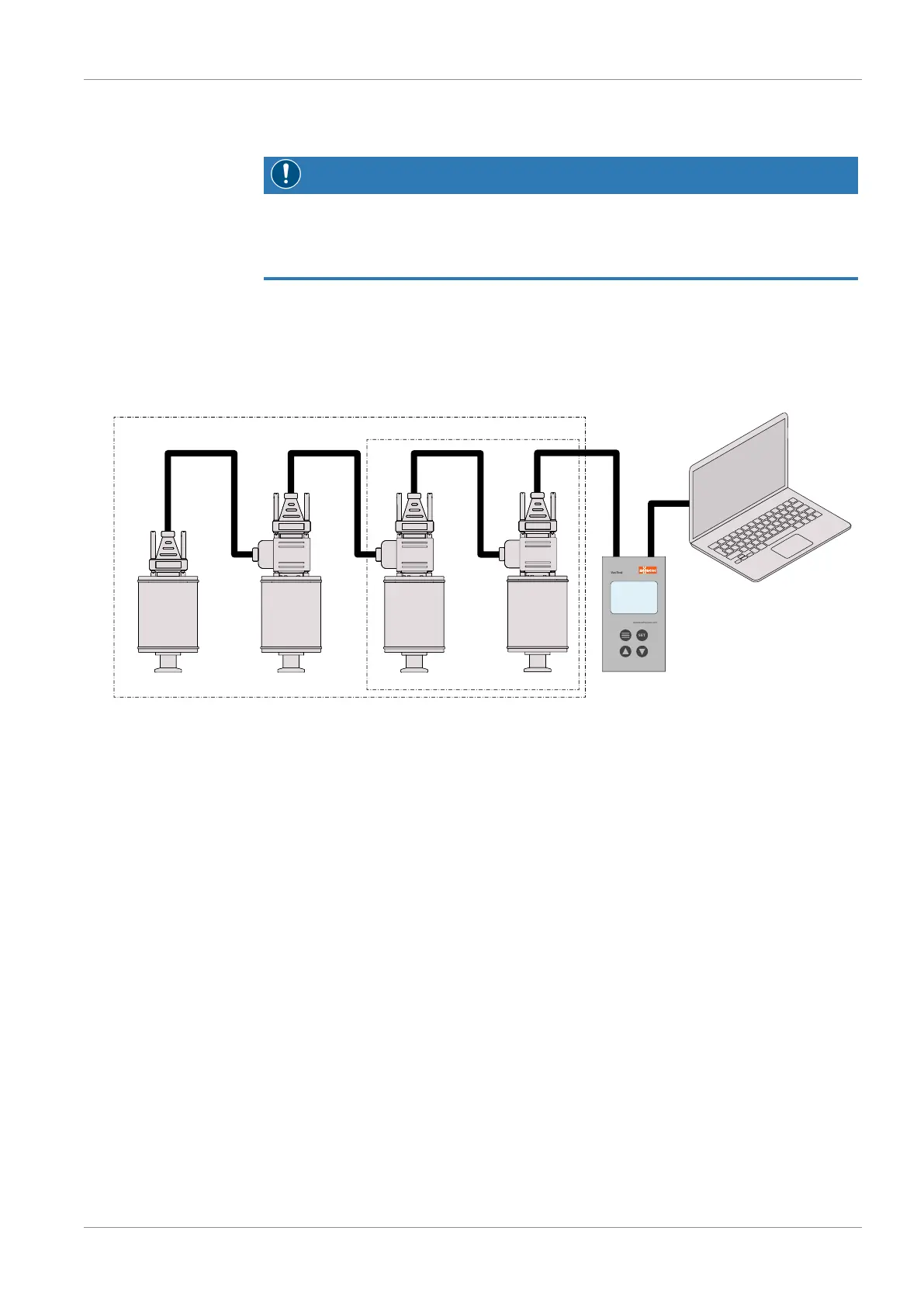
For operation of the gauge with controller, a suitable measurement connection cable
must be used (see accessories).
SET
VacTest
www.buschvacuum.com
Active sensor
controller
CTR 002
CTR 004
D-SUB Cables
Transmitters
With the controller CTR 002: up to 2 gauges can be connected.
With the controller CTR 004: up to 4 gauges can be connected.
USB
• Set the relevant address at the address selector switch, see Setting RS485 Address
[►12].
• Connect the D-Sub connector to the gauge and secure it with the screws.
• Connect the controller and secure the D-Sub connector with the screws.
• Switch on the controller.


 To Next Page