4 | Installation
8 / 24 Instruction Manual VACTEST DCC 400_EN_en
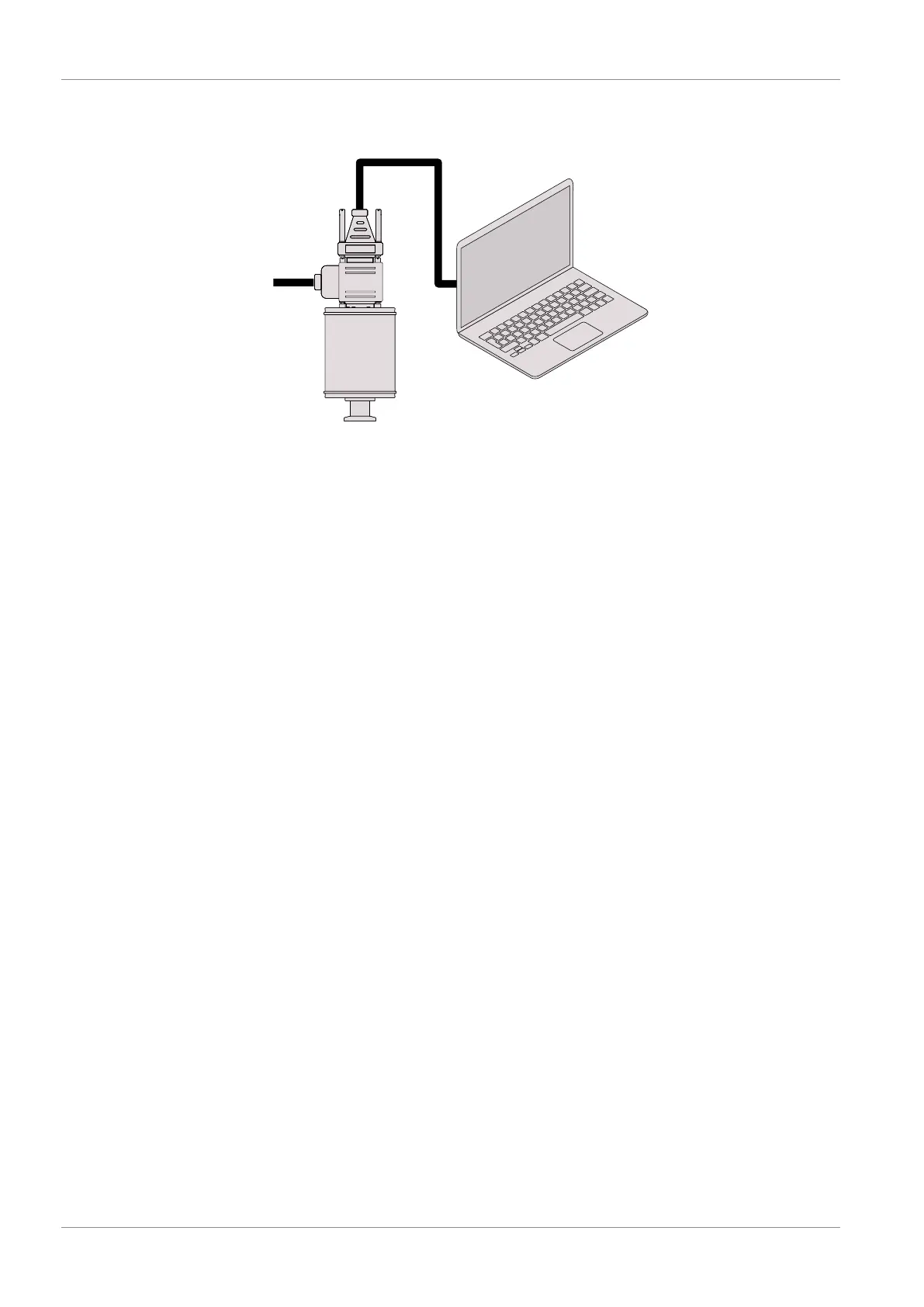
4.3.2 Connecting to the USB/RS485 Converter
Transmitter
USB/RS485
Converter
24 VDC
• Set the relevant address at the address selector switch, see Setting RS485 Address
[►12].
• Connect the gauge to the power supply cable.
• Connect the USB/RS485 converter and secure the D-Sub connector with the screws.
• Connect the power supply cable to the mains.


 To Next Page