8 | Troubleshooting
18 / 24 Instruction Manual VACTEST DCC 400_EN_en
8 Troubleshooting
Problem Possible Cause Remedy
High measurement error. Contamination, ageing,
extreme temperature,
maladjustment.
• Readjustment, replace sen-
sor or send unit for repair.
0.5V < output signal < 1.0V
"UR" via RS485.
Pressure under range. • Pressure < 5 x 10
-9
mbar.
Output signal < 0.5V / "ER-
ROR1" via RS485 Status LED
continuously red.
Defective electronics or
sensor.
• Send unit for repair or re-
place sensor.
Access code "7" via RS485. Error message / warning. • Contact Busch for commu-
nication protocol.
9 Spare Parts and Accessories
Spare part Description Part no.
Spare sensor Intended for:
- DPC 400 (DN 25 ISO-KF flange)
- DCC 400 (DN 25 ISO-KF flange)
- DPC 400 D (DN 25 ISO-KF flange)
- DCC 400 D (DN 25 ISO-KF flange)
0680 204 598
Spare sensor Intended for:
- DPC 400 (DN 40 ISO-KF flange)
- DCC 400 (DN 40 ISO-KF flange)
- DPC 400 D (DN 40 ISO-KF flange)
- DCC 400 D (DN 40 ISO-KF flange)
0680 204 599
Controller Description Part no.
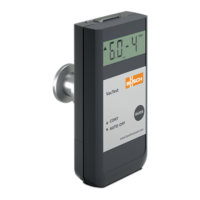
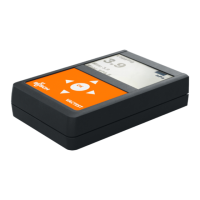
Active Sensor Controller CTR 002, 2 channels 0656 202 928
Active Sensor Controller CTR 004, 4 channels 0656 202 929
Accessory Description Part no.
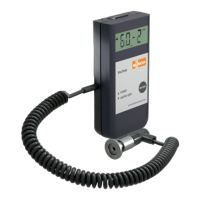
Connecting cable 2x D-Sub 15 poles – 2 meters 0671 204 577
Connecting cable 2x D-Sub 15 poles – 6 meters 0671 204 578
Connecting cable 2x D-Sub 15 poles – 10 meters 0671 204 580
Connecting cable 2x D-Sub 15 poles – 20 meters 0671 204 581
Bluetooth module RS485 Interface converter to Bluetooth 0680 204 592
Connecting cable RS485 Interface converter to USB 0671 204 593
Power supply 100-240 VAC / 50-60Hz, 300 mA - with EURO/
US/UK/AUS plugs
0671 204 594
Software VacTest explorer - Pro version (1 license) 0870 203 191
This is only part of the available accessories, check on Busch's website or contact your Busch represen-
tative for more information.


 To Next Page