Getting to know your TV
You’ll be up and running in no time
Getting to know your TV
12
If you require any technical guidance or find that your TV is not operating as intended, a simple solution can often be found in the Troubleshooting section of these instructions,
Ready? Let’s begin...
Please read these instructions carefully. They contain
important information which will help you get the best
from your TV and ensure safe and correct installation
and operation.
If you require any further assistance, our technical
experts are happy to help. For full details, refer to
the product support section at the end of these
instructions.
Accessories
1. Remote control.
2. Batteries: 2 x AAA.
3. Instruction book.
4. Quick start guide.
Features
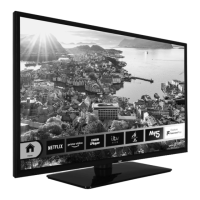
• Remote controlled colour TV
• DVD Player
• Fully integrated digital terrestrial TV (DVB-T2)
• HDMI inputs to connect other devices with HDMI
sockets
• USB input
• OSD menu system
• Scart socket for external devices (such as DVD
Players, PVR, video games, etc.)
• Stereo sound system
• Teletext
• Headphone connection
• Automatic programming system
• Manual tuning
• Automatic power down after up to eight hours.
• Sleep timer
• Child lock
• Automatic sound mute when no transmission.
• NTSC playback
• AVL (Automatic Volume Limiting)
• PLL (Frequency Search)
• PC input
• Game Mode (Optional)
• Ethernet (LAN) for interactive services available on
digital channels
• Picture off function














 To Next Page